Skip to content
Nitro vs. Adobe

Why Choose Nitro as the Best Adobe Acrobat Alternative?

Nitro PDF is the best Adobe Acrobat alternative for organizations seeking enterprise PDF editing, transparent pricing, AI-powered productivity, and enterprise-grade security. Nitro provides tools to create, edit, convert, OCR, and sign PDFs, along with centralized administration, document analytics, and 24/7 expert support. Organizations can also save up to 30% compared with Adobe Acrobat. 

Header-Photo

67% of the Fortune 500 trust Nitro Software

#1 PDF Editor for Businesses voted by TechRadar

95% customer satisfaction rate 

Caroline Brady

Product Marketing Manager, PDF
Last updated: September 21, 2026

Nitro PDF

Adobe Acrobat

Best for

Businesses & enterprises seeking secure, scalable PDF workflows at lower cost

Organizations already invested in the Adobe ecosystem

Not ideal for

Organizations that only need occasional PDF editing

Organizations prioritizing predictable pricing and lower software costs

Biggest strength

Enterprise value, AI privacy, customer support, and included administration and analytics

Comprehensive PDF capabilities and broad ecosystem integration

Biggest weakness

Some AI capabilities are newer than Adobe's well-established PDF and AI offerings

Higher software costs and more complex licensing for some business deployments

Verdict

Best overall Adobe Acrobat alternative for businesses seeking value, security, and enterprise support

Strong choice for organizations that prioritize Adobe ecosystem integration

How do Nitro's features and price compare to Adobe?

Nitro PDF Standard
Adobe Acrobat Standard
Nitro PDF Plus
Adobe Acrobat Pro

Top Features

Edit text and images, reorder and delete pages in a PDF
Convert files to and from PDF
Combine multiple files and file types into one PDF
Access, edit, and store files in M365, iManage, Box, Dropbox, OneDrive, SharePoint
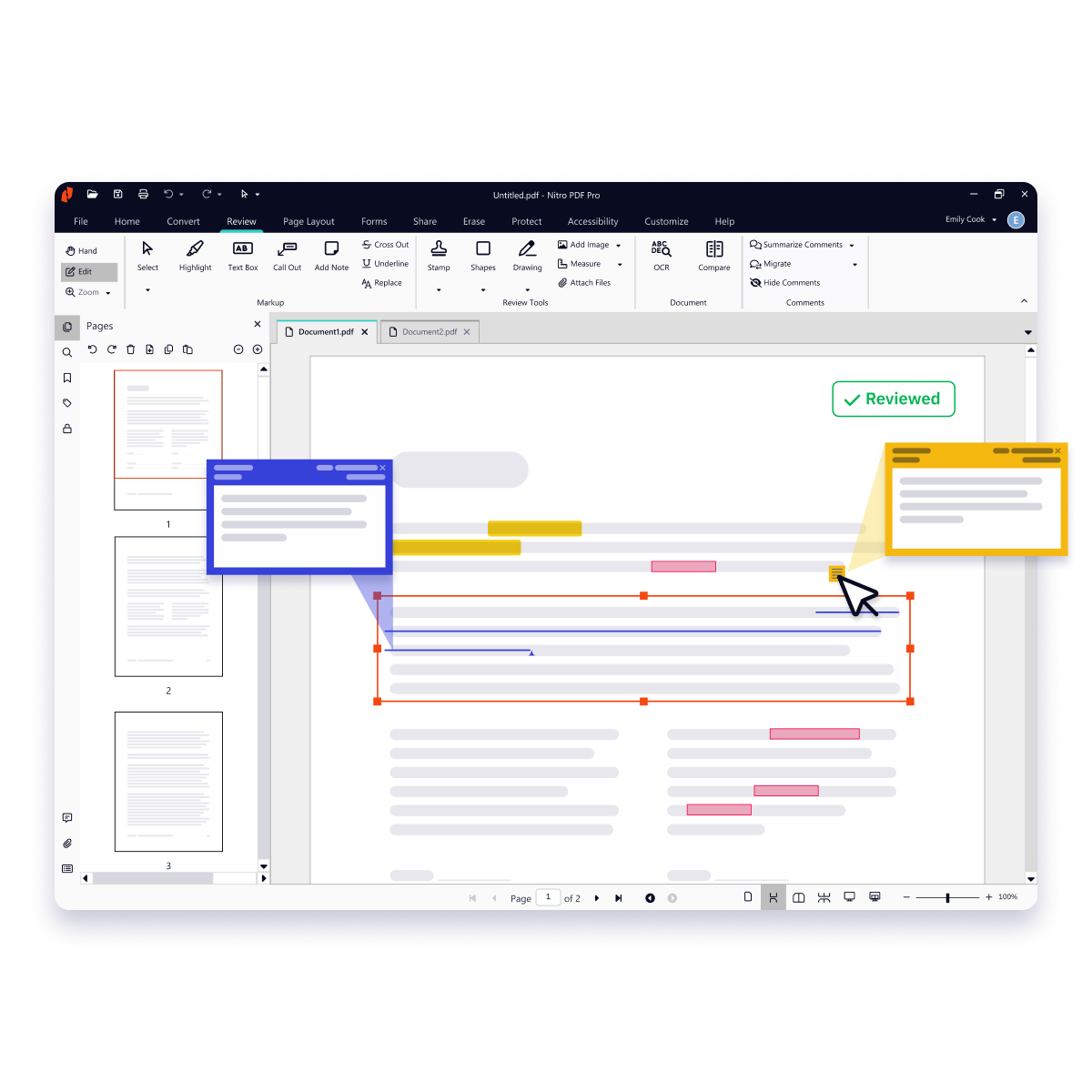
Create annotations using sticky notes, text boxes, call-outs, pencils, and shapes
Turn scanned documents into searchable and editable PDFs
Automatically extract table or form data from PDFs
Redact to remove sensitive information
Compare PDF versions
Bates numbering
Manage licenses, users, and services via online Admin console
24/7/365 support

AI tools & capabilities

Automatically extract table from PDFs Via API only Via API only
Automatically extract form data from PDFs Via API only Via API only
Automated Form Creation
Generate instant document summaries and ask specific questions Additional costs may apply for AI features Additional costs may apply for AI features
Access support through the AI-powered Knowledge Assistant
Get instant answers and resources about features with AI Assistant, a 24/7 generative AI chat tool
Advanced Redaction using Natural Language Processing Available as an add-on Available as an add-on

Security

Compliance certifications including HIPAA, SOC 2, US-EU, Data Privacy Framework
Create PDFs for compliance with ISO standards for WCAG 2.1, and PDF/UA
ISO 27001 accredited for information security management
Single Sign-On

User-friendly interface

Familiar Office-style interface for easy adoption
Familiar macOS-style interface for easy adoption
Access your documents from your desktop, browser, or mobile device
Outlook plugin to create PDFs from email

Support and platform benefits

Access to experts 24/7
Access to technical & troubleshooting support Live Human support: Direct access to live technical specialists AI First: Primarily chat & web-ticketing with limited direct access Live Human support: Direct access to live technical specialists AI First: Primarily chat & web-ticketing with phone line for admins
Access to dedicated Success Manager* Named CSM Pooled support: general queue Named CSM Pooled support: general queue
Implementation, change management & onboarding support Unlimited Limited 1:1 sessions capped at 2 per year Unlimited Limited 1:1 sessions capped at 2 per year
Self service documentation customized and branded for your organization
Analytics dashboard to track ROI, sustainability savings, and usage
Access support through the AI-powered Knowledge Assistant Additional costs may apply for AI features Additional costs may apply for AI features
*Dedicated Customer Success Manager and unlimited 1:1 sessions available for eligible business and enterprise accounts. Adobe "Expert Sessions" are capped at two 30-minute sessions per user, per year.

Make the switch to Nitro today

See our PDF plans & pricing and learn how we make the switch from Adobe Acrobat easy and efficient.
See plans & pricing

Is Nitro PDF a direct replacement for Adobe Acrobat Pro?

Yes. Nitro PDF offers full feature parity with Adobe Acrobat Pro, including advanced PDF editing, OCR, secure redaction, and legally binding eSignatures. Most businesses switch to Nitro to get these professional tools at a 30% lower cost without the complexity or restrictive licensing of the Adobe ecosystem.

How much can my business save by switching from Adobe to Nitro PDF?

On average, Nitro customers save up to 30% compared to Adobe Acrobat plans. Nitro eliminates "seat bloat" through transparent, predictable pricing with no per-seat penalties or forced bundles. Our Customer Success team also helps you calculate your specific ROI based on your current Adobe spend and usage.

Can I try Nitro PDF for free before switching from Adobe?

Yes. Nitro PDF comes with a free 14-day trial, with no features locked and no credit card required for use. Give it a try to see why we’re your ideal choice for an alternative to Adobe Acrobat.

Will my team need retraining to use Nitro PDF?

No. Nitro is designed with a familiar, Microsoft Office-style ribbon interface. Because it mirrors the tools your team already uses daily (like Word and Excel), most users can start editing and signing documents within minutes. This "zero-learning-curve" design ensures high adoption rates and immediate productivity.

How does Nitro PDF handle AI privacy compared to other PDF editors?

Unlike many competitors, Nitro prioritizes data sovereignty. We never use your sensitive documents to train global AI models, and we don’t share your data with third-party AI services. Every Nitro plan includes AI-powered tools—like auto-summarization and Smart Redact—built specifically for enterprise security and compliance.

What support options does Nitro PDF offer for migrating from Adobe?

Nitro provides dedicated 24/7 expert support and a specialized migration team to ensure a seamless transition.

We handle the heavy lifting, from mapping your existing Adobe workflows to Nitro features to managing license deployment via the Nitro Admin Portal, ensuring zero downtime for your business.

Nitro PDF support options include:

Is Nitro compliant with industry security standards like HIPAA and SOC 2?

Yes. Nitro meets internationally recognized security certifications, including ISO 27001, SOC 2 Type 2, and HIPAA. We also comply with the EU–U.S. Data Privacy Framework, making Nitro a trusted choice for highly regulated industries like healthcare, finance, and legal services.
 

Does Nitro offer any form of analytics to track my ROI after the switch?

Yes. While many competitors only provide basic license seat counts, Nitro includes Advanced Analytics as a standard feature for business plans. Our dashboard allows you to track document productivity, monitor bottlenecks, and quantify your actual ROI and sustainability savings (like paper and water saved) in real-time.

This visibility is built-in, helping you prove the value of your PDF solution without requiring additional high-tier enterprise add-ons.

Can I manage my team’s licenses without separate admin fees?

Yes. The Nitro Admin Portal is a centralized hub included in your plan that allows you to provision, deprovision, and reassign licenses instantly. You can control feature access by department and scale your seat count as you grow—without the hidden "admin console fees" or complex vendor negotiations often found with other PDF editors.

What happens to my existing Adobe workflows and integrations?

Nitro’s migration experts act as an extension of your team to map your current Adobe workflows directly to Nitro features. Whether you have specific document routing processes or need to integrate with your existing tech stack, we ensure business continuity so your team stays productive throughout the entire transition.

Why do businesses choose Nitro PDF over Adobe?

Businesses choose Nitro PDF because it delivers enterprise PDF editing, eSigning, AI-powered productivity, predictable pricing, and enterprise-grade security while costing up to 30% less than comparable Adobe Acrobat plans. 

Screenshots-PDF-Edit and annotate

Enterprise PDF editing with predictable pricing 

Nitro gives businesses the tools they need to create, convert, edit, sign, and collaborate on PDF documents with transparent licensing and pricing plans that eliminate surprise overages, forced bundling, and per-seat penalties.
Screenshots-PDF-Organize

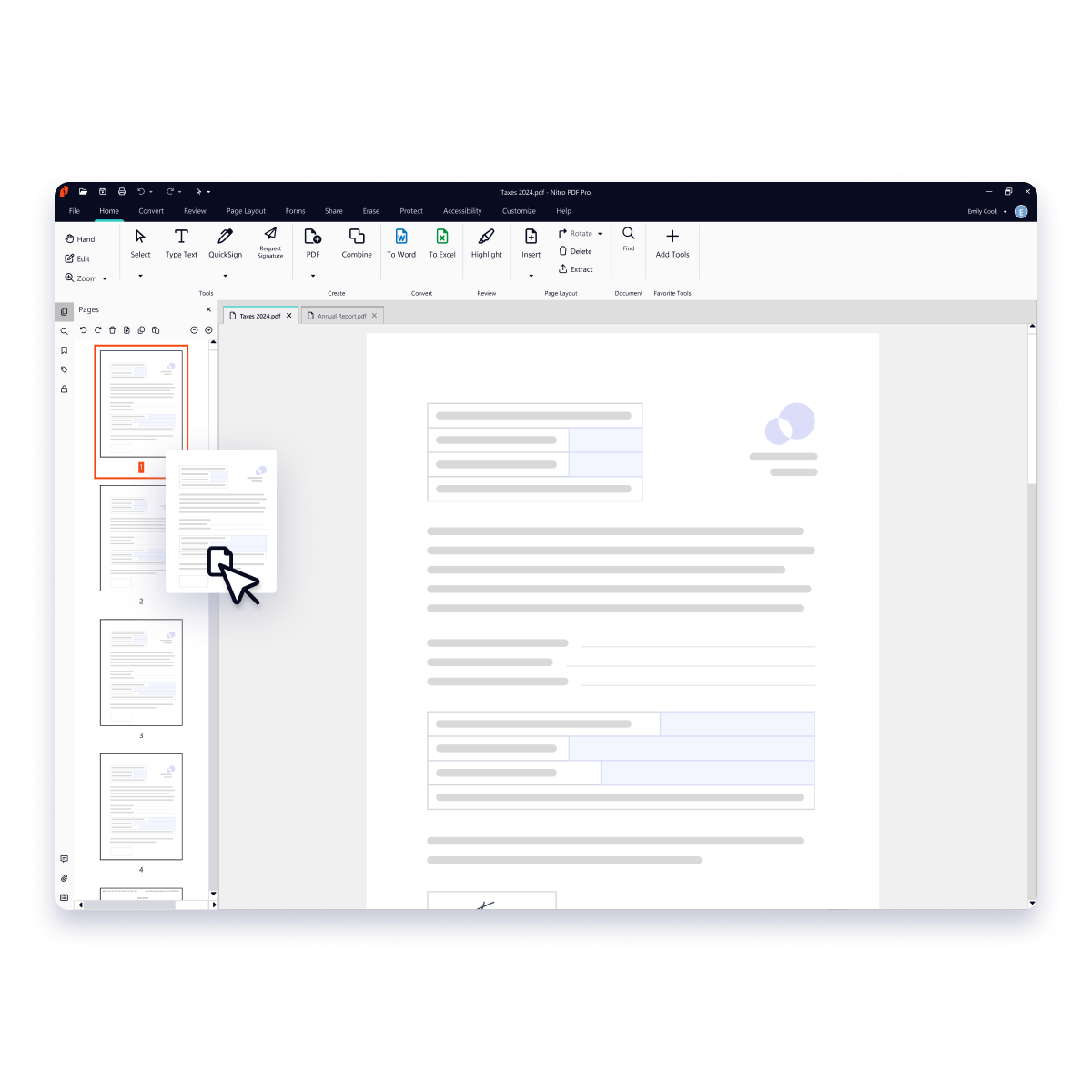
Familiar interface speeds up adoption 

Nitro PDF uses a familiar Microsoft- and Apple-inspired interface that helps employees become productive faster with minimal training. Teams can quickly create, edit, and sign PDFs, while onboarding resources and guided implementation help organizations accelerate adoption and realize value sooner.


EN - Blog - Header Banner - Why Security and Compliance Are Essential for Enterprise eSigning -  1600x1200

Security and compliance built for business 

Nitro PDF protects sensitive data and documents with enterprise-grade security, encryption, and globally recognized standards and certifications, including ISO 27001, SOC 2, HIPAA, and the EU–U.S. Data Privacy Framework. We never share your data with third parties or use it to train generative AI models. 

Inline Photo-Customer support

24/7 technical support and customer success teams 

Nitro provides 24/7 expert support to help organizations deploy, manage, and optimize Nitro PDF with minimal disruption. Nitro also maintains a 95%+ customer satisfaction rating and was recognized as TechRadar's Best PDF Editor for Business in 2024.
Screenshots-Workspace-Document Assistant

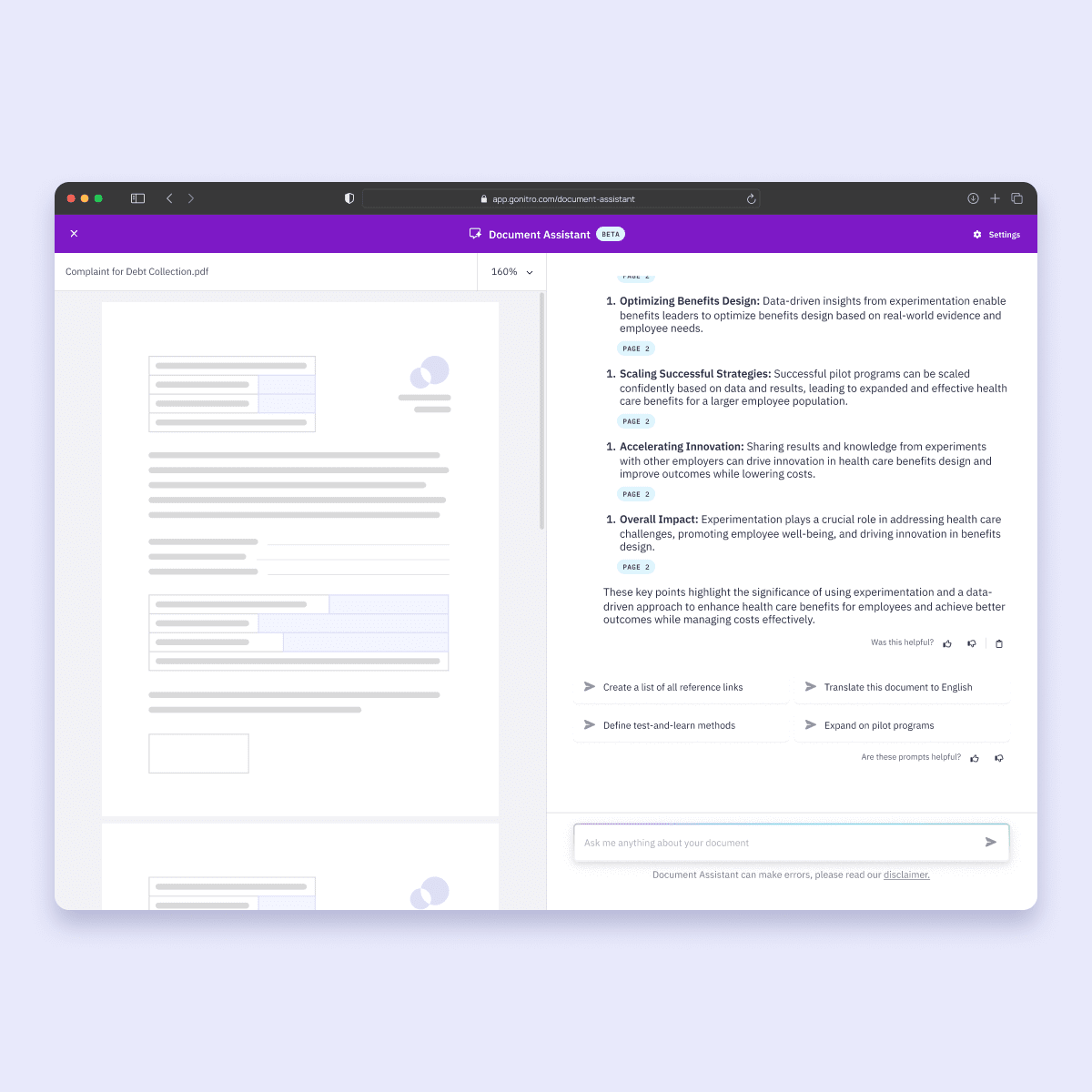
Secure AI tools with strict data privacy protocols 

Nitro PDF includes AI-powered tools that summarize documents, translate content, extract information, and automatically redact sensitive data while keeping business information protected. Unlike AI services that rely on third-party data processing, Nitro's AI features are designed with privacy and customer control in mind, helping organizations improve productivity without compromising security.  
 

Screenshots-Analytics-PDF

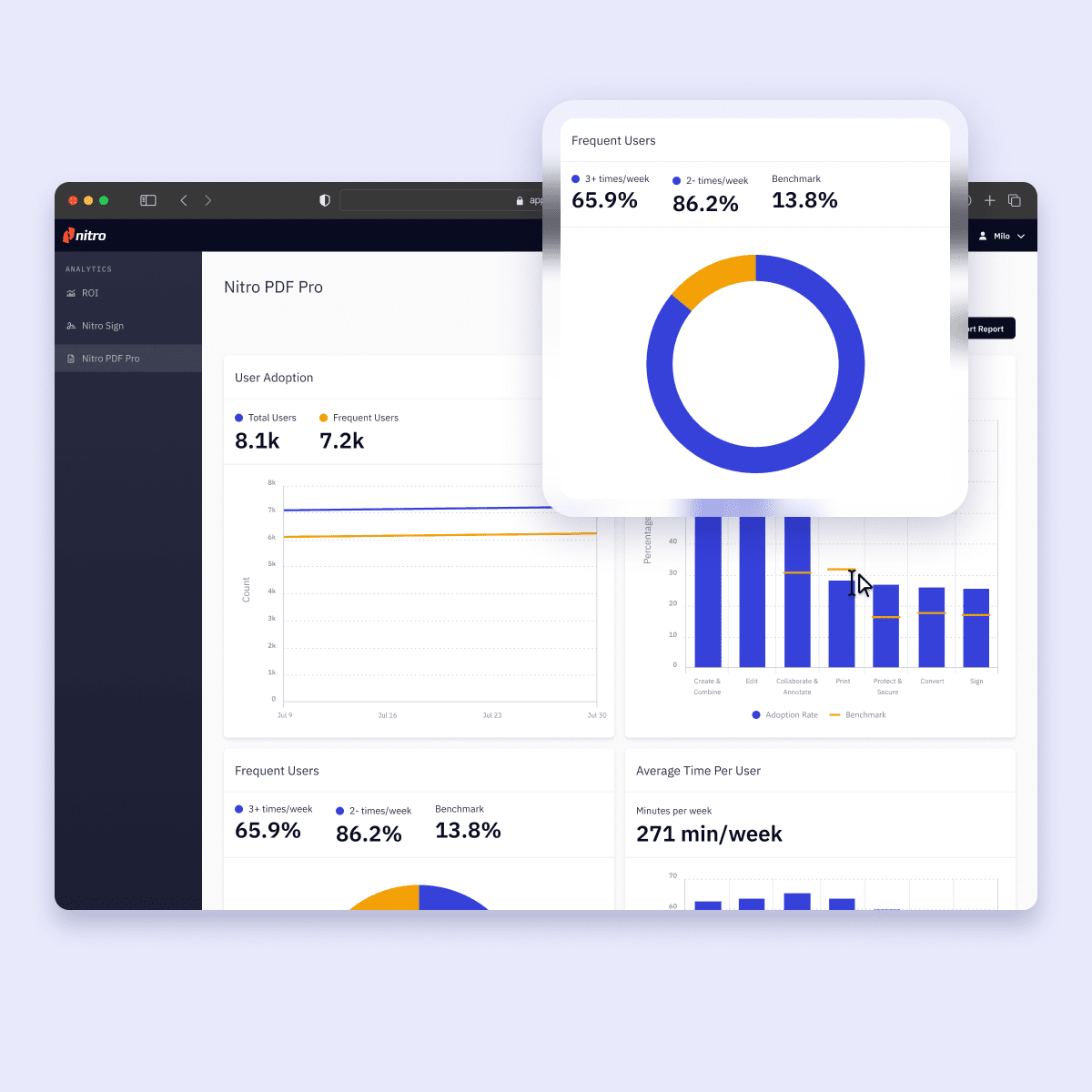
Analytics and admin tools as standard, not an upsell 

Unlike Adobe, Nitro includes powerful analytics and admin tools in every plan. Track ROI, monitor usage, and measure time savings with an intuitive dashboard that turns document data into actionable insights. 

The Nitro Admin Portal gives IT teams a centralized hub to manage licenses, users, and services—no separate admin console fees required. 

Which is better for your business: Nitro PDF or Adobe Acrobat?

If you prioritize...

Better choice

Why

Lower software costs

Nitro PDF

Organizations can save up to 30% compared with Adobe Acrobat.

PDF editing and document workflows

Both

Both offer tools for creating, editing, converting, and working with PDF documents.

AI-powered productivity

Both

Both offer AI-powered capabilities for working with PDF content and documents.

AI privacy and data control

Nitro PDF

Nitro doesn’t share customer data with third parties or use it to train generative AI models.

Enterprise security and compliance

Both

Both provide enterprise security and compliance capabilities, with specific certifications and controls varying by product and plan.

Centralized administration

Both

Nitro provides the Nitro Admin Portal, while Adobe provides centralized administration through the Adobe Admin Console.

Built-in document analytics

Nitro PDF

Nitro includes document analytics in its plans for monitoring usage and adoption.

24/7 expert support

Nitro PDF

Nitro provides 24/7 technical support.

Adobe ecosystem integration

Adobe Acrobat

Acrobat integrates with other Adobe products and services, making it a natural fit for organizations already standardized on Adobe.

Switching from Adobe Acrobat

Nitro PDF

Nitro provides migration resources, deployment support, onboarding, and license management to support organizations moving from Adobe Acrobat.

The bottom line: Nitro PDF is the better choice for businesses prioritizing cost savings, AI privacy, centralized administration, analytics, and 24/7 support. Adobe Acrobat may be the better fit for organizations that are already heavily invested in the broader Adobe ecosystem. 

Make the switch to Nitro today

See our PDF plans & pricing and learn how we make the switch from Adobe Acrobat easy and efficient.
See plans & pricing
icon of a timeline

Easily plan your migration to Nitro

Nitro works with your team to assess existing Acrobat workflows, identify migration requirements, and align Nitro PDF with your processes to reduce disruption and support a smoother transition.
Icon-48px-Work on the go-1

Transition users and licenses

Flexible licensing and centralized license management make it easier to transition users from Adobe Acrobat to Nitro while adapting deployments to your organization's timeline and needs.
icon of an arrow pointing to a globe

Deploy Nitro across your organization

The Nitro Admin Portal helps IT teams deploy Nitro across the organization by provisioning users, managing permissions, and controlling access from a centralized administration console.
Icon-48px-Streamlined collaboration-1

Flawlessly accelerate user adoption

Customer Success resources, onboarding materials, and a familiar Microsoft Office- and Apple-style interface help employees become productive quickly with minimal disruption to day-to-day work.
Icon-48px-Signature Tracking

Monitor organizational adoption

Built-in analytics help IT teams monitor product usage and adoption across the organization, providing visibility into how employees are using Nitro and where additional support may be needed.
Icon-48px-Value-1

Demonstrate business value

Analytics and reporting help organizations measure time savings, evaluate software utilization, and demonstrate the business value of migrating from Adobe Acrobat to Nitro PDF.
Customer Success Stories
 

What results have businesses achieved after switching to Nitro?

  • Spr25_Grid Leader
  • Spr High Performer
  • Spr25_ROI MidMarket
  • Spr25_HighPerformerSmall
  • Sp25_Enterprise
  • Spr25_HighPerformerMid
  • Spr25_User Adoption

Join thousands already saving big with Nitro

Connect with Nitro today to learn how you can drive productivity and savings.
Contact us