Skip to content
Nitro vs. Adobe

Why Choose Nitro as the Best Adobe Acrobat Alternative?

Businesses that switch from Adobe to Nitro save up to 30% and get access to dedicated 24/7 expert support, enterprise-grade security, and powerful AI tools built for privacy & control. With Adobe's pricing increasing, switching now delivers even more value.

Header-Photo

67% of the Fortune 500 trust Nitro Software

#1 PDF Editor for Businesses voted by TechRadar

95% customer satisfaction rate 

Why do businesses choose Nitro PDF over Adobe?

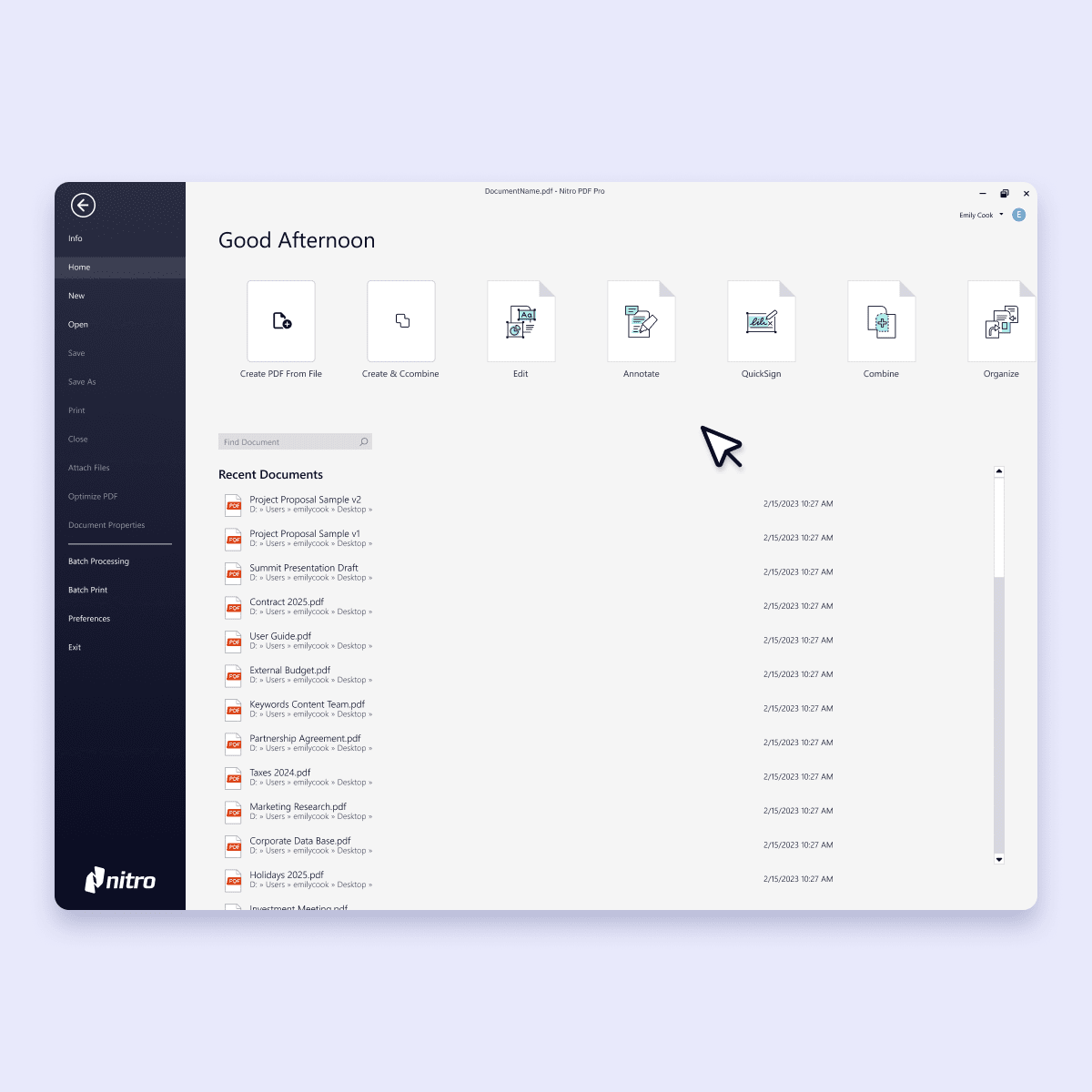
Screenshots-PDF-Home

Comprehensive PDF features with predictable pricing 

Nitro delivers the full suite of PDF tools your business needs—create, convert, edit, sign, and collaborate—at up to 30% less than comparable Adobe Acrobat plans. Get feature parity without the premium. 

Our transparent, predictable pricing means no surprise overages, no forced bundles, and no per-seat penalties. Just straightforward licensing that scales as you grow. 
 

Screenshots-PDF for Windows-Edit and annotate

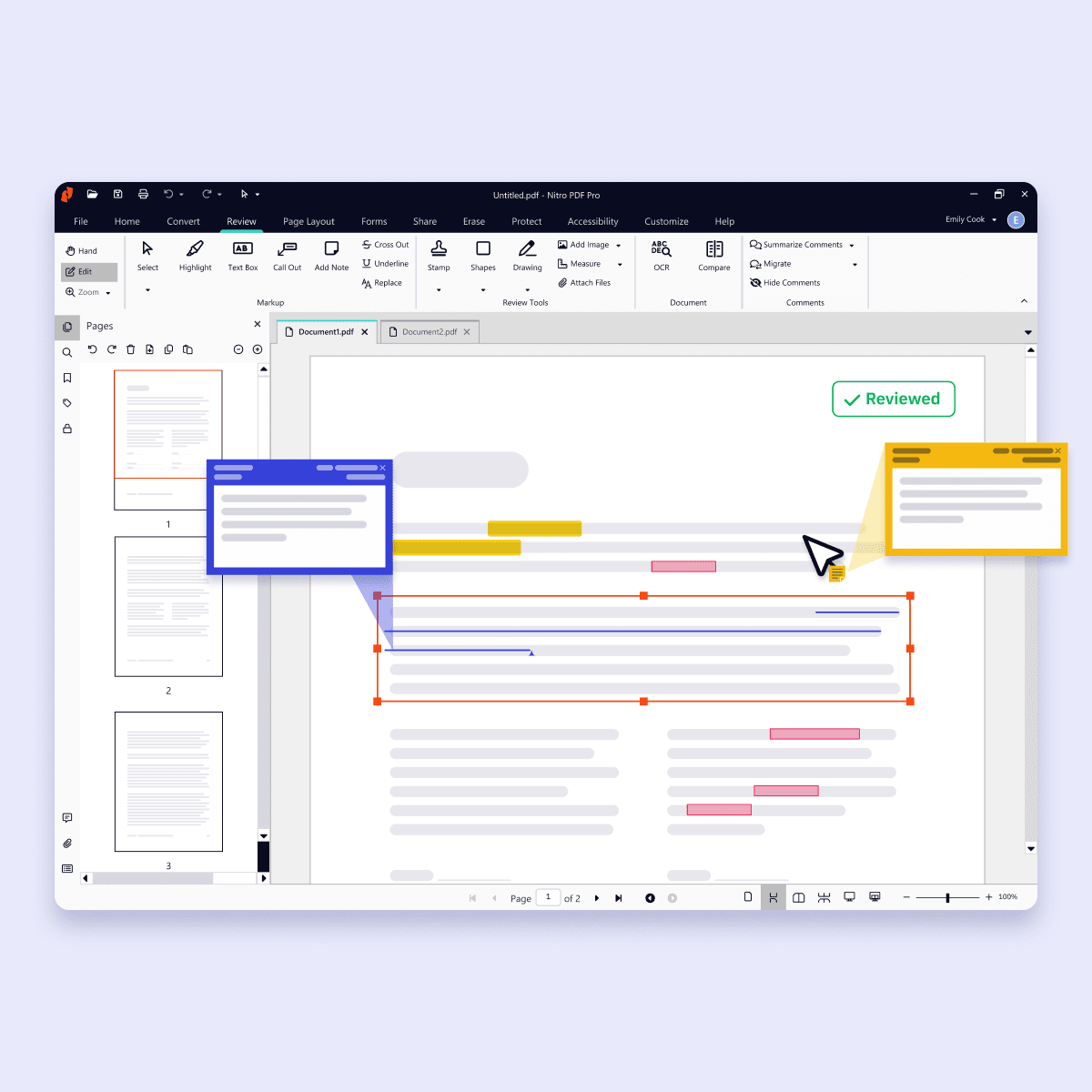
An intuitive interface accelerates time to value 

Avoid the headaches of retraining. Nitro’s interface mirrors the Microsoft Office and Apple toolbar your team already knows, delivering immediate productivity without the learning curve. Users can create, edit, and sign PDFs within minutes, not days. 

 Plus, our comprehensive onboarding and training resources ensure a smooth transition that maximizes adoption and ROI. 

 

Inline Photo-Security

Enterprise-grade security & compliance

Nitro is built for businesses that demand security and trust.  We meet internationally recognized standards and certifications to protect your data and documents, including ISO 27001, SOC 2, HIPAA, and the EU–U.S. Data Privacy Framework. 

We never share your data with third parties or use it to train generative AI models. Our transparent approach puts you in control of your data and helps you meet security and compliance requirements. 

 

Inline Photo-Customer support

24/7 expert support

Get real help from real people. Whether you're a five-person team or a global enterprise, our dedicated support specialists are available 24/7—from deployment planning to daily troubleshooting. 

The proof? A 95%+ customer satisfaction rate and recognition as TechRadar's Best PDF Editor for Business in 2024. We don't just solve problems—we ensure your success. 
Screenshots-Workspace-Document Assistant

AI-powered productivity without the privacy trade-offs

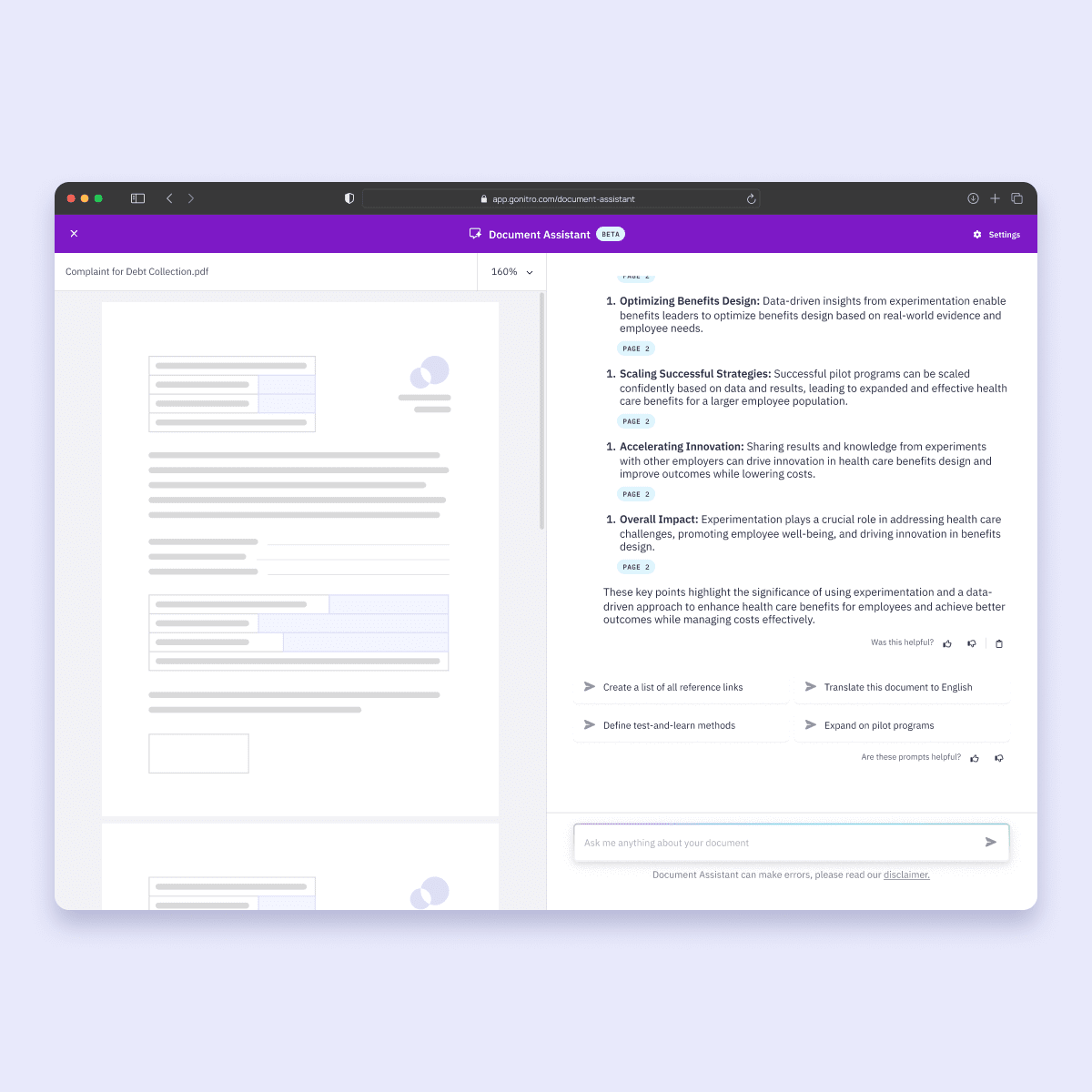
Nitro's intelligent automation delivers faster, more accurate document workflows—summarize documents, translate content, extract data, or automatically redact sensitive information with Smart Redact. All without sending your data to third-party AI services. 

Every plan includes AI tools built for privacy and control, so you can boost productivity without compromising security. 
 

Screenshots-Analytics-PDF

Analytics and admin tools as standard, not an upsell 

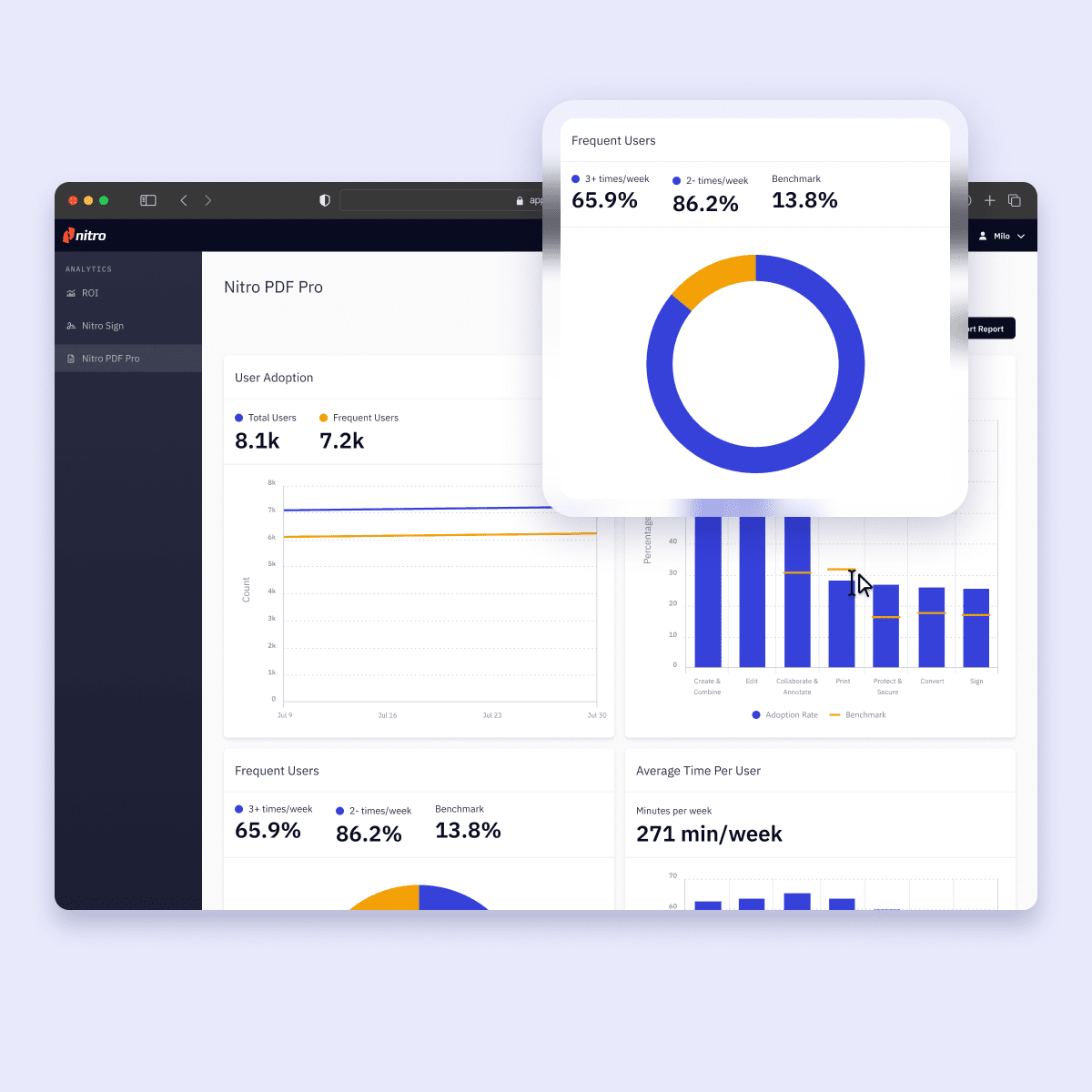
Unlike Adobe, Nitro includes powerful analytics and admin tools in every plan. Track ROI, monitor usage, and measure time savings with an intuitive dashboard that turns document data into actionable insights. 

The Nitro Admin Portal gives IT teams a centralized hub to manage licenses, users, and services—no separate admin console fees required. 

How Nitro simplifies the switch from Adobe

Switching document platforms doesn't have to be disruptive. Nitro's intuitive interface means your team feels at home from day one, while our dedicated migration experts handle the heavy lifting—porting workflows, mapping licenses, and ensuring business continuity throughout the transition. 

The result? Better ROI, faster adoption, and minimal productivity loss during the switch. 
Icon of the world

Seamless change management

Our Customer Success team acts as an extension of yours, guiding you through every phase of migration. We map your existing Adobe workflows to Nitro features, integrate with your tech stack, and create customized onboarding paths for different user roles.
Icon-48px-User

Licensing that actually makes sense

Migrate on your timeline with flexible licensing that adapts to your needs. The Nitro Admin Portal lets you provision and deprovision users in real-time, reassign licenses instantly, and control feature access by department—no vendor negotiations or minimum seat commitments required.
Icon-48px-Insights-1

Prove the value of your switch with data
Make data-driven decisions about license allocation, track time saved per user, monitor adoption rates by team, and quantify cost savings, all in an intuitive dashboard that helps you demonstrate clear ROI to leadership. Unlike Adobe, you get the visibility you need to justify your migration from day one.

Others are raising prices. We're focused on giving you more value.

Switch to Nitro and get everything you need in a PDF solution at a fraction of the cost, backed by real people who support your business every step of the way. 

Customer Success Stories
 

Why businesses are switching to Nitro

  • Spr25_Grid Leader
  • Spr High Performer
  • Spr25_ROI MidMarket
  • Spr25_HighPerformerSmall
  • Sp25_Enterprise
  • Spr25_HighPerformerMid
  • Spr25_User Adoption

How do Nitro's features and price compare to Adobe?

Nitro PDF Standard
Adobe Acrobat Standard
Nitro PDF Plus
Adobe Acrobat Pro

Top Features

Edit text and images, reorder and delete pages in a PDF
Convert files to and from PDF
Combine multiple files and file types into one PDF
Access, edit, and store files in Box, Dropbox, Google Drive, and Microsoft OneDrive
Create annotations using sticky notes, text boxes, call-outs, pencils, and shapes
Turn scanned documents into searchable and editable PDFs
Automatically extract table or form data from PDFs
Redact to remove sensitive information
Compare PDF versions
Bates numbering
Manage licenses, users, and services via online Admin console
24/7/365 support

AI tools & capabilities

Automatically extract table from PDFs Via API only Via API only
Automatically extract form data from PDFs Via API only Via API only
Automated Form Creation
Generate instant document summaries and ask specific questions Additional costs may apply for AI features Additional costs may apply for AI features
Access support through the AI-powered Knowledge Assistant
Get instant answers and resources about features with AI Assistant, a 24/7 generative AI chat tool
Advanced Redaction using Natural Language Processing Available as an add-on Available as an add-on

Security

Compliance certifications including HIPAA, SOC 2, US-EU, Data Privacy Framework
Create PDFs for compliance with ISO standards for WCAG 2.1, and PDF/UA
Convert and validate PDFs for compliance with ISO standards like PDF/A and PDF/X
ISO 27001 accredited for information security management
Single Sign-On

User-friendly interface

Familiar Office-style interface for easy adoption
Familiar macOS-style interface for easy adoption
Access your documents from your desktop, browser, or mobile device
Outlook plugin to create PDFs from email

Support and platform benefits

Access to experts 24/7
Access to technical & troubleshooting support Live Human support: Direct access to live technical specialists AI First: Primarily chat & web-ticketing with limited direct access Live Human support: Direct access to live technical specialists AI First: Primarily chat & web-ticketing with phone line for admins
Access to dedicated Success Manager* Named CSM Pooled support: general queue Named CSM Pooled support: general queue
Implementation, change management & onboarding support Unlimited Limited 1:1 sessions capped at 2 per year Unlimited Limited 1:1 sessions capped at 2 per year
Self service documentation customized and branded for your organization
Analytics dashboard to track ROI, sustainability savings, and usage
Access support through the AI-powered Knowledge Assistant Additional costs may apply for AI features Additional costs may apply for AI features
*Dedicated Customer Success Manager and unlimited 1:1 sessions available for eligible business and enterprise accounts. Adobe "Expert Sessions" are capped at two 30-minute sessions per user, per year.

Is Nitro PDF a direct replacement for Adobe Acrobat Pro?

Yes. Nitro PDF offers full feature parity with Adobe Acrobat Pro, including advanced PDF editing, OCR, secure redaction, and legally binding eSignatures. Most businesses switch to Nitro to get these professional tools at a 30% lower cost without the complexity or restrictive licensing of the Adobe ecosystem.

How much can my business save by switching from Adobe to Nitro PDF?

On average, Nitro customers save up to 30% compared to Adobe Acrobat plans. Nitro eliminates "seat bloat" through transparent, predictable pricing with no per-seat penalties or forced bundles. Our Customer Success team also helps you calculate your specific ROI based on your current Adobe spend and usage.

Can I try Nitro PDF for free before switching from Adobe?

Yes. Nitro PDF comes with a free 14-day trial, with no features locked and no credit card required for use. Give it a try to see why we’re your ideal choice for an alternative to Adobe Acrobat.

Will my team need retraining to use Nitro PDF?

No. Nitro is designed with a familiar, Microsoft Office-style ribbon interface. Because it mirrors the tools your team already uses daily (like Word and Excel), most users can start editing and signing documents within minutes. This "zero-learning-curve" design ensures high adoption rates and immediate productivity.

How does Nitro PDF handle AI privacy compared to other PDF editors?

Unlike many competitors, Nitro prioritizes data sovereignty. We never use your sensitive documents to train global AI models, and we don’t share your data with third-party AI services. Every Nitro plan includes AI-powered tools—like auto-summarization and Smart Redact—built specifically for enterprise security and compliance.

What support options does Nitro PDF offer for migrating from Adobe?

Nitro provides dedicated 24/7 expert support and a specialized migration team to ensure a seamless transition.

We handle the heavy lifting, from mapping your existing Adobe workflows to Nitro features to managing license deployment via the Nitro Admin Portal, ensuring zero downtime for your business.

Nitro PDF support options include:

Is Nitro compliant with industry security standards like HIPAA and SOC 2?

Yes. Nitro meets internationally recognized security certifications, including ISO 27001, SOC 2 Type 2, and HIPAA. We also comply with the EU–U.S. Data Privacy Framework, making Nitro a trusted choice for highly regulated industries like healthcare, finance, and legal services.
 

Does Nitro offer any form of analytics to track my ROI after the switch?

Yes. While many competitors only provide basic license seat counts, Nitro includes Advanced Analytics as a standard feature for business plans. Our dashboard allows you to track document productivity, monitor bottlenecks, and quantify your actual ROI and sustainability savings (like paper and water saved) in real-time.

This visibility is built-in, helping you prove the value of your PDF solution without requiring additional high-tier enterprise add-ons.

Can I manage my team’s licenses without separate admin fees?

Yes. The Nitro Admin Portal is a centralized hub included in your plan that allows you to provision, deprovision, and reassign licenses instantly. You can control feature access by department and scale your seat count as you grow—without the hidden "admin console fees" or complex vendor negotiations often found with other PDF editors.

What happens to my existing Adobe workflows and integrations?

Nitro’s migration experts act as an extension of your team to map your current Adobe workflows directly to Nitro features. Whether you have specific document routing processes or need to integrate with your existing tech stack, we ensure business continuity so your team stays productive throughout the entire transition.

Join thousands already saving big with Nitro

Connect with Nitro today to learn how you can drive productivity and savings.
Contact us