/Card-Page%20Previews-AI.png?width=1200&height=800&name=Card-Page%20Previews-AI.png)

Every organization runs on documents—contracts, invoices, claims, clinical records, permits, filings. They move between teams, systems, and processes hundreds or thousands of times a day and, in most organizations, that mostly still depends on someone doing it by hand.
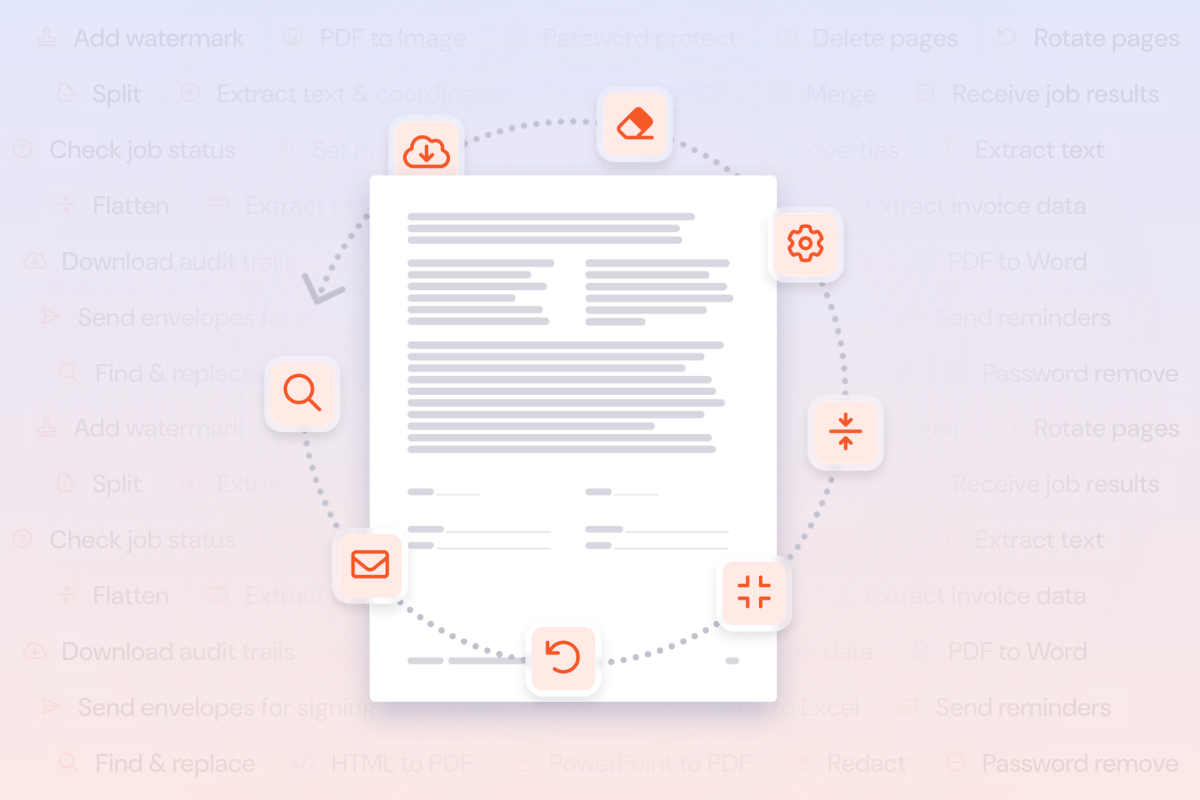
Document automation is the practice of embedding document operations directly into the workflows, systems, and AI agents that organizations already use, so that documents are processed programmatically rather than manually. It covers everything from converting file formats and extracting structured data to redacting sensitive information and routing documents for electronic signature. Built on dedicated, in-house document infrastructure, it delivers exact visual rendering, accurate data extraction, and deterministic execution at scale with 99.9+% availability. The operations are defined once and then run automatically, triggered by events in your existing systems, at whatever volume the business requires.
This guide covers what document automation is, how it differs from basic document tooling and RPA, the workflows it handles, how organizations deploy it (including through AI agents), and how to evaluate whether it's the right step for your team.
How document automation differs from document tools
Most organizations already have document tools, such as PDF editors, eSignature platforms, and file storage. These are essential for individual tasks, but they typically require someone to open an application, perform an action, and move the result to the next step manually.
Document automation brings two key advantages to enterprise workflows. First, the operations run programmatically. They're triggered by events in your systems, such as a file upload, a form submission, or a workflow reaching a specific stage, and they execute on their own. Second, workflows can be enhanced with optional AI capabilities like automatic form field extraction, table parsing, PII detection, and signature field identification, allowing systems to interpret document content when smart processing is needed.
The distinction matters because it's the difference between a tool that helps one person do one task faster and a system that removes the task from the person's workload entirely.
Understanding intelligent document processing (IDP)
Intelligent document processing (IDP) is a term often used alongside intelligent document automation. IDP typically refers to the AI layer specifically: the ability to extract, classify, and interpret data from documents, including unstructured data that traditional rule-based systems struggle with.
The terms "AI document automation" and "intelligent document processing" are sometimes used interchangeably, but they describe different scopes. IDP focuses on the intelligence: understanding what a document contains, identifying relevant fields, classifying document types, and extracting data accurately even when layouts vary between sources. Intelligent document automation is broader. It includes IDP capabilities but also covers the full lifecycle of document operations, from format conversion through to eSignature completion, deployed across the workflows where the work actually happens.
A related term that occasionally causes confusion is "intelligent data processing." While it sounds similar, intelligent data processing generally refers to the broader practice of applying AI to any data pipeline, structured or unstructured, across databases, streams, and files. IDP is specifically concerned with documents: PDFs, scanned images, forms, contracts, and other file-based content that contains information organizations need to act on.
How IDP works for forms and data extraction
The core capability of intelligent document processing is turning document content into structured, usable data. For forms, this means identifying field labels and their corresponding values, even when forms vary in layout across vendors, departments, or regions. For tables, it means recognizing rows, columns, headers, and cell values, then extracting them into a format that can flow directly into a CRM, ERP, database, or downstream workflow.
AI-powered extraction goes beyond pattern matching. Traditional approaches rely on templates or fixed coordinates, which break when a document layout changes. IDP uses machine learning and natural language processing to understand the semantic meaning of content on a page, so it can extract the right data from an invoice it has never seen before, or parse a claims form from a new provider, with the same level of accuracy.
How IDP handles unstructured data
Structured data, like a completed form with labelled fields, is relatively straightforward to extract. The harder problem is unstructured data: free-text paragraphs in contracts, narrative sections in medical records, handwritten notes on scanned documents, or inconsistently formatted correspondence.
Intelligent document processing addresses this through natural language processing (NLP) and, increasingly, large language models that can interpret context, identify entities, and extract meaning from text that has no predefined structure. This is what allows automation to pull key terms from a contract clause, identify diagnosis codes in a clinical note, or flag relevant dates in a legal filing, even when no two documents are formatted the same way.
Which document workflows can automation handle?
Document automation covers the operational steps that documents go through during their lifecycle in an organization. These steps are often invisible until they create a delay or an error, but they represent a significant share of the manual effort teams carry.
Format conversion and optimization
Documents arrive in one format and need to be in another. Word files need to become PDFs before they can be archived. Spreadsheets need to be converted before they can be attached to a compliance filing. Image files need to become searchable PDFs. These conversions happen constantly, across every department, and each one is a manual step that automation can remove entirely.
A PDF generation API handles this programmatically: your system sends the source file, specifies the target format, and receives the converted output—all without manual user intervention. The conversion runs in the background as part of a larger workflow.
Data extraction
One of the highest-value applications of intelligent document processing is extracting structured data from documents that were designed for humans to read. Invoices, contracts, intake forms, claims documents, and financial statements all contain data that downstream systems need, and in most organizations, someone is still keying that data in by hand or copying it between screens.
Document automation extracts form fields, table values, line items, document properties, PII, and metadata programmatically using OCR and passes the structured output directly into CRMs, ERPs, databases, or downstream workflows. AI-powered extraction handles variation in document layouts, so the system can process invoices from different vendors or intake forms from different facilities at the same level of accuracy.
Redaction and compliance
Regulated industries need to remove sensitive information from documents before they can be shared, filed, or published. Manual redaction is time-consuming and error-prone, particularly across large document sets where a single missed item creates compliance exposure.
Automated redaction uses natural language processing to identify PII, financial data, health information, and other sensitive content across entire document sets, then permanently removes it and applies password controls to enforce access and distribution policies. The redaction is consistent, auditable, and runs at whatever volume the workflow requires.
Document transformations
These are the routine operations that happen to documents in transit. Merging multiple files into a single package. Splitting a large document into sections. Compressing files for storage or transmission. Applying watermarks, password protection, or permission controls. Flattening forms before archiving. Rotating pages, reordering sections, or optimizing file size.
Individually, each of these takes a few minutes. Across thousands of documents a month, they add up to one of the largest pools of manual effort a team carries. Document workflow automation removes these steps by defining the operations once and running them every time a trigger fires.
Electronic signature workflows
Remove the manual work from collecting signatures on your documents. Automated eSignature workflows handle the full cycle: automatically sending multi-document, multi-party signature requests, tracking signing status, and triggering the next step as soon as signing is complete. The workflow executes on its own from the moment it's triggered with no manual intervention required, whether that's by a deal closing in your CRM, a claim being approved, or an onboarding process reaching the signature stage.
Where document automation delivers the most value
Document automation applies across industries, but the impact is most immediate in operations where document volume is high, processing is time-sensitive, and accuracy carries regulatory weight.
- Financial services teams process thousands of invoices, statements, tax documents, and compliance filings. Automation handles invoice data extraction at scale, PDF-to-Excel conversions for financial statements, tax document package assembly, and regulatory filing preparation.
- Accounts payable is one of the most common entry points for intelligent document processing across industries. AP teams receive invoices in varying formats from hundreds of vendors, and each one needs to be matched to a purchase order, validated, and routed for approval. IDP extracts invoice line items, totals, vendor details, and payment terms automatically and passes them into the ERP, removing the manual data entry that typically consumes the most time in the AP cycle.
- Legal teams face bottlenecks in discovery, contract review, and court filing preparation. Automation extracts contract terms and clause data, processes discovery documents with OCR and redaction, and assembles filing packages with the correct structure, pagination, and security controls.
- Insurance operations teams manage high-volume claims processing, scanned document intake, and policy document generation. Intelligent document processing in insurance automates the intake of claims documents (often scanned or photographed), extracts the data adjusters need, classifies document types, and triggers signature requests as soon as files are ready. The same automation applies to policy renewals, underwriting submissions, and compliance filings.
- Healthcare teams handle patient intake forms, clinical trial documentation, medical records processing, and billing documentation. Intelligent document processing in healthcare extracts structured data from intake forms, processes medical records with OCR, manages clinical documentation workflows, and supports billing and coding automation at the scale that health systems require. Compliance with HIPAA and other patient data regulations makes the security infrastructure behind the automation particularly important.
- Logistics and supply chain teams process bills of lading, customs documentation, purchase orders, and supplier contracts across high volumes and tight timelines. Intelligent document processing for shippers automates the extraction of shipment data, customs declarations, and commercial invoice details, reducing the manual processing that creates delays at port or in transit.
- Professional services firms deal with engagement letters, client reports, audit documentation, and knowledge management. Automation handles contract and engagement letter processing, client report generation (merge, convert, watermark), and audit documentation packaging.
In each case, the value comes from removing the manual steps between systems, reducing the error rate on repetitive tasks, and freeing the team to focus on the work that requires judgement.
4 ways organizations deploy document automation
There are several paths to deploying intelligent document automation, and the right one depends on the team's technical capacity, the systems already in place, and the complexity of the workflows involved.
1. Direct API integrationDevelopment teams integrate document operations directly into custom applications, internal tools, and business systems using PDF and document APIs. This is the right path for high-volume internal services, ERP extensions, and custom applications where document operations are part of the product or workflow itself.
A PDF generation API, for example, lets a system send a source file and receive a converted, merged, or processed output as part of a larger automated workflow. Authentication, rate limiting, and error handling follow standard patterns, and most providers offer documentation with working code samples in common languages.
API integration offers the most control and flexibility. It's the best fit for organizations that need to process documents at high volume, handle complex conditional logic, or embed document operations deeply into existing architecture.
2. Low-code and no-code platforms
Operations teams, business analysts, and automation owners can add document operations into existing workflows through platforms like Microsoft Power Automate and Zapier. Pre-built connectors let teams configure document steps (convert a file, extract data, send for signature) as part of a larger automated flow, all through a visual interface.
This is often the fastest way for an organization to start automating document work. It requires minimal technical resources, and the workflows can be built and modified by the people closest to the process.
3. AI agents and agentic document processing
AI agents are increasingly handling operational tasks that previously required human coordination. Document workflow automation through the Model Context Protocol (MCP) allows agents to access the same document operations that human users rely on: converting files, extracting data, routing documents for signature, and more.
Agentic document processing takes this further. Rather than executing a single document operation when prompted, an AI agent with access to document automation capabilities can orchestrate multi-step workflows autonomously. An agent might receive an email attachment, classify the document type, extract the relevant data, route it to the correct system, and trigger a signature request, all as part of a single task. The agent reasons about what needs to happen and calls the appropriate document operations in sequence.
This is where document management and workflow automation converge with AI. The document operations themselves are the same (convert, extract, merge, sign), but the orchestration layer shifts from a human following a process to an agent executing it. MCP is the protocol that makes this possible, giving agents reliable, authenticated access to document APIs through the same interface they use for other operational tools.
4. No-code workflow builders
Some document automation solutions offer visual workflow builders that let teams configure multi-step document processes through a drag-and-drop canvas. These tools are designed for individual users and small teams who have document processes worth automating but lack the resources to build automations through code or low-code platforms. Features like pre-built templates, folder watching, review checkpoints, and AI-assisted workflow generation make it possible to go from idea to running automation in minutes.
How intelligent document automation compares to RPA
Robotic process automation (RPA) and intelligent document automation are often discussed together, and they can work well in combination, but they solve different problems.
RPA automates repetitive, rule-based tasks by mimicking human interactions with software interfaces: clicking buttons, copying data between fields, navigating screens. It's effective for processes that follow a predictable sequence and interact with systems that lack APIs. However, RPA on its own has limited ability to interpret document content. It can move a file from one location to another, but it typically relies on a separate tool to extract data from that file or understand what it contains.
Intelligent document automation provides the document-specific capabilities that RPA lacks: AI-powered extraction, format conversion, redaction, and the full range of PDF and eSignature operations. Organizations that already use RPA tools often add intelligent document automation as the layer that handles the document processing within their existing automated workflows.
The two approaches are complementary. RPA handles the system navigation and task sequencing; intelligent document automation handles the document content itself. For organizations evaluating their options, the key question is whether the bottleneck is in the system interactions (where RPA helps) or in the document processing (where IDP and document automation help), or both.
The intelligent document processing market
The intelligent document processing market has grown significantly as organizations across regulated industries look to automate document-heavy workflows. The landscape includes several categories of providers.
Document automation specialists offer purpose-built APIs and connectors for PDF processing, eSignature, data extraction, and redaction. These providers focus on the document operations layer and are designed to integrate into existing systems.
RPA vendors with IDP add-ons have extended their platforms to include document processing capabilities, typically through partnerships or acquisitions. The IDP capabilities are available as modules within the broader RPA platform.
Cloud platform IDP services are offered by major cloud providers as part of their AI and machine learning portfolios. These services focus primarily on extraction and classification, and typically require additional development work to build out full document workflows.
Standalone IDP platforms focus specifically on document classification and data extraction, often with industry-specific models. They tend to be strong on the intelligence layer but may require integration with separate tools for the operational side (conversion, merging, redaction, eSignature).
When evaluating vendors, the important consideration is whether the solution covers the full lifecycle of document operations you need, or only the extraction piece. Many organizations start with data extraction and quickly discover they also need format conversion, redaction, document assembly, and eSignature capabilities, and having to stitch together multiple vendors adds complexity and cost.
How to evaluate a document automation solution
Choosing the right solution depends on your organization's specific requirements, but there are several areas worth evaluating carefully.
- Breadth of operations: Does the solution cover the full range of document operations your workflows require? Format conversions, data extraction, redaction, transformations, and eSignature workflows should all be available through a single provider, so you can consolidate tools rather than stitching together multiple point solutions.
- Deployment flexibility: Can you deploy through the path that fits your team? API integration, low-code connectors, AI agent access, and visual workflow builders serve different teams and different use cases. The best solutions support all of them, so a workflow built in Power Automate today can move to a direct API integration later as your needs evolve.
- Intelligent processing: Does the solution include AI-powered capabilities like automatic form field extraction, table parsing, PII detection, and signature field identification? These capabilities are what separate intelligent document automation from basic file-handling APIs.
- Security and compliance: For regulated industries, the infrastructure behind the solution matters as much as the features. Look for SOC 2 Type II, ISO 27001, and HIPAA compliance. Check whether customer data is processed only for the requested operation and whether data is used to train AI models. Confirm that access management, usage monitoring, and API credential controls are available through a centralized admin portal.
- Developer experience: If your team will be integrating through APIs, evaluate the developer experience: public documentation quality, authentication consistency, error handling standards, code samples, and the responsiveness of technical support. Enterprise-grade document operations deserve enterprise-grade developer support.
- Commercial model: Per-seat licensing often makes less sense for document automation than usage-based pricing. Look for a model where you pay for the document operations actually completed, with transparent pricing and predictable costs at scale.
- Analytics and tracking: Look for solutions that provide usage dashboards, quality tracking, and workflow analytics so you can monitor automation performance, identify issues early, and build the case for expanding to additional workflows.
How to start with deploying document automation in your organization
The most effective entry point is the highest-volume, most repetitive document task your team currently handles manually. Format conversions, routine data extraction, and signature request management are common starting points because they're well-defined, the manual effort is easy to quantify, and the benefit of automating them is immediate.
From there, most organizations expand to more complex workflows as the team builds confidence with the tooling and identifies where the next bottlenecks sit.
A 5-step practical approach:
- Identify the workflow: Pick one document process that runs frequently, involves multiple manual steps, and creates delays or errors. Invoice processing, contract archival, claims intake, and onboarding document preparation are common choices.
- Map the steps: Document what happens to the file at each stage: what triggers the process, what transformations or extractions occur, where the output goes, and who currently handles each step.
- Choose a deployment path: If your team has developers, API integration gives you the most control. If your team runs on Power Automate or Zapier, start with a low-code connector. If you want to test quickly with minimal setup, look for a guided workflow builder.
- Measure the result: Track the time recovered, the reduction in manual errors, and the increase in processing volume. These numbers build the case for expanding automation to the next workflow.
- Expand: Once the first workflow is running reliably, apply the same approach to the next highest-impact process. The deployment path, integration patterns, and operational knowledge carry over.
How Nitro Automate supports intelligent document automation
Nitro Automate transforms manual document processes into automated workflows, wherever work happens. It embeds Nitro's enterprise-grade document processing capabilities directly into the AI agents, automated workflows, and custom applications organizations already use.
Nitro Automate supports four deployment paths:
- Developer APIs: Custom code integration via HTTP-supporting languages.
- Automation platforms: Pre-built connectors for Microsoft Power Automate and Zapier.
- Nitro MCP connector: Native connectivity for AI agents to execute document tasks mid-workflow.
- Nitro PDF Pro (coming soon): Drag-and-drop canvas directly inside Nitro PDF Pro for no-code automated flows.
Nitro Automate runs on Nitro's certified infrastructure with SOC 2 Type II, ISO 27001, and HIPAA compliance. Customer data is processed securely and never used to train generative AI models.
Nitro Automate is available now. To learn more or request a demo, visit gonitro.com/automate.
Frequently asked questions about Nitro Automate
What is intelligent document processing (IDP)? Intelligent document processing (IDP) is the use of AI, including machine learning, natural language processing, and large language models, to extract, classify, and interpret data from documents such as invoices, contracts, forms, and scanned records. It converts that content into structured data that CRMs, ERPs, and other business systems can use. Traditional OCR or template-based extraction reads text from fixed positions. IDP instead understands what the content means, so it can handle varying layouts and unstructured text without predefined templates. IDP is the AI layer within intelligent document automation, which also covers operations like format conversion, redaction, and eSignature. IDP is the AI layer within intelligent document automation, which also covers operations like format conversion, redaction and eSigning.
What is the difference between AI document automation and intelligent document processing? The difference is scope. IDP refers specifically to AI-powered extraction and classification of document data. AI document automation encompasses the full lifecycle of document operations: format conversion, data extraction, redaction, document assembly, eSignature workflows, and more, all deployed across automated workflows. IDP is a component of AI document automation, but document automation also includes the operational and infrastructure layers that move documents through a workflow from start to finish.
What is agentic document processing? Agentic document processing is the use of AI agents to autonomously orchestrate document workflows. Rather than a human triggering each step, an agent reasons about what needs to happen to a document, calls the appropriate operations (extract, convert, merge, route for signature), and completes the workflow independently. Agentic document processing is made possible through protocols like the Model Context Protocol (MCP), which give AI agents authenticated access to document APIs.
How does intelligent document processing handle unstructured data? IDP handles unstructured data by using natural language processing (NLP) and machine learning to interpret free-text content, narrative paragraphs, handwritten notes, and inconsistently formatted documents. Unlike rule-based systems that rely on templates and fixed field positions, IDP can extract meaning from content that has no predefined structure, such as contract clauses, clinical notes, or correspondence.
How does IDP work for forms and data extraction? IDP extracts data from forms by identifying field labels and their corresponding values, even when layouts differ across vendors or regions. For tables, IDP recognizes rows, columns, headers, and cell values. AI-powered extraction uses machine learning to understand the semantic relationship between labels and data, so IDP can process a form it has never seen before at the same level of accuracy as a familiar one.
What is the difference between IDP and RPA? Robotic process automation (RPA) automates repetitive interactions with software interfaces, such as clicking, copying, and navigating screens. IDP, by contrast, processes the content of documents: extracting data, classifying types, interpreting unstructured text. RPA and IDP are complementary. RPA handles the system-level task sequencing, while IDP handles the document content. Many organizations use both together, with RPA orchestrating the workflow and IDP providing the document intelligence.
What industries benefit most from intelligent document processing? IDP delivers the most immediate value in industries with high document volumes, time-sensitive processing, and regulatory requirements. The most common are financial services, insurance, legal, healthcare, logistics, and accounts payable operations across all industries. Typical use cases include invoice processing and compliance filings in financial services, claims intake and policy documents in insurance, discovery and contract review in legal, patient records and clinical documentation in healthcare, and customs documents and bills of lading in logistics.
How do enterprises process documents at scale with IDP? Enterprises process documents at scale with IDP by deploying it through APIs that can handle thousands of documents per hour, with AI-powered extraction that maintains accuracy across varying layouts and document types. The key to scale is programmatic processing: documents are ingested, classified, processed, and routed automatically, with human review reserved for exceptions rather than every document. Usage-based pricing models ensure costs scale predictably with volume.
What should I look for in an intelligent document processing vendor? The most important consideration when evaluating an IDP vendor is whether the solution covers the full document lifecycle or only the extraction layer. Vendors that require you to stitch together multiple tools for a complete workflow add complexity and cost. Other key evaluation criteria include:
- Breadth of document operations supported (extraction, conversion, redaction, eSignature)
- Deployment flexibility (API, low-code, AI agent access)
- AI capabilities for unstructured data, security certifications (SOC 2, ISO 27001, HIPAA)
- Developer experience quality
- Commercial model transparency
How does document management and workflow automation relate to IDP? Document management, workflow automation, and IDP are three capabilities that work together. Document management systems (DMS) handle storage, versioning, and access control for documents. Workflow automation defines the sequence of steps a document goes through. IDP adds the AI layer that understands document content. In practice, these three capabilities work together: documents are stored and managed in a DMS, workflow automation routes them through a process, and IDP extracts the data and makes the content actionable at each step.