Skip to content

Microsoft Power Automate + Nitro Sign

Easily integrate digital signatures in all Office 365 applications with the Nitro Sign Power Automate connector.

Microsoft Power Automate

What are the Benefits of Integrating Nitro Sign with Microsoft Power Automate?

  • Eliminate manual steps by triggering eSignature workflows from any Microsoft 365 app.

  • Improve compliance with global eSignature regulations, including eIDAS, UETA, and the ESIGN Act.

  • Keep teams focused by handling signing requests without leaving Microsoft tools.

Nitro + Microsoft Power Automate: Features & How it Works

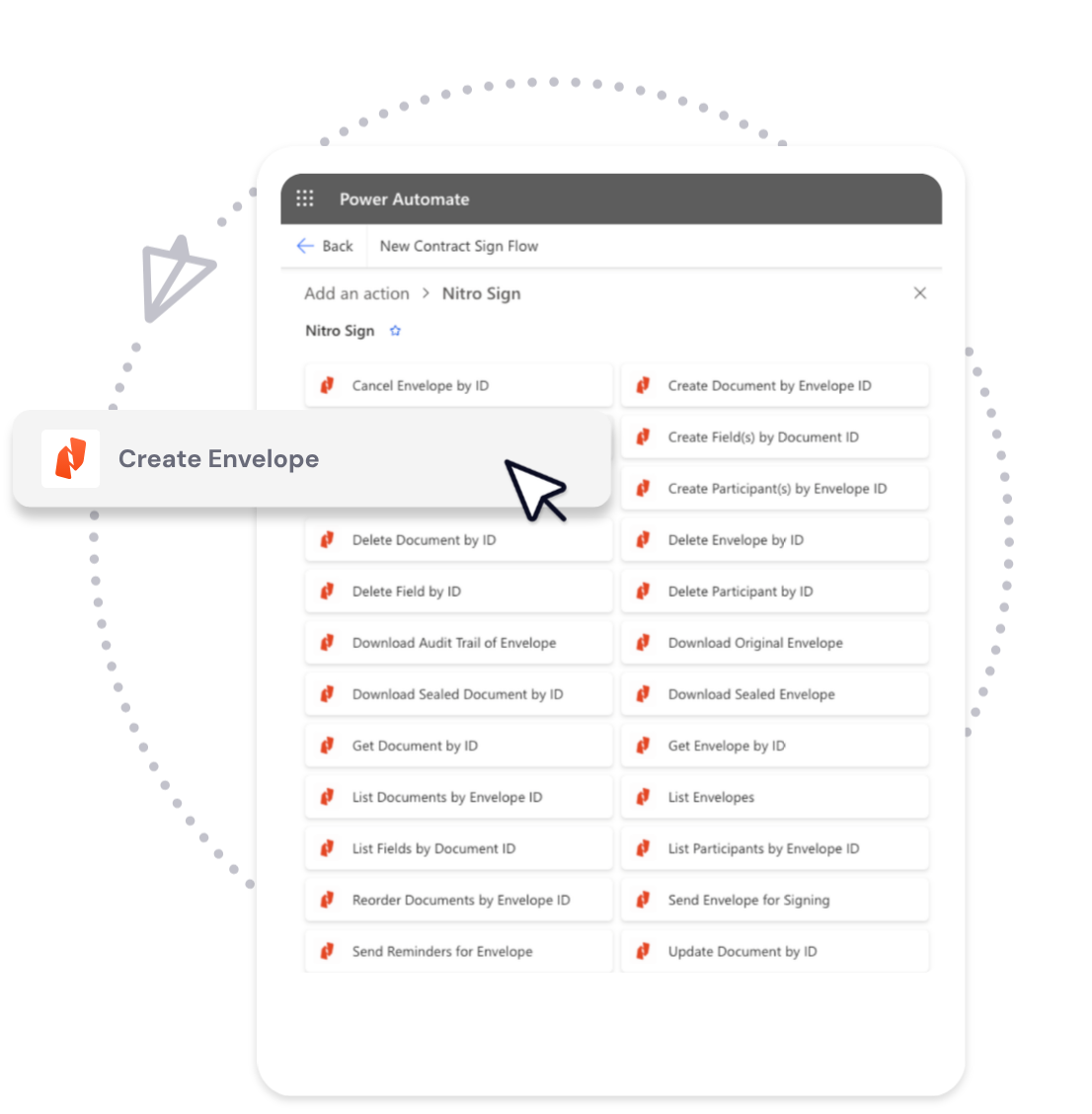
With the Nitro Sign connector for Microsoft Power Automate, you can build automated signing flows that connect to the apps your business uses every day.

Core features

  • Apply sequential, parallel, or custom signing orders.

  • Send signature requests to multiple recipients and approvers.

  • Sign multiple document packages at once.

  • Track the signing process, including reminders and nudges.

  • Use contacts, files, and data from any Microsoft 365 app as part of your signing flow.

  • Support for international and local signing methods such as itsme, beID, NemID, and Swedish BankID.

Example workflows

  • Trigger on completion: When a Nitro Sign request is completed, automatically save the signed file to SharePoint or notify a team in Outlook, Slack, or Teams.

  • Trigger to send: When an event occurs in another app (e.g., new hire in Workday, new customer in Salesforce), Nitro Sign automatically sends a prepared template (onboarding forms, NDAs, contracts) for signature.

Note: Connective is now a Nitro Company. The Connective branding in the video above depicts the recently rebranded Nitro Sign offering.

Getting Started

  1. Sign in to your Microsoft Power Automate account.

  2. Search for Nitro Sign in the connectors library.

  3. Choose a trigger (e.g., “When a signature request is completed”) or an action (e.g., “Send a signature request using a template”).

  4. Connect Nitro Sign to your Microsoft 365 apps and save your automated flow.

What is the Nitro Sign connector for Microsoft Power Automate?

The Nitro Sign connector for Microsoft Power Automate allows users to integrate eSignature workflows directly into Microsoft 365 and other connected applications.

With this integration, you can automatically send, track, and store electronic signature requests without leaving your Microsoft apps.

The connector provides both triggers (such as “when a Nitro Sign request is completed”) and actions (such as “send a signature request using a template”) that can be combined with hundreds of Power Automate-supported applications.

Which Microsoft apps are compatible with Nitro Sign in Power Automate?

Nitro Sign is compatible with Microsoft 365 applications through Power Automate, including Word, Excel, PowerPoint, Outlook, Teams, and SharePoint.

The integration also supports workflows that connect Nitro Sign to other apps available in the Power Automate ecosystem, such as Salesforce, Workday, Gmail, and Slack.

Do I need coding or developer experience to use Nitro Sign with Power Automate?

No. Microsoft Power Automate is a low-code/no-code automation platform, and the Nitro Sign connector is designed to work with prebuilt triggers and actions. Users can build signing workflows by selecting apps, events, and actions through a visual interface without writing any code.

What types of eSignature workflows can I automate with Nitro Sign and Power Automate?

Nitro Sign and Microsoft Power Automate support two primary types of workflows:

  1. A Nitro Sign event triggers an action in another app — for example, automatically saving completed agreements to SharePoint or sending a team notification in Outlook or Teams.

  2. An external app event triggers a Nitro Sign action — for example, when a new hire is created in Workday or Salesforce, Nitro Sign automatically sends an onboarding document or NDA template for signature.

Is the Nitro Sign integration with Power Automate legally compliant?

Yes. Nitro Sign used with Microsoft Power Automate supports compliance with major global eSignature regulations, including the European Union’s eIDAS regulation, the U.S. ESIGN Act, the Uniform Electronic Transactions Act (UETA), and Switzerland’s ZertES law.

It also supports local and international signing methods such as itsme, beID, NemID, and Swedish BankID.

How can I start using Nitro Sign with Microsoft Power Automate?

To begin, log in to your Microsoft Power Automate account and search for Nitro Sign in the connectors library.

You can then select a Nitro Sign trigger (e.g., “when a signature request is completed”) or a Nitro Sign action (e.g., “send a signature request using a template”) to include in your automated flow. The integration works immediately with your Nitro Sign account once connected.

Start using digital signatures in Microsoft Power Automate today.

Talk to Sales