Skip to content
ENTERPRISE BUSINESS SOLUTIONS

PDF, eSign, and Document Automation for Mid-Market and Enterprise Teams

Nitro offers mid-market and enterprise organizations a unified platform for PDF editing, electronic signatures, document automation, analytics, and identity verification. Built for IT, operations, and business leaders, Nitro helps organizations standardize document workflows, improve security, and simplify deployment across teams. 

Mature and confident business man looking at his mobile phone

Nitro is trusted by mid-market and enterprise teams worldwide

Capability

Nitro Software

Document platform

Unified PDF, eSign, AI, analytics, and identity platform

Deployment

Windows, Mac, web, and mobile support for enterprise rollouts

Security and compliance

Supports GDPR, HIPAA, SOC 2, ESIGN, UETA, and eIDAS

Integrations

Microsoft 365, Google Workspace, Salesforce, SharePoint, Google Drive, OneDrive, Dropbox

Licensing

Flexible licensing for growing organizations

Customer success

Enterprise support and guided pilot program

why nitro

Why mid-market and enterprise organizations choose Nitro

Organizations use Nitro to reduce manual document work, improve collaboration, strengthen compliance, and simplify software management.

How Nitro keeps documents secure

Nitro protects sensitive business information throughout the document lifecycle—from creation and collaboration to sharing, signing, and storage—with enterprise-grade security features, including:

  • Encryption
  • Access controls
  • Password protection
  • Audit trails
  • Secure cloud architecture
  • Identity verification

How Nitro supports enterprise compliance requirements

Nitro supports compliance with widely recognized legal, regulatory, and industry frameworks, including GDPR, HIPAA, SOC 2, the ESIGN Act, UETA, and eIDAS, helping organizations meet global document security and compliance requirements for creating, sharing, signing, and storing documents.

How Nitro works with your existing technology stack

Nitro integrates with the business systems enterprise and mid-market teams already use, helping organizations improve adoption without disrupting existing workflows.

Young woman and man smiling while looking at a tablet

What can mid-market and enterprise teams do with Nitro PDF?

Key Nitro PDF capabilities:

  • Edit, convert, and secure PDF documents: Create, edit, convert, and protect PDFs with an intuitive interface designed for quick user adoption.
  • Customize PDF workflows: Personalize toolbars and shortcuts to support team-specific workflows and improve productivity.
  • Review, annotate, and redact documents: Highlight, comment, annotate, and redact sensitive information while supporting compliance requirements.
  • Convert scanned documents with OCR: Turn scanned documents and images into editable, searchable text using optical character recognition (OCR).
  • Protect PDFs with passwords and encryption: Secure documents with password protection, encryption, and access controls to help safeguard sensitive information.
  • Work across Windows, Mac, and mobile devices: Create, edit, and manage PDFs from virtually any device without sacrificing functionality or security.
  • Track document reviews and versions: Maintain audit-ready document histories and version control to streamline collaboration, approvals, and document reviews.

Inline Photo-eSigning

What can mid-market and enterprise teams do with Nitro Sign?

Key Nitro Sign capabilities:

  • Create customizable eSignature workflows: Configure signing processes to match your organization's document workflows and approval requirements.
  • Choose flexible eSignature plans: Select Nitro Sign plans that align with your organization's size and business needs while maintaining enterprise-grade security.
  • Send and manage documents in bulk: Send, track, and manage multiple signature requests simultaneously to support high-volume document workflows.
  • Verify signer identity with multiple methods: Authenticate signers through email, SMS, or in-person verification, including qualified and advanced signatures.
  • Integrate eSigning with business systems: Connect Nitro Sign to existing applications and workflows through APIs for automation and reporting.
  • Maintain compliant audit trails: Track signing activity and maintain records that support GDPR, eIDAS, UETA, and the ESIGN Act compliance.
  • Sign documents on Windows, Mac, and mobile devices: Send, sign, and manage documents securely from desktop and mobile devices.
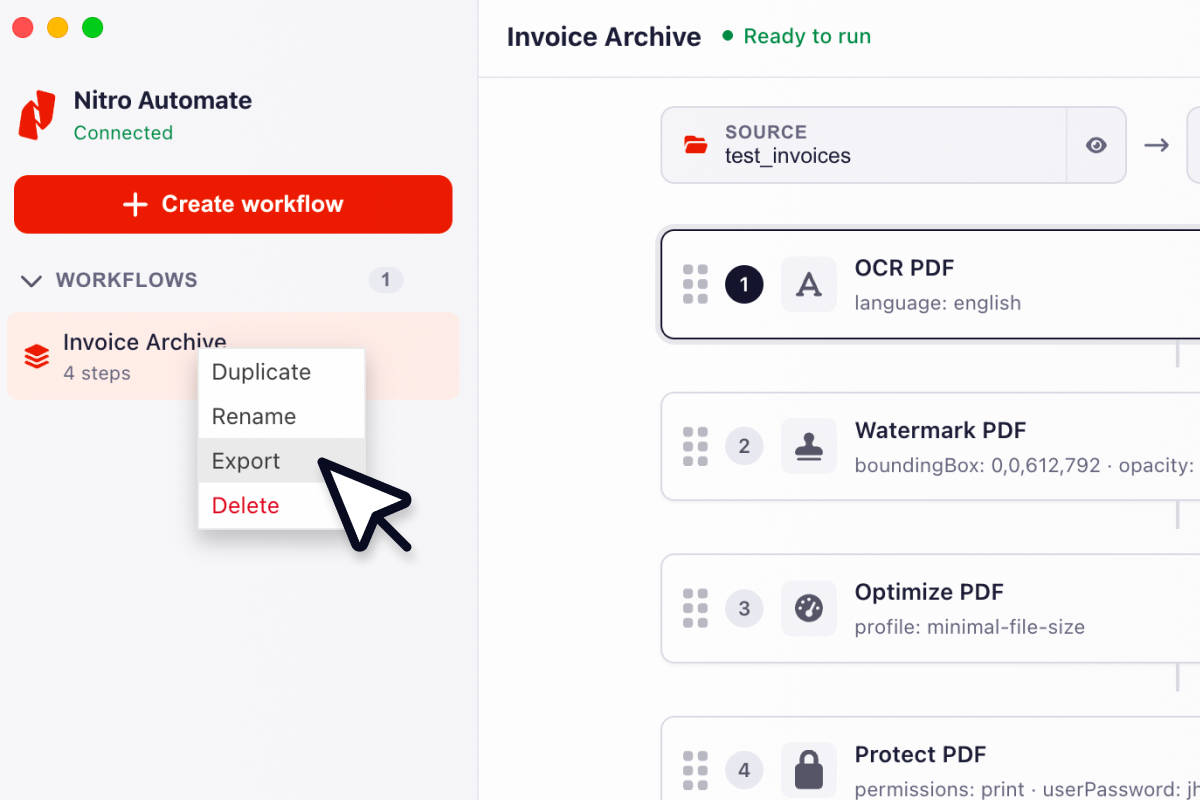
Graphic - Nitro Automate - Workflow 5-1

What can mid-market and enterprise teams do with Nitro Automate?

Key Nitro Automate capabilities:

  • Automate document workflows: Build automated workflows to process, route, and manage documents at scale while reducing manual tasks.
  • Extract data from documents: Use AI to extract data from forms, tables, invoices, and scanned documents for downstream business processes.
  • Automate PDF processing: Convert, merge, split, compress, OCR, redact, watermark, and secure PDF documents in automated workflows.
  • Integrate with business systems: Connect document automation to existing applications, AI agents, and workflows using APIs, Power Automate, Zapier, and Model Context Protocol (MCP).
  • Support AI-powered document automation: Use AI to classify documents, extract information, and automate repetitive document-intensive processes.
  • Protect sensitive information: Automate redaction, PII extraction, password protection, and audit trails to support secure, compliant document workflows.
  • Scale document automation across the enterprise: Deploy low-code, no-code, or custom automation solutions that grow with your organization's needs.
Screenshot showing PDF and eSign analytics, highlighting environmental stats

Gain real-time insights

Make data-driven decisions with Nitro Analytics. Gain real-time insights to boost efficiency, prove ROI, and track sustainability across mid-market and enterprise teams.

Screenshot showing a man going through the verification question process

Verify identities with ease

Verify and authenticate users instantly with Nitro Identity. Fast, secure transactions with multiple verification methods and one API, built for your workflows.
Legacy approach

Nitro

Separate PDF and eSign products

Unified platform

Multiple vendors

Single vendor

Hidden fees, unexpected charges

Predictable, straightforward pricing

Complex licensing

Flexible, transparent licensing

Manual document workflows

AI-powered automation

Enterprise Customer Success

Over 2 million business users do their best work with Nitro

The outstanding support we received from Nitro's Customer Success team helped ensure a seamless transition to Nitro PDF. Now we can provide our employees with all the PDF editing capabilities they need—at a fraction of the cost.
Email - Tile - Equiniti
Daren Spice
Lead Engineer, Directory Services—Equiniti
Learn

Featured resources for enterprises

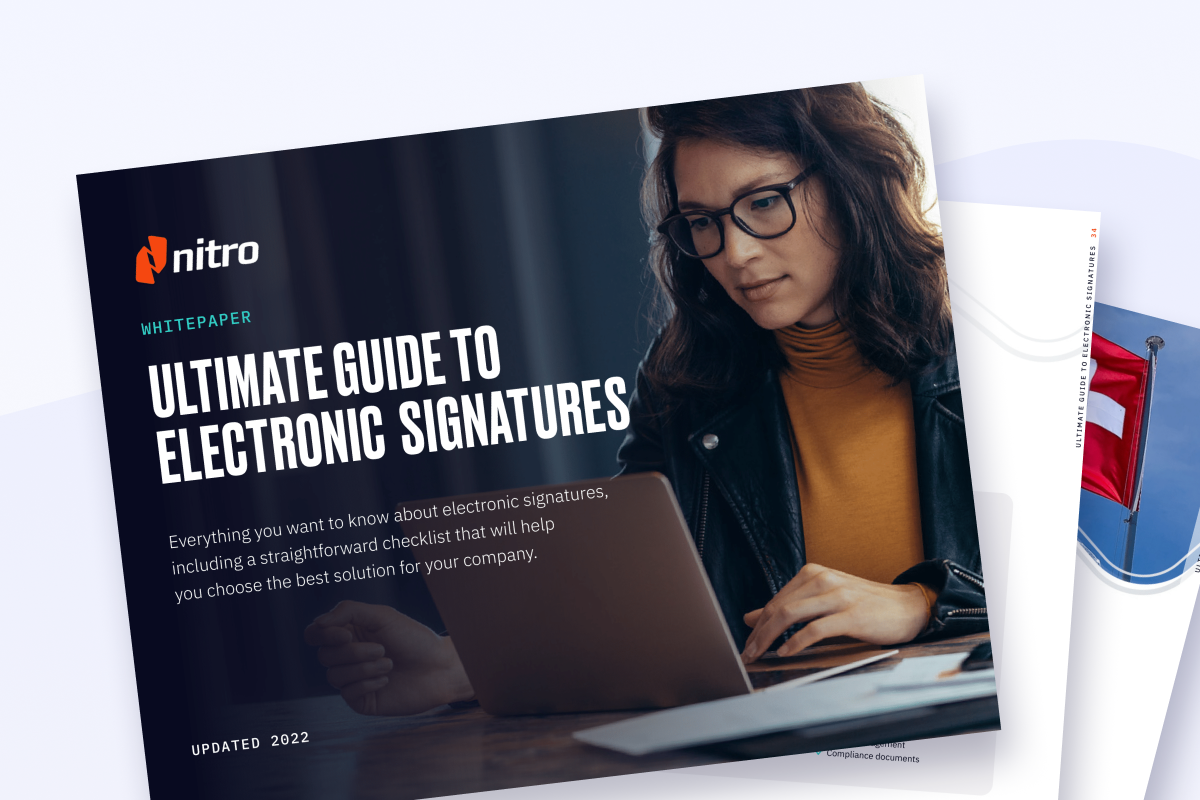
Explore our Resource Hub for tools to optimize enterprise document workflows with eBooks, blog articles, webinars, and more.

Explore our Resource Hub

What products are included in the Nitro platform?

Nitro provides a unified platform that includes PDF editing, electronic signatures, document automation and identity verification that scales across teams of all sizes.

Organizations can deploy the solutions that best fit their workflows while managing document processes across one enterprise platform.

Can Nitro replace Adobe Acrobat or DocuSign for enterprise teams?

Nitro offers the same enterprise-grade PDF editing and eSign features as Adobe Acrobat and DocuSign, but with simpler licensing and a more cost-effective platform.

Unlike many competitors, Nitro combines PDF, eSign, and AI automation in one solution, making it easier for enterprises and mid-market organizations to scale securely without sacrificing usability.

How does Nitro support enterprise document workflows?

Nitro helps organizations create, edit, share, sign, automate, analyze, and secure documents from a single platform. Teams can simplify document-intensive processes while improving collaboration, security, and compliance.

How can Nitro help automate workflows and extract insights?

Nitro AI automates repetitive document tasks, extracts and analyzes data, generates insights, and streamlines support workflows. These tools help teams reduce manual work, accelerate approvals, and make data-driven decisions while maintaining enterprise-grade security and compliance.

What features support collaboration across teams?

Nitro enables real-time collaboration on PDFs and documents with tools for annotation, commenting, approval workflows, and version tracking.

Teams can securely share and edit files across devices, streamlining processes for both mid-market and enterprise organizations.

Can Nitro integrate with existing business systems?

Yes. Nitro offers seamless integrations with SharePoint, Salesforce, Microsoft 365, and popular cloud storage providers, as well as an API for custom automation. This enables enterprises and mid-market organizations to maintain secure, efficient document workflows without disrupting existing systems.

Is Nitro available across multiple platforms?

Yes. Nitro works seamlessly across Windows, Mac, and mobile devices, ensuring enterprise and mid-market teams can edit, sign, and share documents from anywhere. Cross-platform support allows organizations to maintain consistent workflows across diverse IT environments.

How does Nitro ensure document security and compliance?

Nitro protects sensitive information with advanced encryption, password protection, granular access controls, and tamper-evident audit trails.

Nitro’s solutions are designed to meet enterprise and mid-market compliance requirements, including GDPR, SOC 2, HIPAA, eIDAS, UETA, and the ESIGN Act.

Which compliance standards does Nitro support?

Nitro supports compliance with widely recognized legal, regulatory, and industry frameworks, including GDPR, HIPAA, SOC 2, ESIGN, UETA, and eIDAS. These capabilities help organizations meet document security and compliance requirements for creating, sharing, signing, and storing documents.

How does Nitro support secure electronic signatures?

Nitro Sign allows organizations to send, sign, and track documents securely on any device.

It supports multiple signing methods, bulk signing, audit trails, and compliance with global regulations, including eIDAS, UETA, and the ESIGN Act. Nitro Sign is designed for both mid-market and enterprise-scale operations.

How does Nitro support scalability for growing businesses?

Nitro’s flexible licensing and cloud-based workflows make it easy to add users, expand integrations, and adapt to evolving compliance requirements. Whether an organization is mid-market or global enterprise, Nitro is designed to scale with your growth.

What kind of support does Nitro offer for enterprise deployments?

Nitro provides 24/7/365 enterprise-grade support, along with guided onboarding, training, and Customer Success programs. This ensures smooth adoption, faster ROI, and minimal disruption for IT teams and end users.

Can organizations try Nitro before committing?

Yes. Nitro offers a guided business Pilot Program and demo options, enabling organizations to experience the full PDF, eSign, and AI platform. This allows teams to evaluate workflow improvements, scalability, and compliance features before deployment.

Can Nitro help reduce costs compared to other PDF and eSign software?

Yes. Nitro is consistently chosen as a cost-effective alternative to Adobe, DocuSign, and other vendors. Enterprises and mid-market organizations benefit from predictable licensing, reduced IT overhead, and the ability to unify PDF and eSign workflows in a single platform.

Does Nitro offer APIs for enterprise integrations?

Yes. Nitro offers APIs that allow organizations to integrate PDF, eSignature, identity verification, and document automation capabilities into existing business systems and workflows.

Which teams use Nitro?

Nitro is used by IT, operations, legal, HR, finance, sales, procurement, and other business teams that create, edit, review, share, sign, and manage documents.

See what Nitro can do for you

Take the next step to digital success today.

Icon-48px-Rapid Support

Contact sales

Talk to our experts about your business needs, and explore cost-effective options for Nitro's world-class PDF and eSign solutions.
Get in touch
Icon-48px-Smart signing

Free trial

Try Nitro’s PDF and eSign solutions to edit, sign, and organize documents effortlessly—free for 14 days!
Start your free trial
icon of people with a plus sign

Become a partner

Learn about our exciting partner opportunities for Nitro's trusted document solutions.
Partner with Nitro today