/Card-Page%20Previews-AI.png?width=1200&height=800&name=Card-Page%20Previews-AI.png)

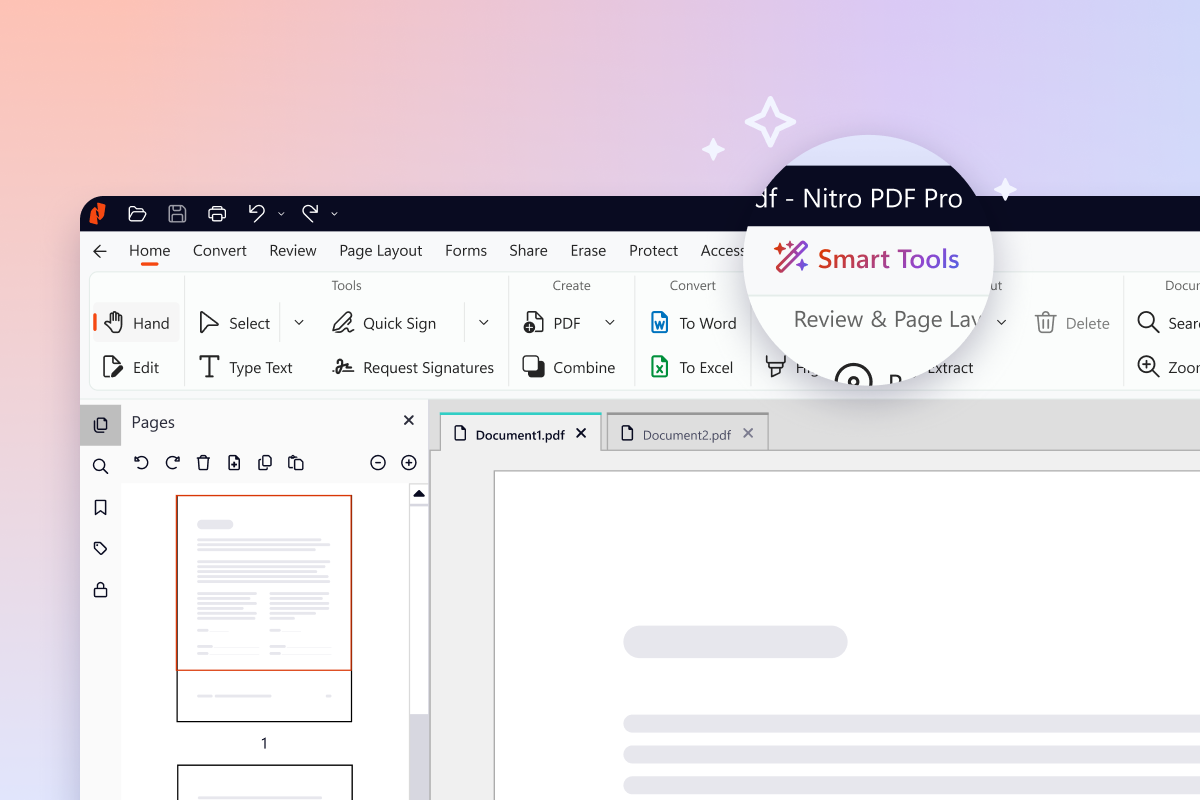
Working with PDFs shouldn't slow you down. The latest Nitro PDF Pro was built around that idea, bringing a cleaner interface that puts the right tools where you'd expect them, a new Smart Tools tab that makes AI a natural part of every workflow, and technical improvements that make your files faster to create, smaller to share, and more accurate to process.
Everything you need to work faster is right where you need it—no complexity, just a better way to handle your PDFs. Here's a closer look at what's new and how to get the update today.
What does the redesigned interface look like?
This latest Nitro PDF Pro update brings a cleaner interface, more intuitive navigation, and improved discoverability at any screen size. Every tab has been redesigned with new icons, updated button styles, and consistent formatting, so the application feels current without losing the layout your team is already used to.
If you've used Nitro PDF Pro before, you'll recognize the structure right away. The improvements focus on visual clarity and quicker access to the features people use most often. Here are a few of the most noticeable changes:
Improved placement of tools
Data-clearing capabilities like Redact and Remove Metadata now live together in one place, so the tool you need is where you'd expect it.
A redesigned stamps panel
Stamps are now searchable and organized into dedicated tabs by type, so finding the right stamp no longer means scrolling through a crowded list.
A more intuitive color picker
Colors now display by name rather than hex codes, making formatting decisions faster and more intuitive.
Enhanced screen size responsiveness
As your window narrows, buttons collapse from right to left, keeping your most-used actions visible for as long as possible.
Together, these updates modernize the look and feel of Nitro PDF Pro without disrupting the product knowledge customers have built up over years of daily use.
What does the new Smart Tools tab include?
The new Smart Tools tab introduces a new dedicated home for every AI-powered capability, giving you everything you need to analyze complex content in any language, extract critical data, and protect sensitive information from one place.
This brings together five core AI features:
- Form Extract: Turn form data into structured, Excel-ready insights.
- Table Extract: Automatically pull tabular data into clean, organized Excel files.
- Form Create: Instantly transform static PDFs into interactive, fillable forms.
- Smart Redact: Automatically detect and permanently remove sensitive information (available as a paid add-on).
- Nitro Assistant: Chat with your PDF to search, summarize, and translate.
For IT administrators, Smart Tools can be enabled or disabled through the Nitro Admin Portal, giving your organization control over which AI capabilities are available to your users.
Feature improvements you asked for
Alongside the visual and AI updates, Nitro PDF Pro raises the bar on three areas of the product that solve real workflow roadblocks. Customer feedback helped sharpen the priorities, so users can be confident these improvements make the everyday experience better.
Full right-to-left language support
Documents now display and print correctly across all file types, ensuring smooth workflows for RTL languages like Arabic, Hebrew, and Persian. For global organizations and customers in EMEA and APAC, this is a noticeable upgrade to everyday accuracy and accessibility.
Enhanced PDF compression
Significant improvements to compression technology deliver meaningfully smaller, more standards-compliant files without sacrificing quality. Teams managing high-volume document workflows in legal, financial services, and operations will feel the difference immediately, especially when sharing files that previously hit email or upload size limits.
New OCR engine
A new OCR engine delivers improved accuracy on low-resolution scans and faster performance on longer-form documents, making document digitisation more reliable end to end. Whether you're working with scanned contracts, archived records, or invoices captured on a phone camera, the output is cleaner and the process is quicker.
Ready to upgrade to to the next-gen Nitro PDF Pro?
The latest version of Nitro PDF Pro is now available for Windows customers. Existing customers can update through the in-app update flow or through their IT team's standard deployment process, and new customers can find pricing, plan details, and download options here.