Skip to content
Nitro vs. PDFelement

Why is Nitro PDF a Better Choice for your Business than PDFelement?

 Beyond simple editing, Nitro PDF offers a secure, scalable platform designed for enterprises, featuring private AI tools and 24/7 localized support. Discover why organizations seeking high-impact ROI and professional-grade security are making the switch from PDFelement to Nitro. 

icon of a financial line graph

6x ROI with a rapid payback period

Nitro isn’t just a tool; it’s a financial win. A Forrester study confirmed that Nitro customers achieve a 6x ROI, with the solution paying for itself in just six months through increased efficiency and reduced document processing time.
Icon-48px-Rapid Support

24/7/365 global expert support

While many providers rely on automated tickets, Nitro offers round-the-clock access to real people via phone, chat, and email. Our localized specialists ensure your deployment and daily workflows never skip a beat.
Icon-48px-Trustworthy

Industry-leading customer satisfaction

Our 95% satisfaction rate reflects our commitment to a seamless user experience. From the intuitive Microsoft-style ribbon to our responsive service, we prioritize the needs of the modern professional.
Icon-48px-Edit

The top-rated business PDF editor

Voted “#1 PDF Editor for Businesses” by TechRadar, Nitro is recognized for delivering enterprise-level power and centralized administration that basic editors simply can't match.

 Why do businesses choose Nitro PDF over PDFelement?

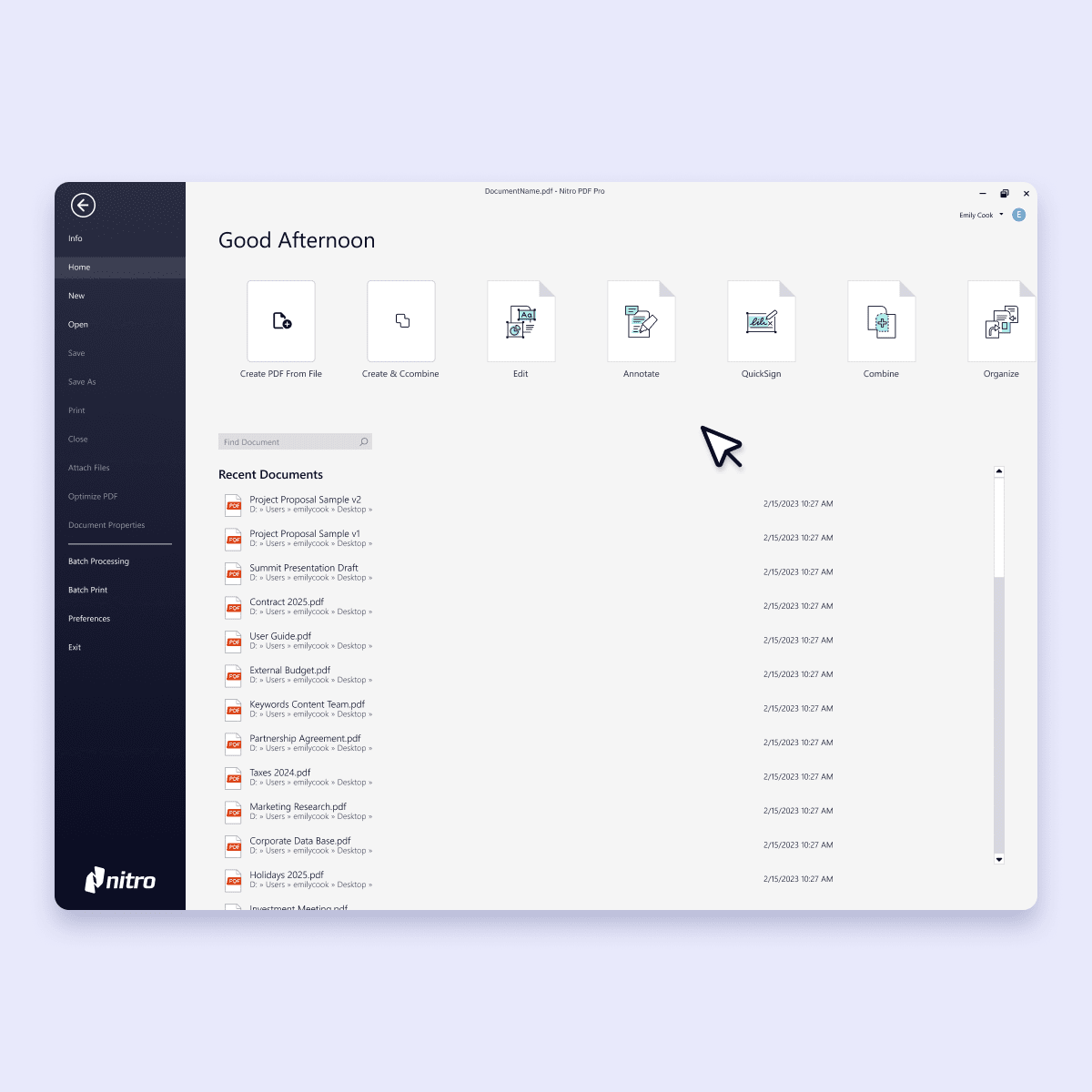
Screenshots-PDF-Home

Comprehensive PDF editing capabilities with transparent pricing

Nitro PDF provides single-platform access to all the tools businesses need to create, convert, edit, sign, redact sensitive information, and collaborate.

Nitro PDF eliminates the need for multiple add-ons, giving teams predictable pricing and flexible licensing that scales from small teams to enterprise-wide deployments.

Nitro demonstrates measurable impact beyond PDF editing. According to a Forrester study, Nitro customers save an average of 35 minutes per document. That’s in addition to gaining $2.2 million in financial benefits and seeing a 6x ROI with a payback period of just six months.
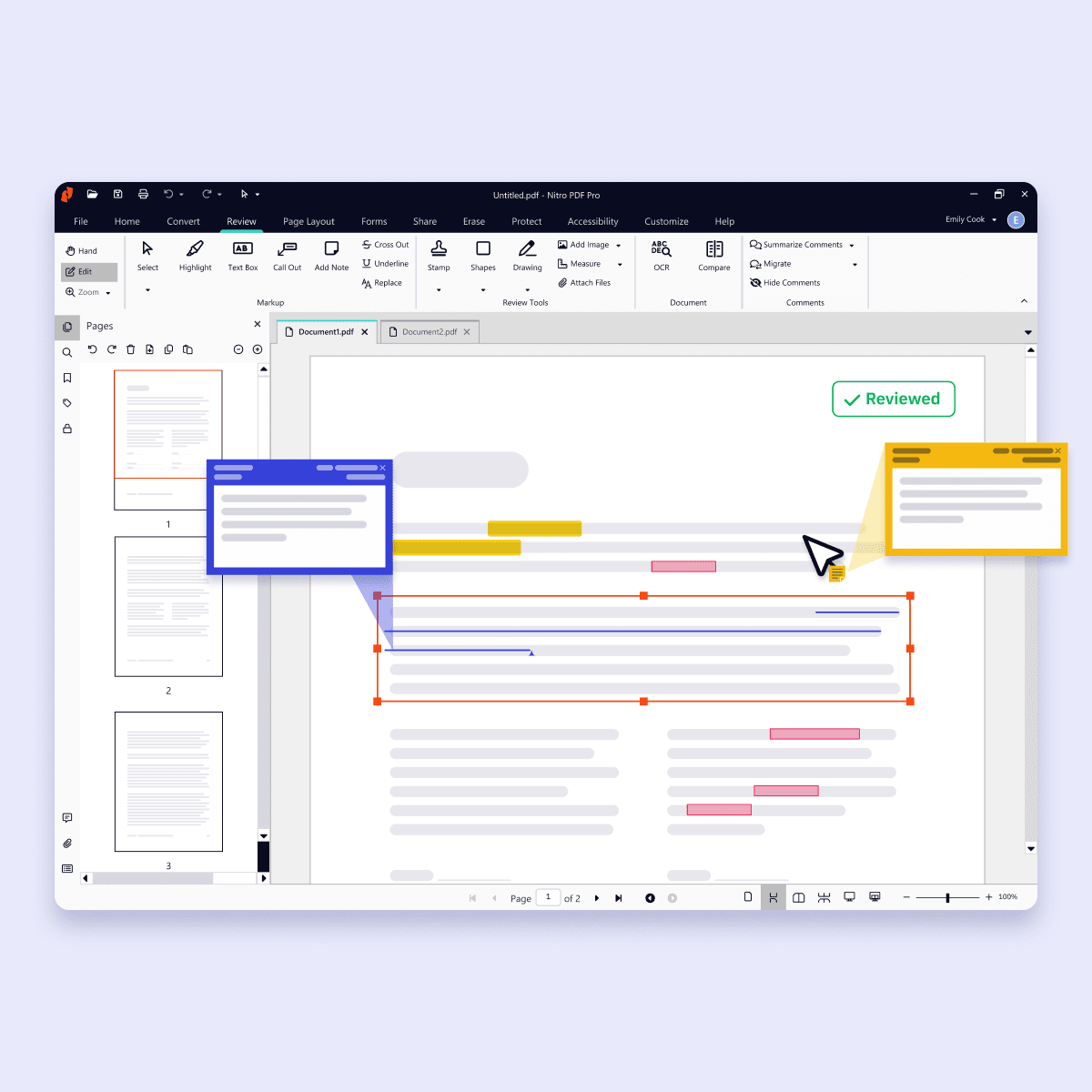
Screenshots-PDF for Windows-Edit and annotate

Familiar interface that encourages adoption and increases productivity 

Nitro PDF’s interface is designed to feel familiar and minimize disruption so teams don’t waste time on extensive onboarding. With a look and feel that mirrors the Microsoft Office and MacOS toolbars, extensive onboarding resources, knowledge-base support, and proactive customer assistance, Nitro ensures your team maximizes productivity and sees value from day one. 
Inline Photo-Security

Enterprise-grade security and global compliance 

Security, compliance, and privacy are built into every Nitro product. Nitro meets or exceeds internationally recognized standards, including ISO 27001, SOC 2, HIPAA, and the EU–U.S. Data Privacy Framework.

Nitro never sells, shares, or uses your document data to train AI models, giving organizations in even highly regulated industries confidence that their documents are secure and compliant.

Inline Photo-Customer support

Reliable support and expert assistance 

Nitro’s human-centric support is one of the reasons we earned a 95% satisfaction rate from customers and were recognized as a TechRadar Best PDF Editor for Business.

Nitro’s dedicated, localized specialists are available 24/7 to guide teams through deployment, onboarding, troubleshooting, and optimization.

Users consistently praise Nitro's fast implementation and the support team's responsiveness in resolving issues, making Nitro PDF a top solution for businesses that can’t afford to wait for assistance.
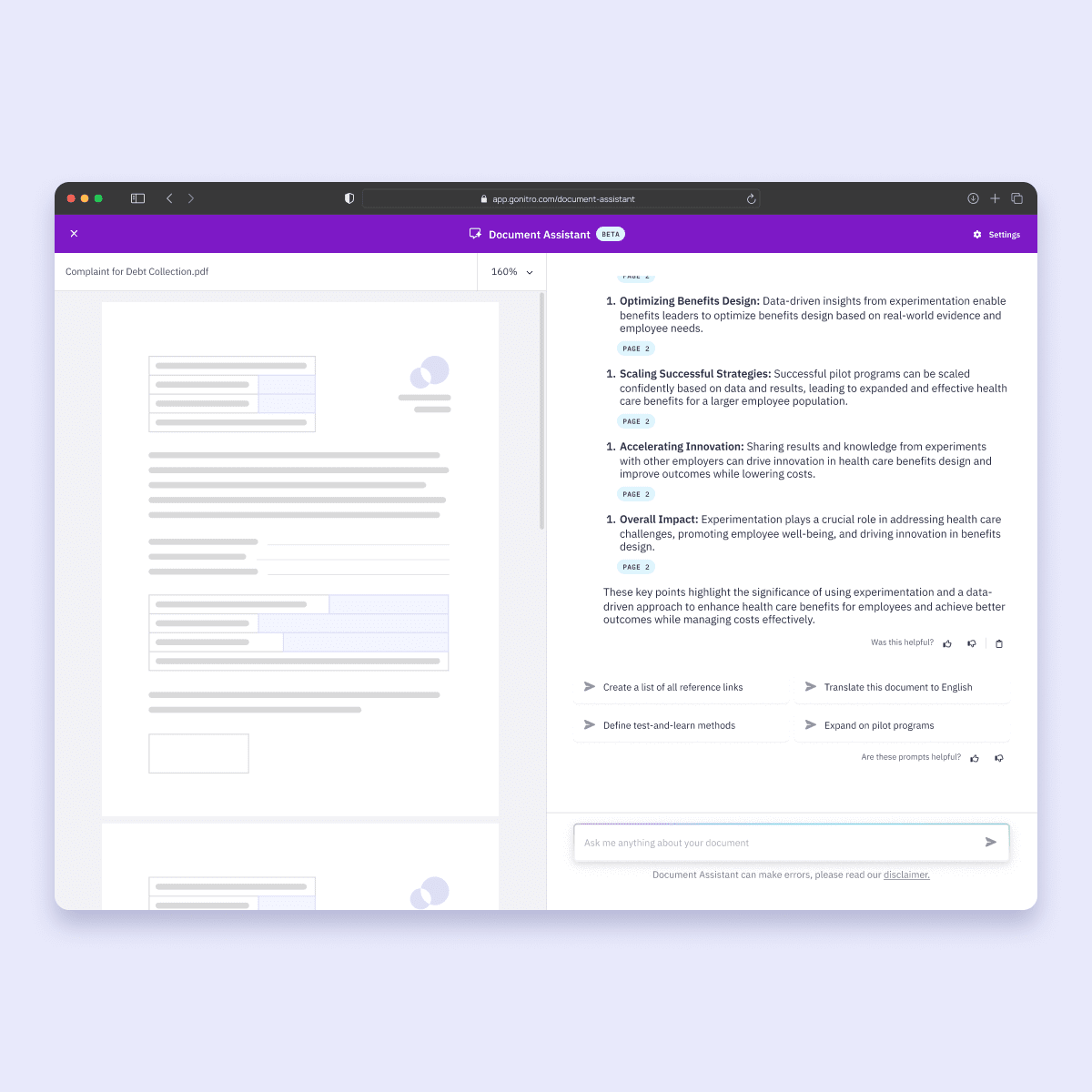
Screenshots-Workspace-Document Assistant

AI-powered productivity tools that are secure and private 

Nitro PDF’s easy-to-use AI tools make editing, extracting, and converting PDFs faster and more secure:
  • Smart Redact: Identify and flag sensitive data for removal [Available as a separate subscription]
  • Document Assistant: Get real-time, natural-language support for any document.
  • Knowledge Assistant: Answers questions about features, tools, and workflows
  • Form Data Extraction: Identify and extract key fields and export them into an Excel spreadsheet.
  • Table Extraction: Pull tabular data from any PDF into your analysis and reporting tool.
  • Form Creation: Convert static documents into interactive, fillable PDF forms. Available in the Nitro Sign Plus plan.
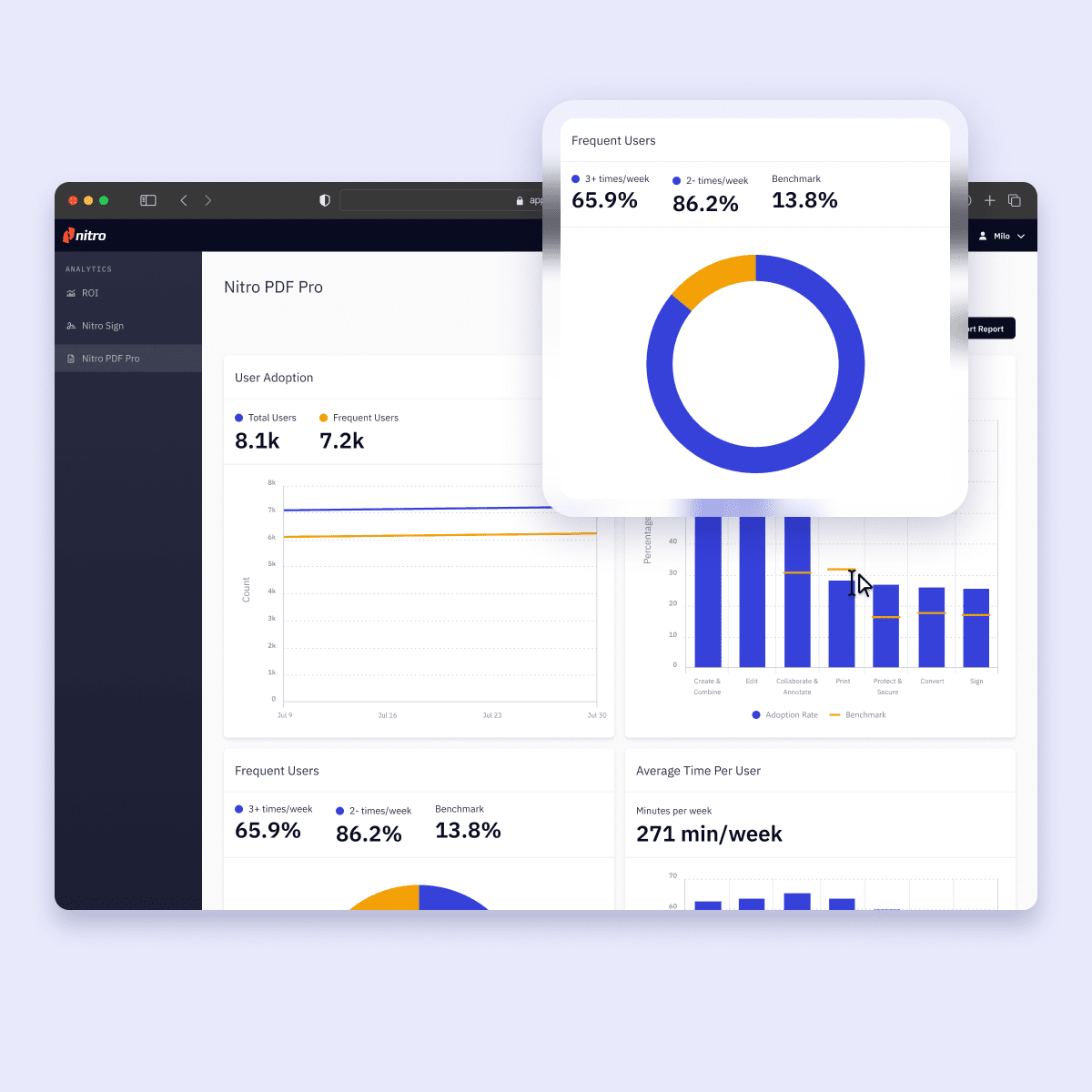
Screenshots-Analytics-PDF

Centralized analytics and administration for better oversight 

The Nitro Admin Portal gives IT teams a centralized hub where they can access real-time analytics, provision and manage licenses, monitor adoption and user activity, optimize workflows, and measure ROI all from a single dashboard. 

Upgrade to a professional-grade PDF editor

Switch to Nitro for a unified PDF & eSign platform that offers centralized administration, verified global compliance, and the scalable security your organization requires. 

Customer Success Stories
 

Join the thousands of businesses worldwide that trust Nitro 

  • Spr25_Grid Leader
  • Spr High Performer
  • Spr25_ROI MidMarket
  • Spr25_HighPerformerSmall
  • Sp25_Enterprise
  • Spr25_HighPerformerMid
  • Spr25_User Adoption

Why should I choose Nitro PDF over PDFelement?

 Nitro PDF is designed for business users who need enterprise-grade PDF productivity. Compared to PDFelement, Nitro offers a broader set of business features, centralized administration, built-in analytics, AI tools with private processing, and verified compliance certifications, making it a more secure and scalable choice for teams.

How does Nitro’s security and compliance compare to PDFelement’s?

 Nitro PDF meets multiple enterprise standards including ISO 27001, SOC 2, HIPAA, and the EU–U.S. Data Privacy Framework. PDFelement provides encryption, password protection, and ISO 27001, but Nitro’s broader compliance portfolio, independent audits, and dedicated governance controls give businesses additional assurance for regulated environments.

How does Nitro PDF’s ROI and pricing compare to PDFelement’s?

 Nitro PDF combines PDF editing, eSigning, AI automation, analytics, and enterprise licensing in one platform. This unified approach reduces tool sprawl and creates measurable business value. PDFelement offers low individual pricing but lacks the enterprise-wide analytics and workflow integration Nitro provides.

How do Nitro’s collaboration tools compare to PDFelement’s?

 Nitro supports threaded comments, shared reviews, document permissions, and eSigning workflows designed for multi-team collaboration. PDFelement’s collaboration tools are primarily individual or small-team oriented, whereas Nitro is optimized for enterprise-level teamwork and structured document workflows. 

Does Nitro PDF offer AI tools, and are they secure?

 Yes. Nitro PDF’s AI products and features include Smart Redact, Document Assistant, Knowledge Assistant, and Form/Table Extraction. Nitro explicitly does not use customer data to train AI models and ensures processing is encrypted. 

Is Nitro PDF compatible with both Windows and Mac operating systems?

 Yes. Nitro PDF is available for both Windows and macOS, providing a consistent feature set and interface across devices. PDFelement supports multiple platforms, but Nitro ensures identical enterprise-level features across all operating systems. 

Is migrating from PDFelement to Nitro PDF difficult?

No. Nitro supports standard PDF formats and familiar workflows, allowing teams to transition without losing document fidelity. Centralized license management and deployment tools make enterprise rollout seamless. 

What level of customer support can I expect with Nitro compared to PDFelement?

Nitro offers 24/7, human-centric support, onboarding resources, and dedicated enterprise service tiers. G2 reviewers consistently highlight Nitro’s responsive, reliable support and ease of implementation as key advantages over PDFelement’s support experience. 

Can I trial Nitro for free before switching from PDFelement?

Yes. Nitro provides a free 14-day trial that lets teams test all core editing, AI, collaboration, and eSigning features before making a purchase decision. 

Why should I choose Nitro PDF over PDFelement?

 Nitro PDF is designed for business users who need enterprise-grade PDF productivity. Compared to PDFelement, Nitro offers a broader set of business features, centralized administration, built-in analytics, AI tools with private processing, and verified compliance certifications, making it a more secure and scalable choice for teams.

Join thousands already saving big with Nitro

Connect with Nitro today to learn how you can drive productivity and savings.
See plans & pricing