Why is Nitro PDF a Better Choice for your Business than PDFelement?
Beyond simple editing, Nitro PDF offers a secure, scalable platform designed for enterprises, featuring private AI tools and 24/7 localized support. Discover why organizations seeking high-impact ROI and professional-grade security are making the switch from PDFelement to Nitro.
6x ROI with a rapid payback period
24/7/365 global expert support
Industry-leading customer satisfaction
The top-rated business PDF editor
Why do businesses choose Nitro PDF over PDFelement?
Comprehensive PDF editing capabilities with transparent pricing
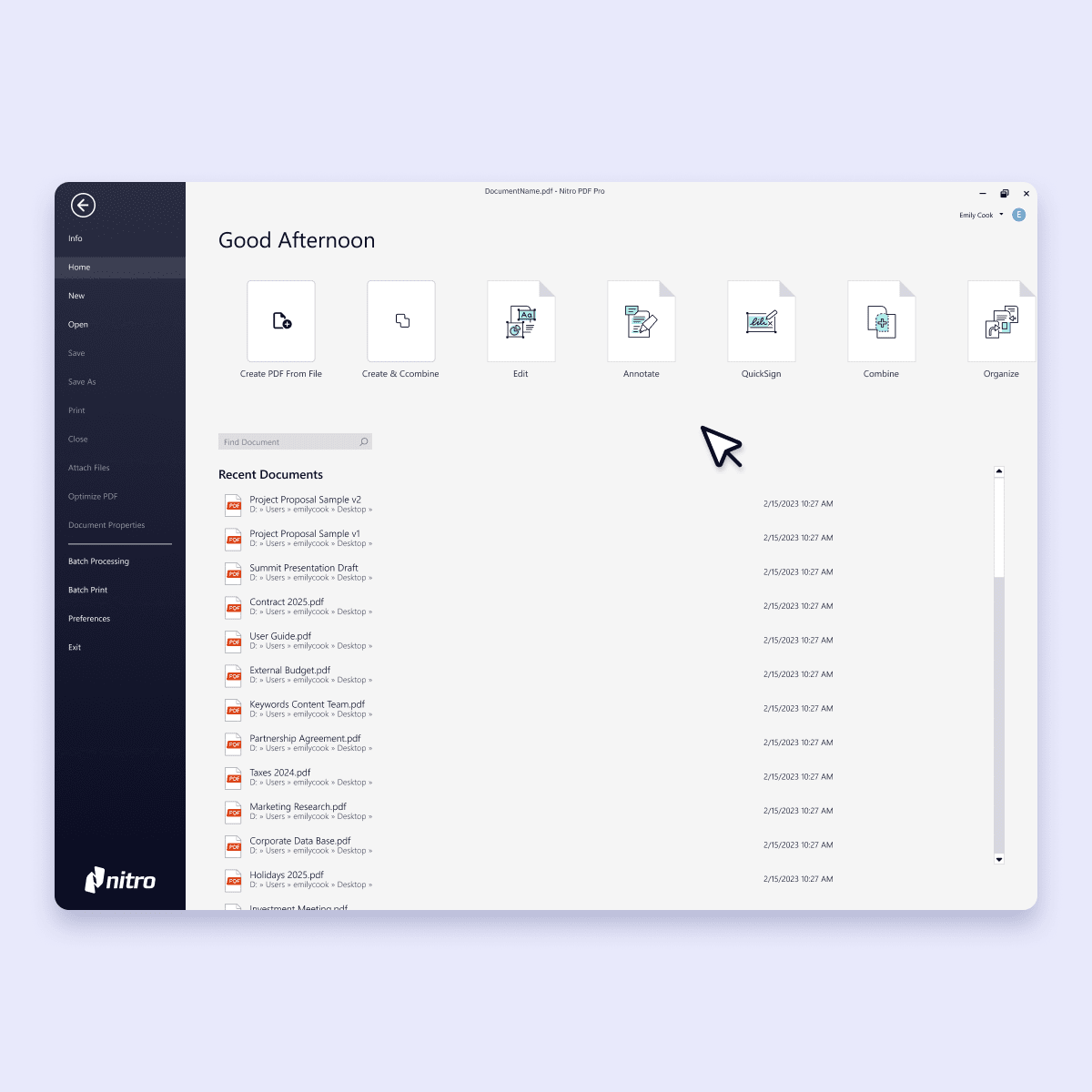
Nitro PDF provides single-platform access to all the tools businesses need to create, convert, edit, sign, redact sensitive information, and collaborate.
Nitro PDF eliminates the need for multiple add-ons, giving teams predictable pricing and flexible licensing that scales from small teams to enterprise-wide deployments.
Nitro demonstrates measurable impact beyond PDF editing. According to a Forrester study, Nitro customers save an average of 35 minutes per document. That’s in addition to gaining $2.2 million in financial benefits and seeing a 6x ROI with a payback period of just six months.
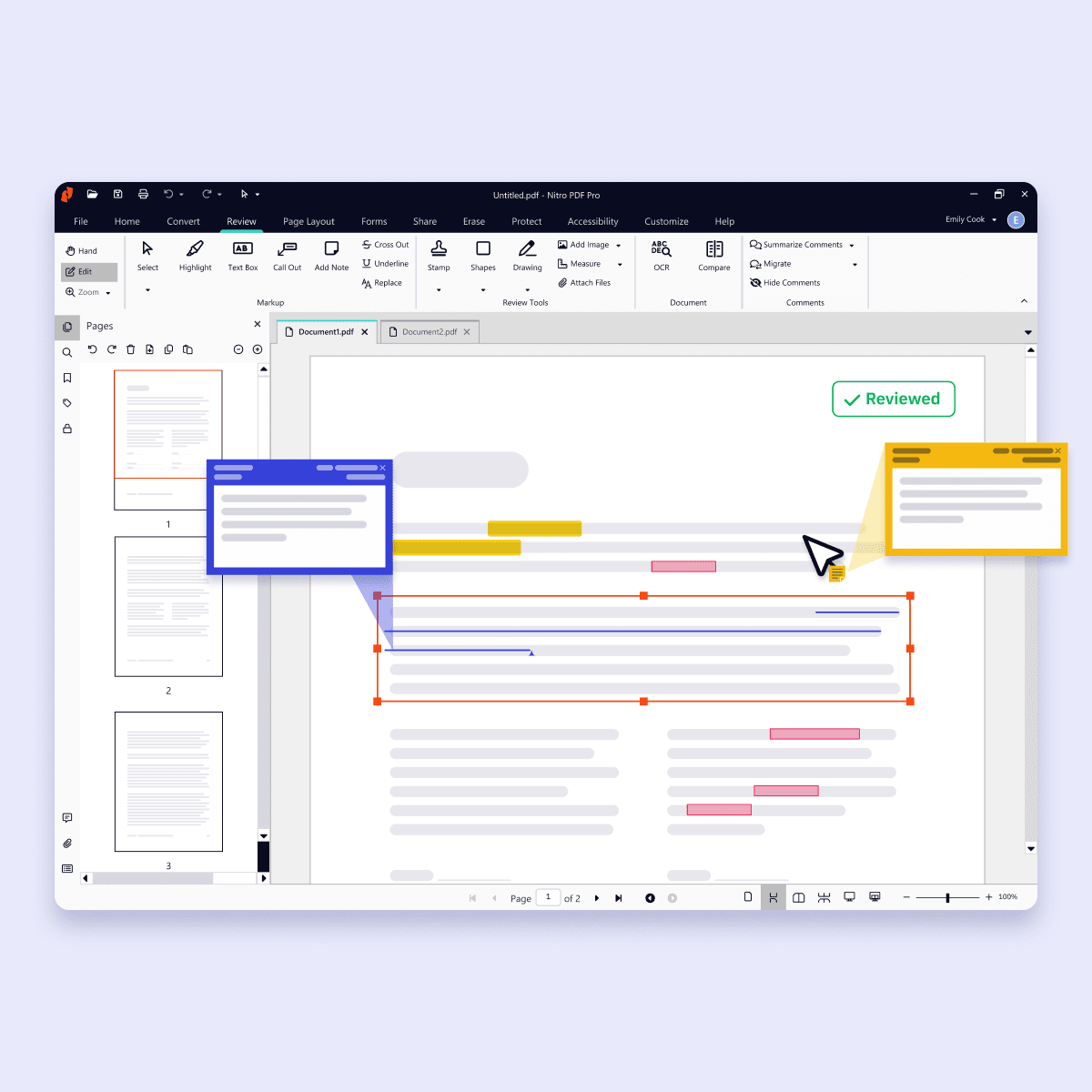
Familiar interface that encourages adoption and increases productivity
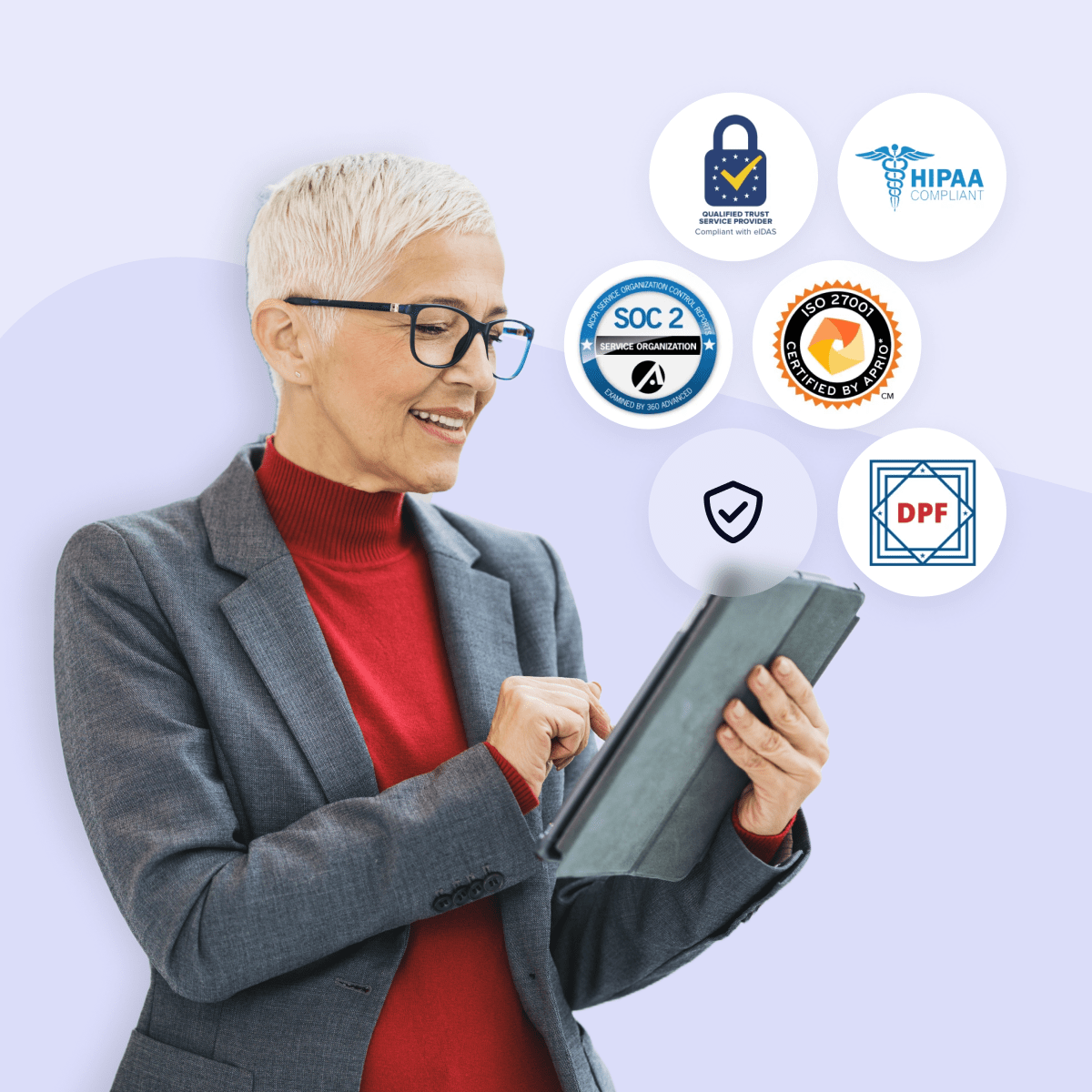
Enterprise-grade security and global compliance
Security, compliance, and privacy are built into every Nitro product. Nitro meets or exceeds internationally recognized standards, including ISO 27001, SOC 2, HIPAA, and the EU–U.S. Data Privacy Framework.
Nitro never sells, shares, or uses your document data to train AI models, giving organizations in even highly regulated industries confidence that their documents are secure and compliant.

Reliable support and expert assistance
Nitro’s human-centric support is one of the reasons we earned a 95% satisfaction rate from customers and were recognized as a TechRadar Best PDF Editor for Business.
Nitro’s dedicated, localized specialists are available 24/7 to guide teams through deployment, onboarding, troubleshooting, and optimization.
Users consistently praise Nitro's fast implementation and the support team's responsiveness in resolving issues, making Nitro PDF a top solution for businesses that can’t afford to wait for assistance.
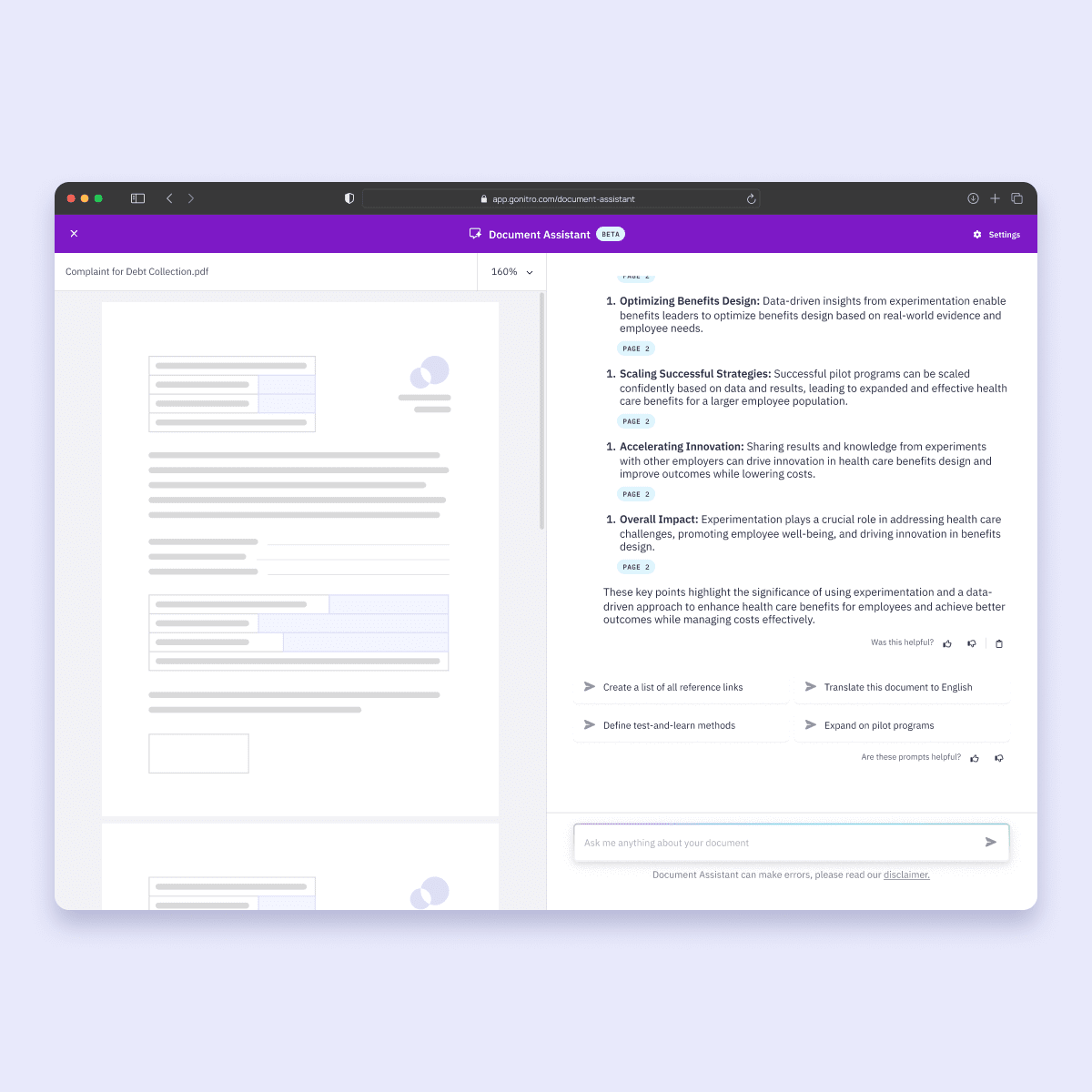
AI-powered productivity tools that are secure and private
Nitro PDF’s easy-to-use AI tools make editing, extracting, and converting PDFs faster and more secure:- Smart Redact: Identify and flag sensitive data for removal [Available as a separate subscription]
- Document Assistant: Get real-time, natural-language support for any document.
- Knowledge Assistant: Answers questions about features, tools, and workflows
- Form Data Extraction: Identify and extract key fields and export them into an Excel spreadsheet.
- Table Extraction: Pull tabular data from any PDF into your analysis and reporting tool.
- Form Creation: Convert static documents into interactive, fillable PDF forms. Available in the Nitro Sign Plus plan.
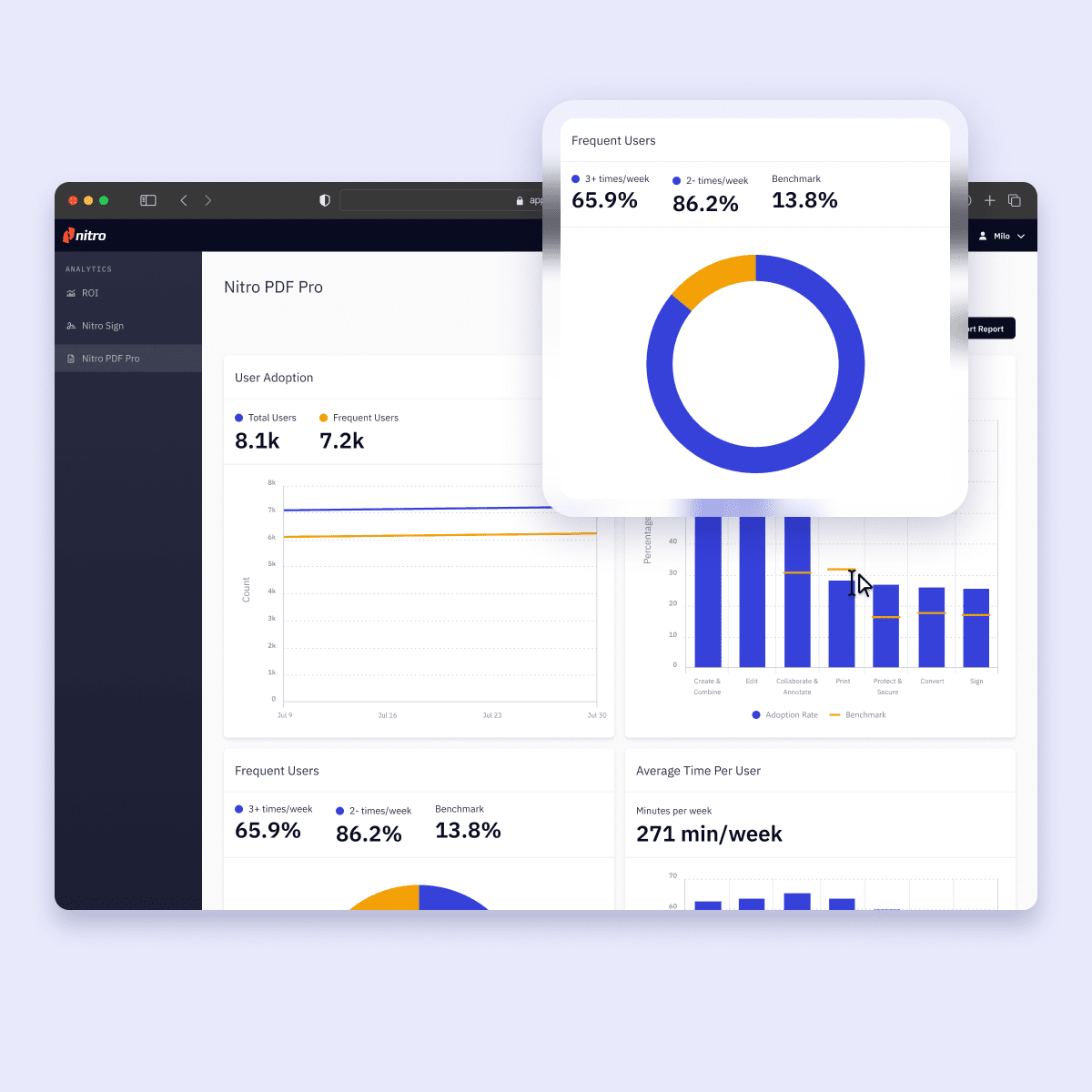
Centralized analytics and administration for better oversight
The Nitro Admin Portal gives IT teams a centralized hub where they can access real-time analytics, provision and manage licenses, monitor adoption and user activity, optimize workflows, and measure ROI all from a single dashboard.
Upgrade to a professional-grade PDF editor
Switch to Nitro for a unified PDF & eSign platform that offers centralized administration, verified global compliance, and the scalable security your organization requires.
Join the thousands of businesses worldwide that trust Nitro
Frequently asked questions about Nitro PDF vs. PDFelement
Why should I choose Nitro PDF over PDFelement?
How does Nitro’s security and compliance compare to PDFelement’s?
How does Nitro PDF’s ROI and pricing compare to PDFelement’s?
How do Nitro’s collaboration tools compare to PDFelement’s?
Does Nitro PDF offer AI tools, and are they secure?
Is Nitro PDF compatible with both Windows and Mac operating systems?
Is migrating from PDFelement to Nitro PDF difficult?
What level of customer support can I expect with Nitro compared to PDFelement?
Can I trial Nitro for free before switching from PDFelement?
Why should I choose Nitro PDF over PDFelement?
Join thousands already saving big with Nitro
What are the benefits of switching to Nitro PDF from Adobe Acrobat?
Learn why businesses are replacing Adobe Acrobat with Nitro PDF in 2026.
30% savings on average vs. Adobe Acrobat
67% of the Fortune 500 trust Nitro Software
#1 PDF Editor for Businesses voted by TechRadar
95% customer satisfaction rate
While others increase costs, Nitro keeps it simple with transparent pricing and real support.
Frequently Asked Questions About Nitro vs. Adobe
How much does Nitro PDF cost compared to Adobe Acrobat?
Nitro PDF is generally more cost-effective than Adobe Acrobat. It offers a powerful, feature-rich solution with a significantly lower total cost of ownership (TCO) and flexible licensing options. Businesses can often achieve nearly 30% in annual savings by switching from Adobe's higher-priced subscription plans.
Does Nitro offer different PDF pricing plans for small teams vs. larger companies?
Yes, Nitro offers flexible and scalable pricing plans designed to fit businesses of all sizes. You can choose a plan that's right for your small team, with the option to easily add or remove users as your needs change.
Our licensing is built to grow with your business, providing a cost-effective solution for both small teams and large enterprises.
Does Nitro include eSigning and collaboration features?
Yes, Nitro is a comprehensive software solution that also includes robust eSigning and collaboration features.
You can securely create, send, and track legally binding electronic signatures and work on documents with colleagues simultaneously, all within the unified Nitro platform.
What security features does Nitro offer for my documents?
Can Nitro PDF help me remove sensitive information quickly and securely?
What kind of support does Nitro offer?
Nitro offers award-winning, 24/7 global support, recognized by G2 for "Best Enterprise Support" and "Best Mid-Market Support" in 2024. This includes:
-
24/7/365 assistance from a dedicated global support team.
-
A white-glove support approach for eligible customers, offering proactive care and a dedicated account manager.
-
A comprehensive resource library, including a knowledge base, community forums, and an AI-powered Knowledge Assistant.
-
Personalized onboarding and transition support to ensure a seamless experience.
Is Nitro compatible with my existing software?
How does the deployment process work for a small business?
The deployment process for a small business is straightforward. The Nitro Admin Portal
allows IT administrators to provision and manage user licenses centrally, making it easy to roll out the software to a small team.
Our customer success team also provides tailored support for a seamless setup and transition.
Can I edit scanned documents with Nitro PDF?
Does Nitro offer a mobile app for editing on the go?
Stop overpaying for your PDF software
Make the switch to Nitro today and see how much you can save with the PDF editor that does it all.