Skip to content
Nitro vs. FOxit

Why Choose Nitro Sign Over Foxit eSign for Secure eSignatures

Nitro Sign delivers enterprise-grade security, global compliance, and predictable pricing, making it a strong alternative to Foxit eSign. Built for real business workflows, Nitro Sign scales from growing teams to regulated enterprises while keeping electronic signing simple and secure.

Header-Nitro Sign (SEM Retargeting)

What are the benefits of switching to Nitro Sign from Foxit eSign?


Icon-48px-Save money-1

Predictable, straightforward pricing with no hidden fees or unexpected charges.

Icon-48px-Compliant Documents-1

Surpasses international eSignature security and regulatory requirements.

icon of integration and automation

Around-the-clock support available by phone, chat, email, community forums, and AI assistance.

icon of a globe

Nitro Sign has been recognized by IDC as a global leader in electronic signature software solutions.

Card-Page Previews-Nitro Sign

Simple deployment and 24/7 support for teams of all sizes

Nitro Sign balances enterprise-level electronic signing with everyday usability. Business users and non-technical teams can deploy quickly without heavy IT involvement, with access to human support and onboarding resources as usage expands. This makes Nitro Sign a strong fit for organizations that need simplicity today that scales for business tomorrow.
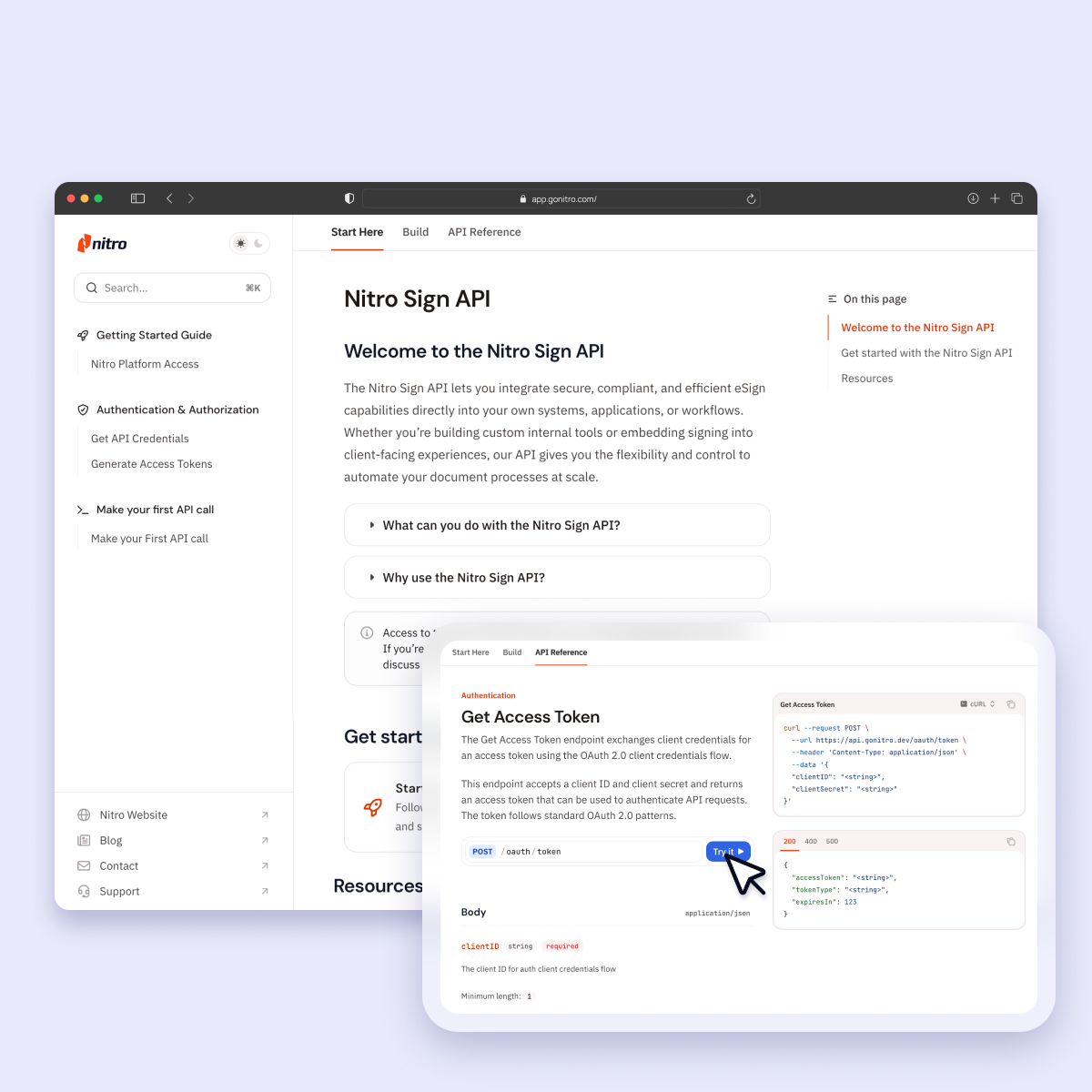
Screenshots-Sign-API

Efficient workflows and flexible integration

Nitro Sign extends beyond Foxit eSign’s basic electronic signature capabilities, supporting advanced workflow customization, real-time status tracking, and API-driven automation. With pre-built, enterprise-grade integrations, Nitro Sign eliminates manual workarounds, making it easy to embed signing into the business platforms you use every day, including:

  • Microsoft 365 and Teams
  • Salesforce and CRM platforms
  • Cloud storage
  • Document management and workflow tools
  • HR, legal, and industry platforms
Header-Photo-Security & Compliance

Enterprise-grade security and global compliance

Nitro Sign is built for organizations that refuse to compromise on security and compliance. With support for ESIGN, UETA, and eIDAS, plus enterprise security standards like SOC 2, ISO 27001, HIPAA, and GDPR, Nitro Sign helps teams meet electronic signature requirements while maintaining defensible audit trails and data protection across regions and industries.
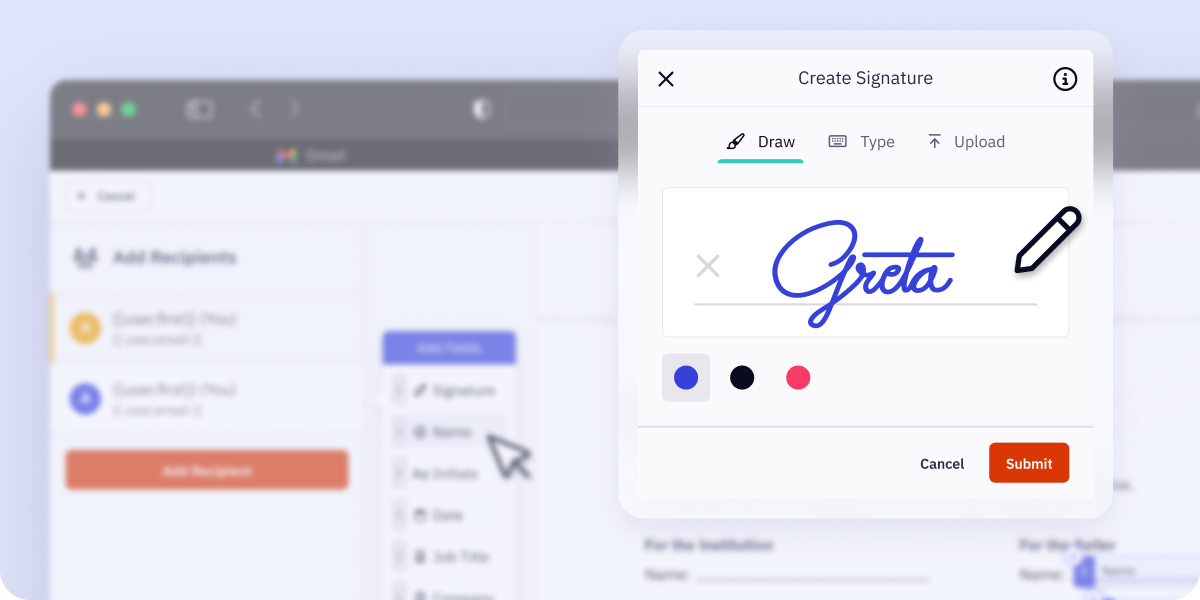
Email Header - Nitro Sign

Clear, predictable pricing with no hidden costs

Nitro Sign eliminates pricing surprises and overage penalties. Instead of charging for every sent document or required signature, Nitro pricing is based on completed, fully signed packages, making current and future costs more predictable compared to Foxit eSign’s more traditional, seat-based model.


Join the thousands of businesses worldwide that trust Nitro

How Nitro simplifies the switch from Foxit eSign

icon-48px-Support

Seamless change management

Nitro Sign makes switching from Foxit eSign simple and stress-free. Our Customer Success team maps your existing workflows to Nitro’s features, integrates with your existing tech stack, and creates tailored onboarding paths for different user roles, so your team sees immediate value with minimal disruption.
Icon-48px-Save money-1

Simple licensing and smarter pricing

Nitro Sign delivers powerful eSigning tools without hidden fees, vendor negotiations, or minimum seat commitments. Migrate on your own timeline with flexible plans, generous usage allowances, and an Admin Portal that makes it easy to provision and deprovision users, reassign licenses, and control feature access by department.
Icon-48px-Insights-1

Actionable ROI from smart analytics

With Nitro Analytics, you gain clear, actionable insights into adoption, productivity, and cost savings. Track time saved per user, monitor usage by team, and measure ROI in an intuitive dashboard that provides the visibility you need to optimize resources and confidently justify your migration from Foxit eSign from day one.
Save money on eSignatures by switching to Nitro

Nitro Sign is the trusted alternative to Foxit eSign, delivering powerful, intuitive eSignature tools with transparent pricing and no hidden fees. Get better value, reduce your stress, and receive the support your business deserves.
Switch and save
Customer Success Stories
 

Why businesses are switching to Nitro Sign

  • Spr25_Grid Leader
  • Spr High Performer
  • Spr25_ROI MidMarket
  • Spr25_HighPerformerSmall
  • Sp25_Enterprise
  • Spr25_HighPerformerMid
  • Spr25_User Adoption

How does Nitro Sign’s pricing compare to Foxit eSign?

Nitro Sign offers transparent, usage-based pricing where only completed signature packages count toward your allowance, so there are no hidden fees or surprise overage charges.

Is Nitro Sign legally binding and compliant with global eSignature laws?

Yes. Nitro Sign supports compliance with global standards including the ESIGN Act (US), UETA, and eIDAS (EU), and has enterprise-grade security certifications such as SOC 2 Type II, HIPAA, ISO 27001, and GDPR.

Is it difficult to switch my team from Foxit eSign to Nitro Sign?

No. Nitro Sign emphasizes ease of deployment and intuitive use. Our world-class Customer Success team ensures a smooth migration with minimal friction.

Is it easy for my team to start using Nitro Sign?

Yes. According to G2, Nitro outperforms Foxit in ease of setup, helping users get comfortable and productive right away. Users often report that Nitro Sign’s interface is intuitive, with simple document upload, form fields, and signature workflows that require minimal training or IT intervention.

Can I send multiple documents for eSignature at once with Nitro Sign?

Yes. Nitro Sign supports bulk sending and advanced workflows through higher-tier plans, which helps teams manage large batches of documents efficiently.

Does Nitro Sign integrate with the other software I use?

Nitro Sign integrates with popular business tools— like Salesforce, Microsoft 365, Zapier, cloud storage, and more—, and it offers API access for custom workflows.

Can I customize the Nitro Sign experience with my company’s branding?

Yes. Nitro Sign’s higher-tier plans allow for custom branding, including logos and customized email experiences that reflect your organization’s identity.

What happens to my old Foxit eSign contracts when I switch to Nitro Sign?

When you switch, you can export your completed contracts and audit logs from Foxit eSign to maintain continuity. Nitro Sign lets you upload existing signed documents into its repository for ongoing access.

Join thousands already saving big with Nitro

Connect with Nitro today to learn how you can drive productivity and savings.
Switch and save

What are the benefits of switching to Nitro PDF from Adobe Acrobat?

Learn why businesses are replacing Adobe Acrobat with Nitro PDF in 2026. 

Icon-48px-Productivity-1

30% savings on average vs. Adobe Acrobat

icon of rotating arrows

67% of the Fortune 500 trust Nitro Software

Icon-48px-Contact Sales-1

#1 PDF Editor for Businesses voted by TechRadar

icon of an award

95% customer satisfaction rate

While others increase costs, Nitro keeps it simple with transparent pricing and real support. 

How much does Nitro PDF cost compared to Adobe Acrobat?

Nitro PDF is generally more cost-effective than Adobe Acrobat. It offers a powerful, feature-rich solution with a significantly lower total cost of ownership (TCO) and flexible licensing options. Businesses can often achieve nearly 30% in annual savings by switching from Adobe's higher-priced subscription plans.

Explore Nitro's plans & pricing to learn more.

Does Nitro offer different PDF pricing plans for small teams vs. larger companies?

Yes, Nitro offers flexible and scalable pricing plans designed to fit businesses of all sizes. You can choose a plan that's right for your small team, with the option to easily add or remove users as your needs change.

Our licensing is built to grow with your business, providing a cost-effective solution for both small teams and large enterprises.


Does Nitro include eSigning and collaboration features?

Yes, Nitro is a comprehensive software solution that also includes robust eSigning and collaboration features.

You can securely create, send, and track legally binding electronic signatures and work on documents with colleagues simultaneously, all within the unified Nitro platform.

What security features does Nitro offer for my documents?

Nitro offers robust security features to safeguard your documents and sensitive information. We adhere to top-tier security standards, including SOC 2, HIPAA, and ISO 27001, and provide advanced encryption, authentication protocols, and document-level permissions to ensure your data is secure at every stage.

Can Nitro PDF help me remove sensitive information quickly and securely?

Yes. Nitro Smart Redact automatically detects and permanently removes sensitive data, including personally identifiable information (PII) like names, addresses, financial details, and health identifiers. You retain full control to review and adjust redactions, ensuring documents are secure, compliant, and ready to share—faster than traditional manual redaction tools.

What kind of support does Nitro offer?

Nitro offers award-winning, 24/7 global support, recognized by G2 for "Best Enterprise Support" and "Best Mid-Market Support" in 2024. This includes:

  • 24/7/365 assistance from a dedicated global support team.

  • A white-glove support approach for eligible customers, offering proactive care and a dedicated account manager.

  • A comprehensive resource library, including a knowledge base, community forums, and an AI-powered Knowledge Assistant.

  • Personalized onboarding and transition support to ensure a seamless experience.

Is Nitro compatible with my existing software?

Yes. Nitro offers deep integration with popular business applications like Microsoft Office 365 and Google Workspace, as well as leading cloud storage services such as Dropbox, Google Drive, and SharePoint. This ensures a seamless workflow and easy document access within your existing ecosystem.

How does the deployment process work for a small business?

The deployment process for a small business is straightforward. The Nitro Admin Portal
allows IT administrators to provision and manage user licenses centrally, making it easy to roll out the software to a small team.

Our customer success team also provides tailored support for a seamless setup and transition.

Can I edit scanned documents with Nitro PDF?

Yes. Nitro includes powerful Optical Character Recognition (OCR) technology that can convert scanned documents and images into searchable and editable PDF files. This allows you to easily edit text and content within documents that would otherwise be static images.

Does Nitro offer a mobile app for editing on the go?

Yes, Nitro provides multiple ways to edit and manage documents on the go. We offer a native app for iPhone and iPad, while Nitro Workspace is a cloud-based solution that allows you to access and edit documents from any web browser on any device, ensuring you can stay productive wherever you are.

Stop overpaying for your PDF software

Make the switch to Nitro today and see how much you can save with the PDF editor that does it all.