


SMALL BUSINESS SOLUTIONS
PDF Editing, eSignatures, and Document Automation Software for Small Businesses
Nitro for small businesses is an all-in-one PDF editing, electronic signature, and document automation platform designed to help small businesses create, edit, sign, share, and automate documents securely.








Document encryption

Password protection

Secure eSignatures

Compliant workflows

Identity verification

Secure document sharing

What can small businesses do with Nitro PDF?
Key Nitro PDF capabilities:
- Edit, convert, and organize PDF documents: Create, edit, convert, combine, and organize PDFs from one easy-to-use application
- Convert scanned documents with OCR: Turn scanned files into editable, searchable PDFs using optical character recognition (OCR)
- Review and annotate documents: Highlight, comment, and mark up PDFs to improve collaboration and speed reviews
- Protect sensitive business information: Secure documents with password protection, encryption, and redaction
What can small businesses do with Nitro Sign?
Key Nitro Sign capabilities:
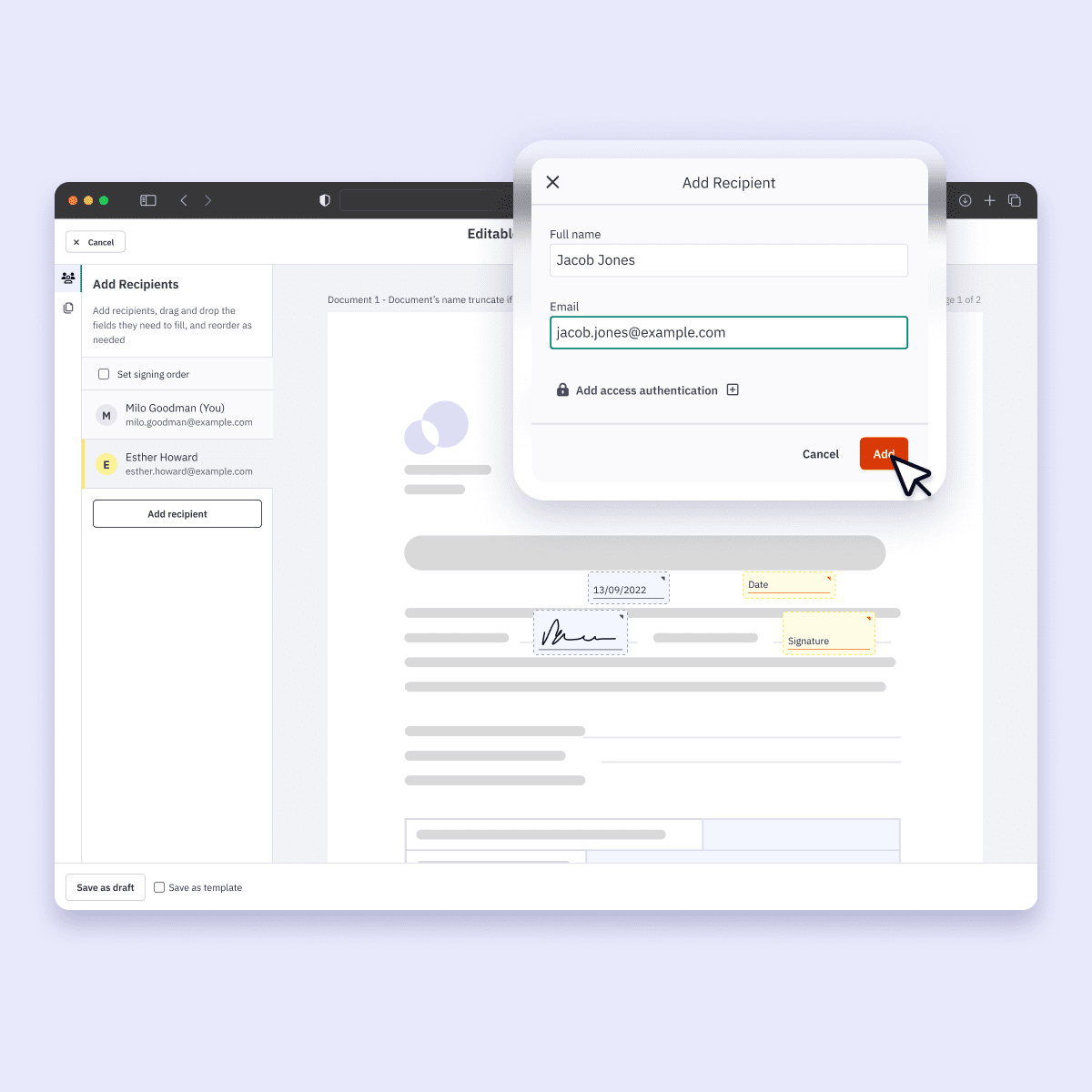
- Send documents for electronic signature: Request legally binding electronic signatures from customers, employees, and partners
- Sign documents from anywhere: Send, sign, and manage documents on Windows, Mac, and iOS devices
- Track signature progress: Monitor document status, send reminders, and keep approvals moving
- Collect signatures from multiple recipients: Route documents through multiple signers with one workflow
- Support compliant electronic signatures: Meet electronic signature requirements with support for the ESIGN Act, UETA, and eIDAS
What can small businesses do with Nitro AI?
Key Nitro AI capabilities:
- Automate everyday document tasks: Reduce repetitive work with AI-powered document assistance
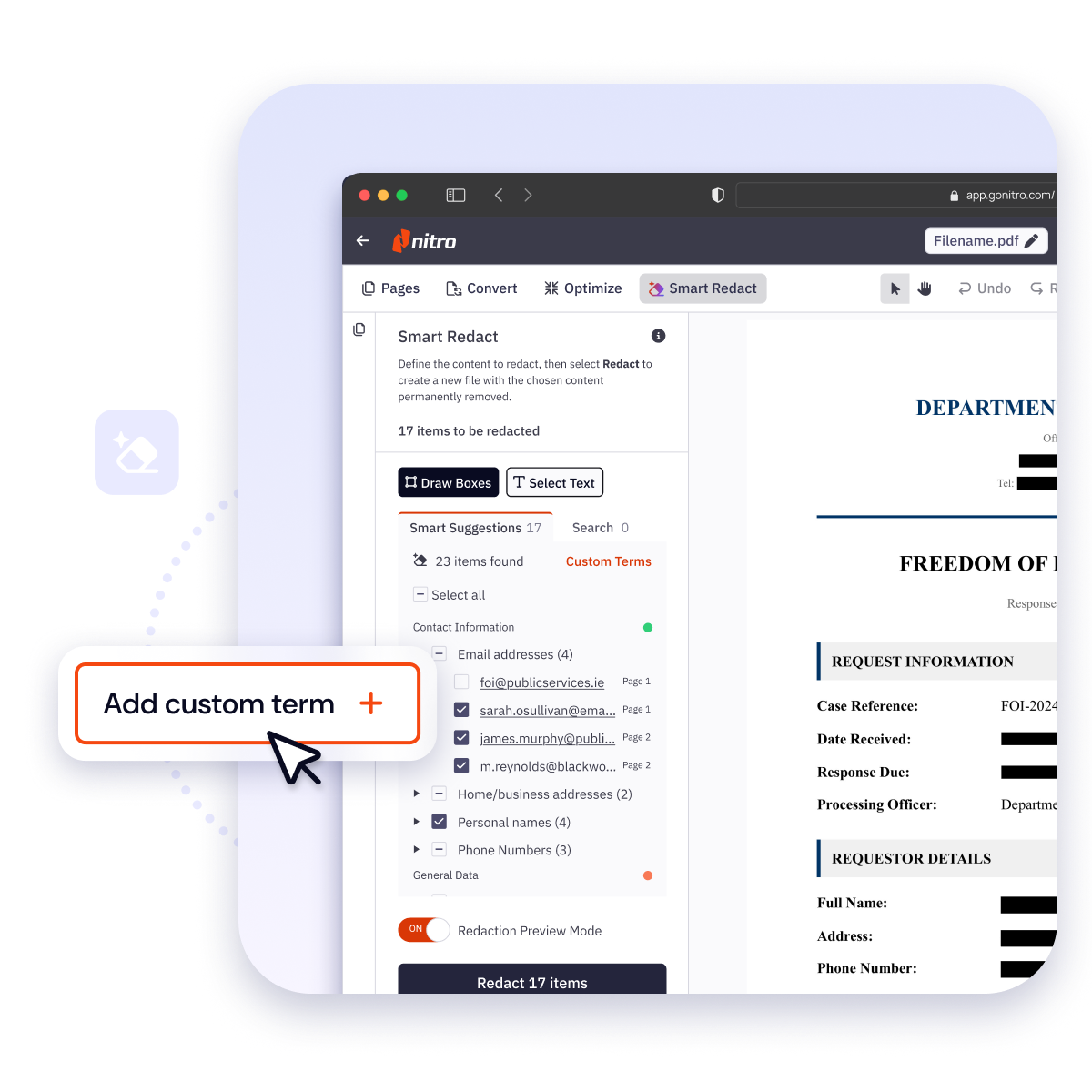
- Protect sensitive information automatically: Nitro Smart Redact uses AI to detect and permanently remove PII from PDFs — including scanned documents and images — so small businesses can meet compliance requirements without manual review
- Extract information from documents: Capture data from business documents to support faster workflows
- Generate document insights: Analyze document content to simplify reviews and routine work
- Improve team productivity: Spend less time managing documents and more time growing your business
What can small businesses do with Nitro Analytics?
Key Nitro Analytics capabilities:
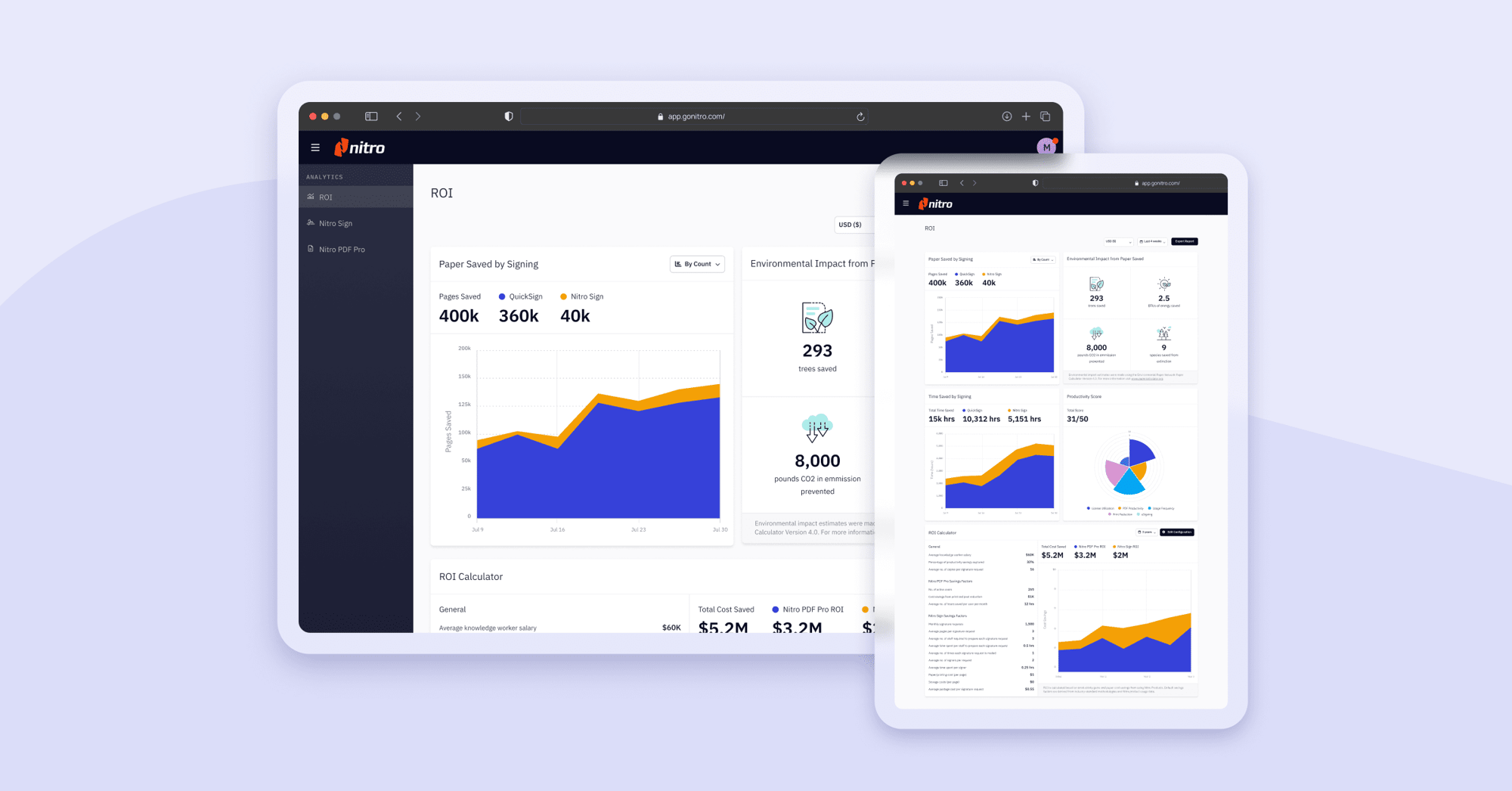
- Monitor document workflows: Gain real-time visibility into document activity
- Measure productivity: Track workflow performance and identify efficiency opportunities
- Demonstrate business value: Measure ROI with analytics and reporting
- Support better decisions: Use document insights to improve business processes
What can small businesses do with Nitro Admin?
Key Nitro Admin capabilities:
- Manage users and licenses: Invite users, assign licenses, and manage accounts from one location
- Control user permissions: Manage access across your organization
- Simplify administration: Reduce administrative work with centralized account management
- Support growing teams: Easily scale user management as your business expands
/Card-Page%20Previews-AI.png?width=1200&height=800&name=Card-Page%20Previews-AI.png)
Automate everyday tasks with Nitro AI
Speed up routine work, extract data, and simplify support with Nitro AI. Save time on repetitive tasks so your team can focus on high-value projects and growing your business.
/Card-Page%20Previews-Insights%202.png?width=1200&height=800&name=Card-Page%20Previews-Insights%202.png)
Gain actionable insights in real-time
Track productivity, monitor document workflows, and measure ROI with Nitro Analytics. Use actionable insights to make smarter, data-driven decisions for your small business.
/Card-Page%20Previews-Admin.png?width=1200&height=800&name=Card-Page%20Previews-Admin.png)
Simplify admin & user management
Easily invite users, manage permissions, add licenses, and oversee your Nitro account from one centralized platform. Streamline administrative work so your team can stay productive.
Apart from the competitive price, which is always important, the standout advantage of Nitro for me is the ease of use. The way the interface is laid out is far superior to other similar tools I’ve used in the past."

Jason Molaison
Owner, GTS Comp



See what Nitro can do for you
Take the next step to digital success today.

Contact sales
Talk to our experts about your business needs, and explore cost-effective options for Nitro's world-class PDF and eSign solutions.
Get in touch

Free trial
Try Nitro’s PDF and eSign solutions to edit, sign, and organize documents effortlessly—free for 14 days!
Start your free trial

Become a partner
Learn about our exciting partner opportunities for Nitro's trusted document solutions.
Partner with Nitro today