/Card-Page%20Previews-AI.png?width=1200&height=800&name=Card-Page%20Previews-AI.png)

What is Nitro Automate?
Nitro Automate is our intelligent document automation product. It transforms manual document processes into automated workflows, wherever work happens. It delivers high-performance data extraction, PDF operations, and eSign capabilities to any system, workflow, or AI agent.
Most businesses don’t think of document work as a core operation, but in practice, it sits inside critical processes everywhere. Customer onboarding, contract generation, compliance reporting, claims processing, records management, invoice workflows, HR workflows, the list goes on. And when those processes solely rely on people manually converting files, extracting information, redacting content, routing documents for signature, or following up to keep work moving, that creates real drag.
What can teams do with Nitro Automate?
Teams in document-heavy industries—such as financial services, insurance, legal, healthcare, government, and logistics—can use Nitro Automate to handle document work that traditionally required manual effort, from contract processing and claims handling to discovery preparation, clinical documentation, and customs paperwork.
For sales teams, Nitro Automate can extract contract data after deal close, support CRM updates, and archive files with fewer manual steps. NDAs, proposals, and onboarding documents fit naturally into the same workflow, helping shorten the time between contract signature and downstream revenue operations.
In highly regulated insurance teams, Nitro Automate standardizes claim documents on arrival, extracts the data your adjusters need, and triggers signature requests the moment a file is ready. The same automation applies to policy renewals, underwriting submissions, and compliance filings, helping claims teams increase capacity without adding manual workload.
In accounting, Nitro Automate consolidates hundreds of invoices into a single report automatically, with the ordering, merging, and file preparation handled in the background. Purchase orders, expense reports, and audit documentation are processed with the same consistency and scale, removing the manual effort that finance teams spend on document handling.
What document operations does Nitro Automate support?
Nitro Automate provides programmatic access to a broad set of document operations through a unified automation offering, helping teams process thousands of documents in seconds. Built on a document engine with 20+ years of domain expertise, it delivers 99.9+% availability and completes 99% of core operations in under 150ms at peak load.
What you can automate across your document workflows:
-
Understand and capture document data: Turn static files into structured information your systems can use. Make scanned content machine-readable with OCR, extract text, form data, tables, document properties and PII for use across your workflows, apps and critical business systems.
-
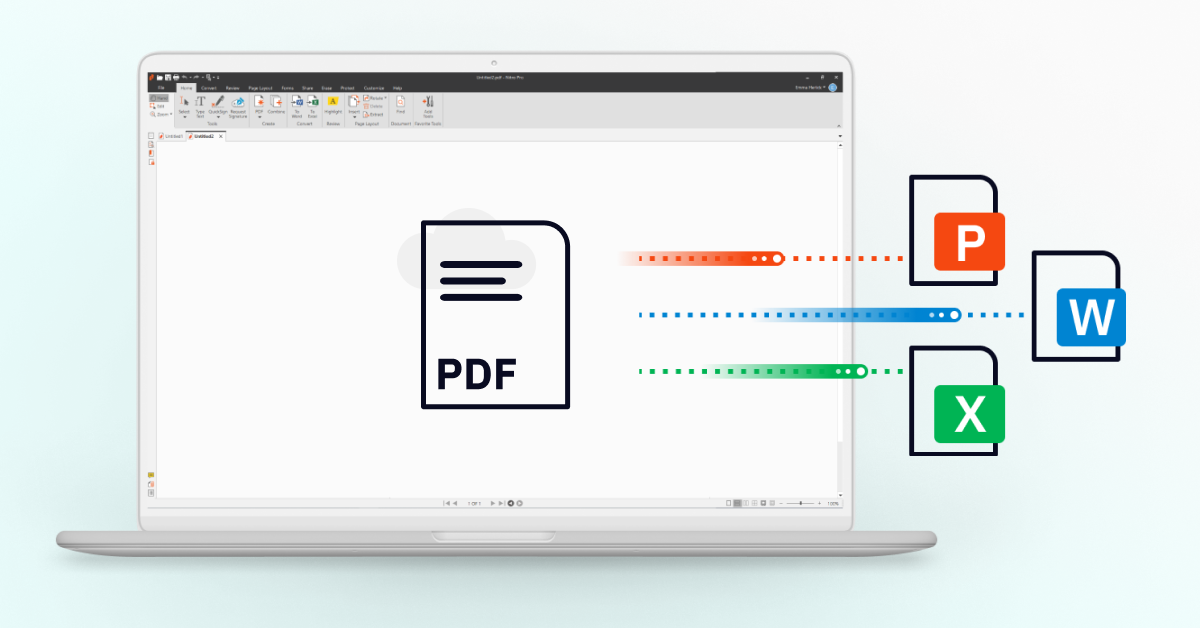
Transform and prepare documents: Prepare and format documents automatically behind the scenes. Convert seamlessly between Office formats and PDF, split or merge pages, add watermarks, and optimize files, all without manual user intervention.
-
Automate multi-party eSignature requests: Remove the manual work from collecting signatures on your documents. Automatically send and track multi-document, multi-party signature requests, triggering the next step in your process the moment signing is complete.
-
Enforce compliance and handle sensitive content: Apply document security controls automatically at scale. Identify and redact sensitive information and PII, and apply password protection to help ensure documents are handled consistently to your access and distribution policies.
-
Keep documents moving between systems: Eliminate manual hand-offs across your tech stack. Automatically trigger document processing from events such as new file for form submissions and automatically pass the processed or signed document to the next system.
Core operations are available across adoption paths, giving teams flexibility to start in Power Automate or Zapier and expand into direct API integrations over time.
How do teams deploy Nitro Automate?
Nitro Automate deploys however your team works. You can embed document automation anywhere using custom code for precision and control, low-code platforms like Power Automate or Zapier for speed, AI agents via Model Context Protocol (MCP) to make document processing a native capability, or a drag-and-drop visual builder in Nitro PDF Pro (coming soon).
- Developer APIs: Integrate directly through APIs using any language that supports HTTP. This is the right fit for high-volume internal services, ERP extensions, and custom applications. Includes interactive, AI-native documentation with live testing and standard llm.txt support.
- Automation platforms: Available as a pre-built connector for tools like Microsoft Power Automate or Zapier. Operations leads and business analysts can add document steps into existing flows without writing code.
- Nitro MCP connector: Accessible via MCP for AI agents. When an agent needs to convert a file, extract a value, or route a document, it calls Nitro Automate directly to execute document tasks instantly in natural language.
- Visual builder in Nitro PDF Pro (coming soon): Brings a drag-and-drop visual canvas directly into Nitro PDF Pro, where anyone can combine document actions like merge, compress, and redact with triggers and conditions to build complete automations—no code required.
Is Nitro Automate secure and compliant?
Yes. Nitro Automate runs on Nitro's certified infrastructure, the same infrastructure that supports Nitro PDF, Nitro Sign, and Smart Redact. It is built on systems certified to SOC 2 Type II, ISO 27001, and HIPAA standards, with continuous monitoring, access controls, and security processes designed for regulated industries. This means enterprise-grade security for AI-powered automation, with the documentation and audit trails compliance and legal teams need on demand.
Sensitive data is handled with the same care across every workflow. Automated PII detection, redaction, and programmatic password controls help protect sensitive information across automated workflows. Administrators manage access and credentials through the Nitro Admin Portal alongside their other Nitro products.
How do I get started with Nitro Automate?
Nitro Automate is available now.
-
For developers: Sign up for a free developer account at gonitro.com/automate to access API keys, test endpoints, and start building today.
-
For enterprise teams: Request a demo to see how Nitro Automate can streamline your document workflows at scale.