Skip to content
NITRO PDF PRO V26

The New & Improved Nitro PDF Pro

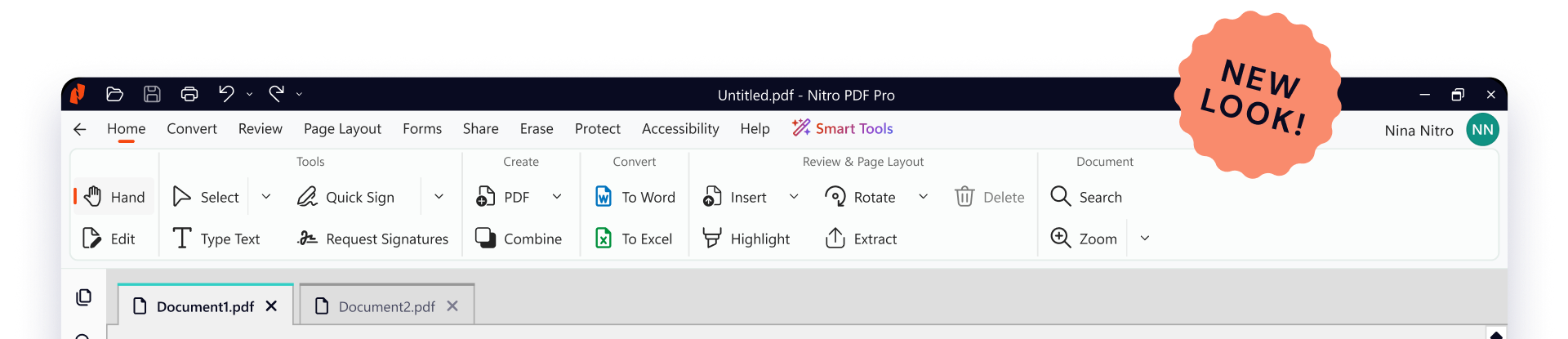
Nitro PDF Pro has been redesigned with a modern interface and built-in AI to handle the heavy lifting for you. Everything you need to work faster is right where you need it—no complexity, just a better way to handle your PDFs.

Header-Screenshot-v26-1
What's New

A complete visual refresh

It's the same powerful PDF editor your teams rely on, made easier to use. Version 26 brings a cleaner interface, more intuitive navigation, and improved discoverability at any screen size.

Every tab has been redesigned with new icons, updated button styles, and consistent formatting.

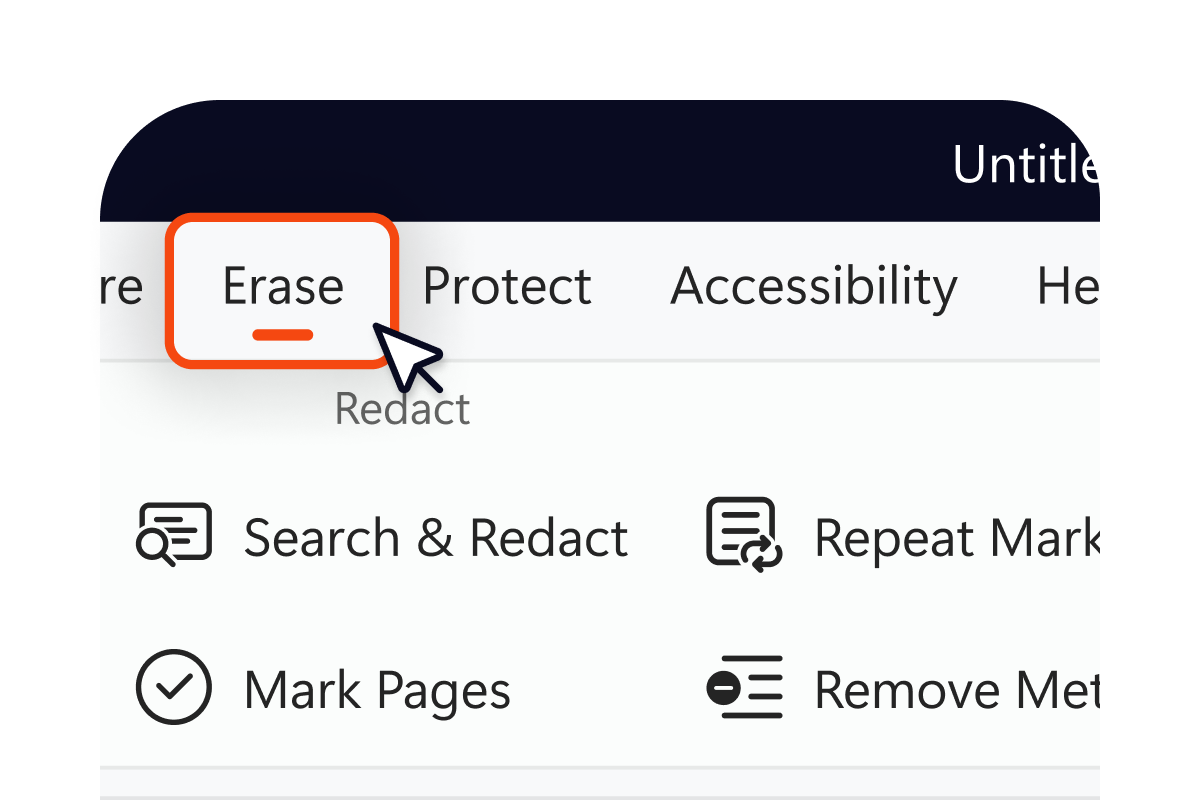
Improved placement of tools

Data-clearing capabilities like Redact and Remove Metadata now live together in one place, so the tool you need is where you'd expect it.

Card-v26-tool placement

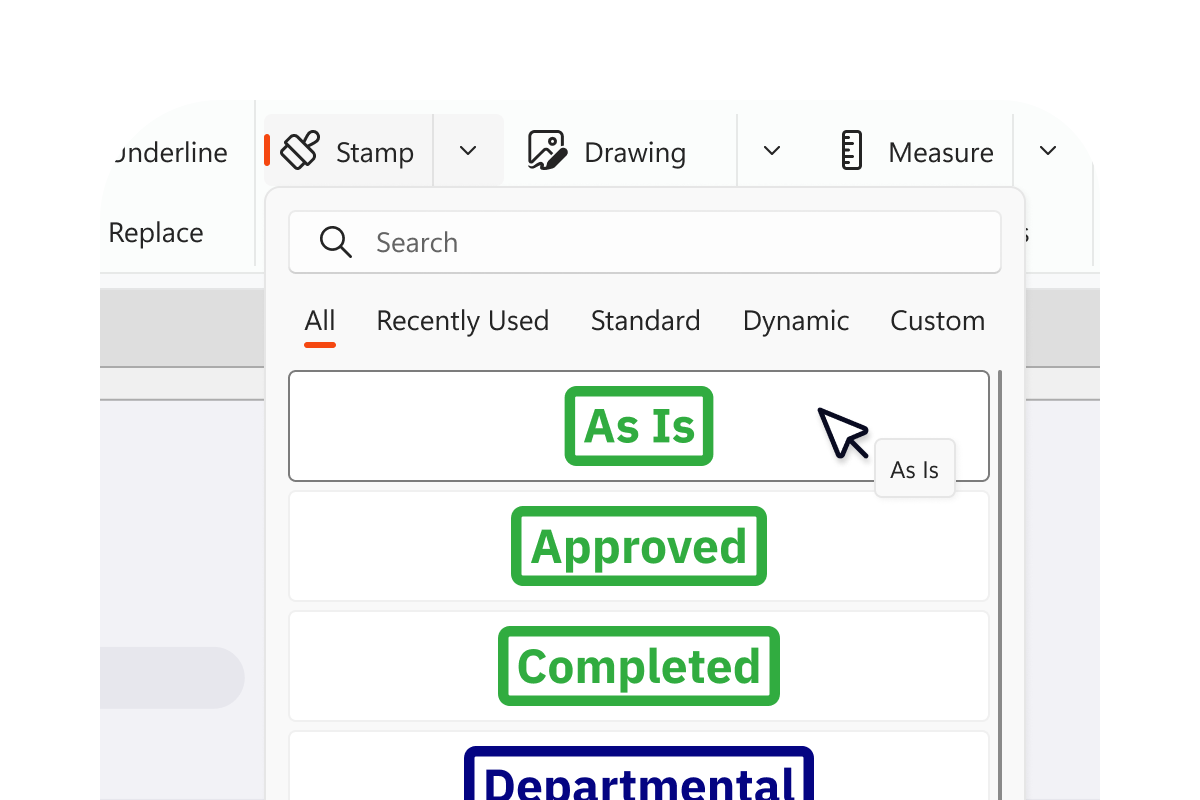
Redesigned stamps panel

Stamps are now searchable and organized into dedicated tabs by type, so finding the right stamp no longer means scrolling through a crowded list.

Card-v26-stamps

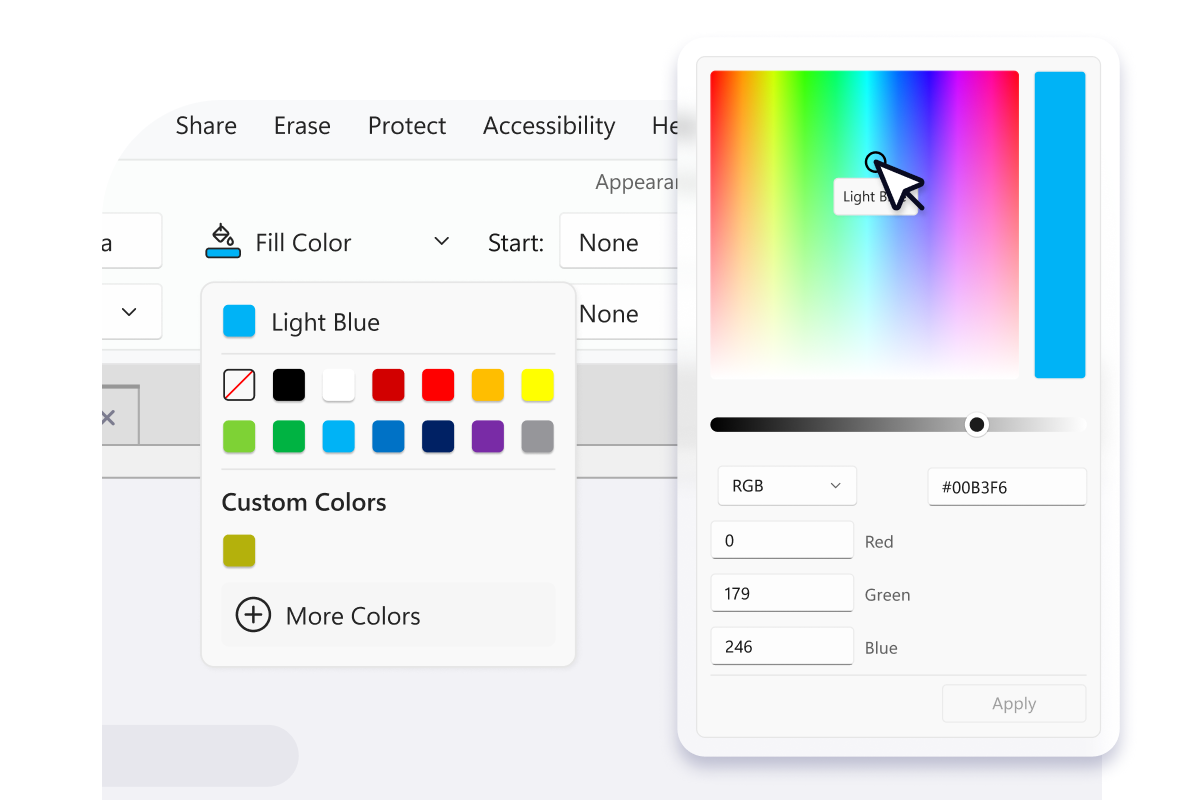
More intuitive color picker

Colors now display by name rather than hex codes, making formatting decisions faster and more natural.

Card-v26-colour picker

Enhanced screen size responsiveness

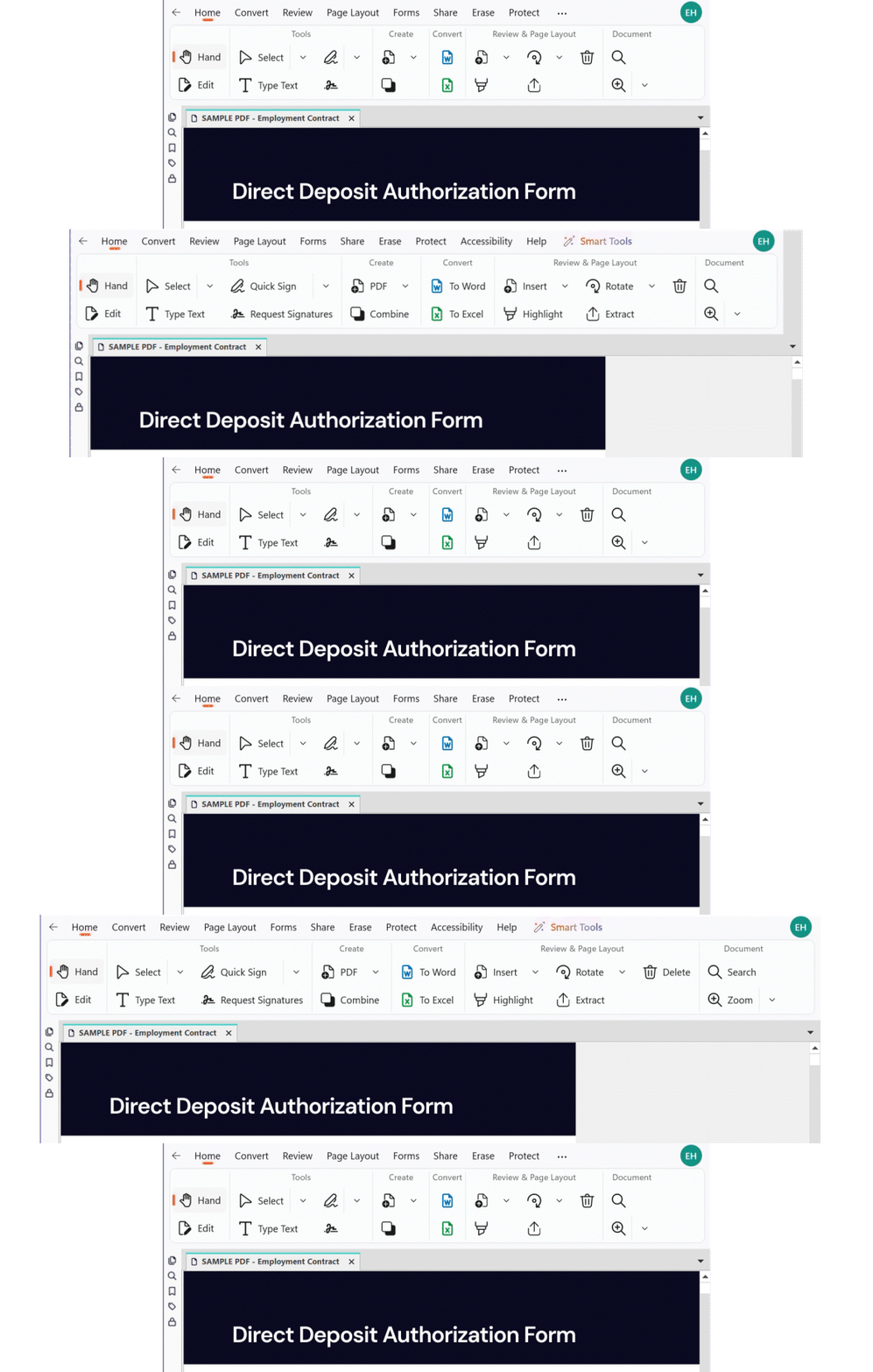
As your window narrows, buttons collapse from right to left, keeping your most-used actions visible for as long as possible.

Image-v26-resize

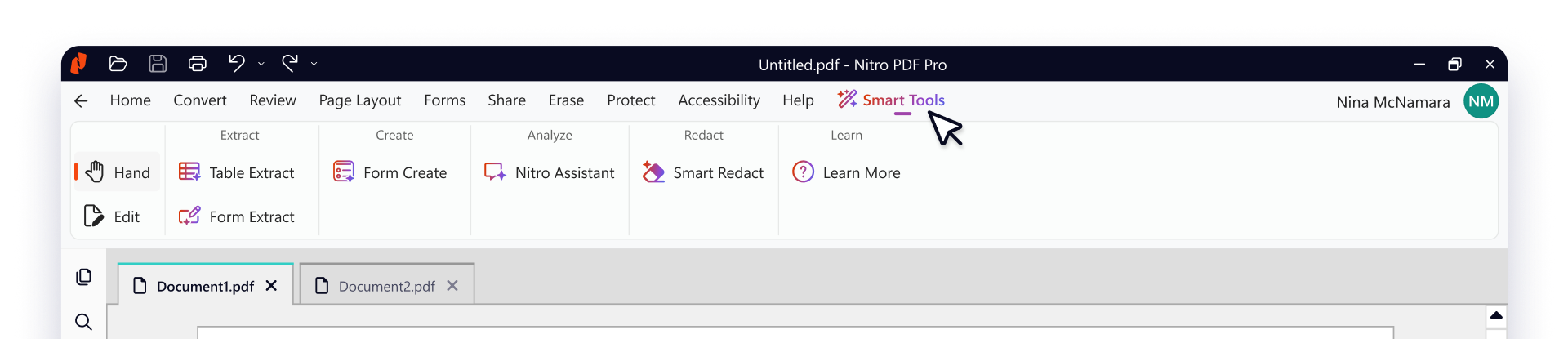
A new Smart Tools tab

Version 26 introduces a new dedicated home for every AI-powered capability, giving you everything you need in one place to analyze content in any language, extract critical data, and protect sensitive information.

icon-AI-form extract-48x48

Form Extract

Turn form data into structured, Excel-ready insights.
icon-AI-table extract-48x48

Table Extract

Automatically pull tabular data into clean, organized Excel files.
icon-AI-form create-48x48

Form Create

Instantly transform static PDFs into interactive, fillable forms.
icon-AI-redact-48x48

Smart Redact

Automatically detect and permanently remove sensitive information.
icon-AI-assistant-48x48

Nitro Assistant

Chat with your PDF to search, summarize, and translate in multiple languages.

For IT Admins!

Smart Tools can be enabled or disabled through the Nitro Admin Portal, giving your organization control over which AI capabilities are available to your users.
Header-Screenshot-v26-smart tools

Feature improvements you asked for

You asked and we listened, delivering better language support, improved compression, and a faster, more accurate OCR engine—improvements that solve real workflow challenges.

man-working-with-child
Icon-48px-Clean Usable Data

Form Extract

Turn form data into structured, Excel-ready insights.

icon-file

Table Extract

Automatically pull tabular data into clean, organized Excel files.

icon-file

Form Create

Instantly transform static PDFs into interactive, fillable forms.

icon-file

Smart Redact

Automatically detect and permanently remove sensitive information

icon-file

Nitro Assistant

Chat with your PDF to search, summarize, and translate.

icon of compress

Enhanced PDF compression

Significant improvements to compression technology delivers smaller files without sacrificing quality. With streamlined optimization settings, creating well-structured PDFs for sharing and archival is easier than ever.
Icon-48px-OCR Search

New OCR engine

Delivering improvements to accuracy and speed, Nitro's new OCR engine handles low-resolution and noisy scans with greater precision, reducing manual corrections, and processing longer documents faster.
icon-48px-Language

Right-to-left language support

Purpose-built for Arabic, Hebrew, and other RTL languages. Page Layout settings and Document Properties now respect RTL orientation, ensuring documents display and print correctly across all file types.

Ready to upgrade?

Install Nitro PDF Pro version 26 today and experience the next generation of PDF productivity.

If you are not an administrator for your organization, please contact your internal IT or software administrator to manage your upgrade options

Named User License Installers

For account and systems admins. Use if you manage access by adding user emails in the Nitro Admin Portal.
View Available Downloads

License Key Installers

For account and systems admins. Use if you manage access to Nitro by using a license file.
Talk to Sales

Questions? We’ve got you covered.

We know change comes with questions, and our team is here to support you every step of the way!
Whether you need help navigating the new UI or want to learn more, we're just a click away.