


/Card-Page%20Previews-AI.png?width=1200&height=800&name=Card-Page%20Previews-AI.png)

Automating Workflows with Power Automate
Platform Story
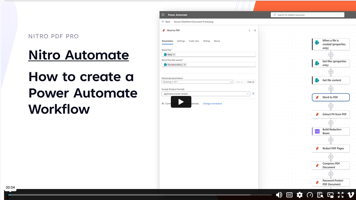
Teams rely on SharePoint to receive and store documents, but turning a raw upload into a finished, protected file requires multiple steps, systems, and inputs. In this demo, we show how Nitro's PDF services can be triggered directly from Power Automate, so a document workflow runs automatically the moment a file lands in a SharePoint folder.
Use Case
A document is added to a SharePoint folder. Instead of someone opening it, converting it, checking it for sensitive data, and locking it down by hand, Power Automate triggers Nitro's PDF services to handle the entire process.
Value
Eliminate manual file handling by executing end-to-end PDF processing the moment a document is uploaded.
Behind-the-scenes workflow
- Power Automate detects when a document is added to a SharePoint folder.
- Nitro identifies the document type and uploaded file.
- Converts a Word document to PDF.
- Identifies and redacts personally identifiable information.
- Compresses the file to reduce size for storage or sharing.
- Password-protects the final PDF.
- Return
sthe finalized PDF to the source folder of the user's choice.
Tags
 Automate
 Sign
Sign
 PDF Pro for Windows
PDF Pro for MacOS
PDF Pro for Windows
PDF Pro for MacOS
 PDF Pro for iOS