


/Card-Page%20Previews-AI.png?width=1200&height=800&name=Card-Page%20Previews-AI.png)

PDF, eSignatures, and AI Document Tools for Students and Teachers
Nitro provides PDF editing, electronic signature, and AI-powered document tools that help students and teachers create, edit, organize, review, sign, and share assignments, lesson plans, study materials, forms, and other educational documents.









Organize assignments and course materials

Review and annotate academic documents

Convert scanned materials with OCR

Work with PDFs across devices

Use AI to work with study materials

Create and sign academic forms

What can students and teachers do with Nitro PDF?
- Create and edit lesson plans, instructional materials, and other documents: Modify PDF text and content
- Convert documents: Convert documents between PDF and other supported file formats
- Annotate PDFs: Add comments, highlights, notes, and other markups on student assignments and classroom materials
- Organize documents: Combine, merge, rearrange, rotate, and organize classroom PDFs and teaching materials
- Use OCR: Convert scanned or image-based documents into searchable or editable PDFs
- Create and fill forms: Create interactive forms and complete existing PDF forms
- Sign documents: Fill and sign PDFs
- Protect documents: Use password protection, encryption, and redaction features
- Work across devices: Use Nitro PDF on Windows, Mac, and iOS.
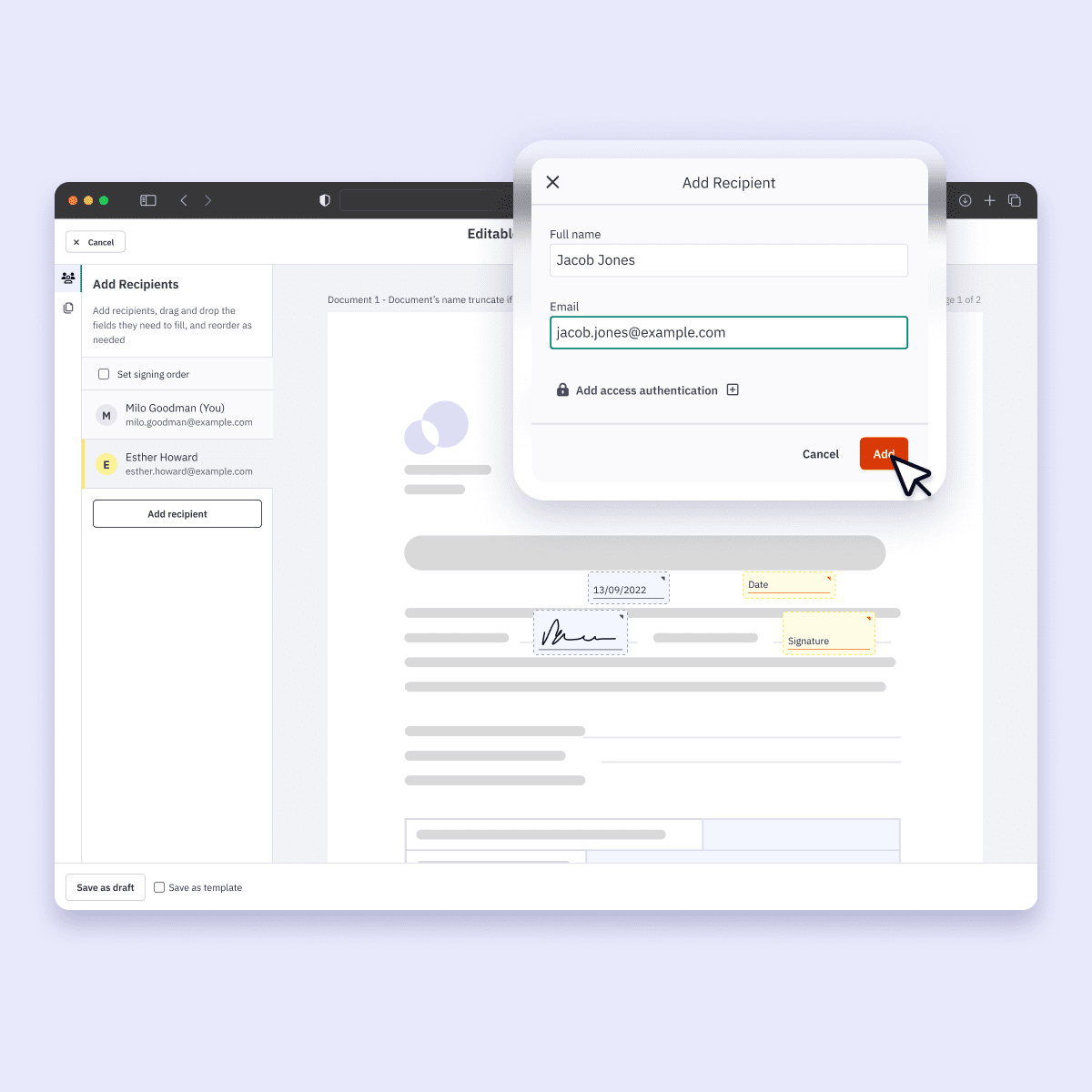
What can students and teachers do with Nitro Sign?
-
Send documents for electronic signature: Request signatures from students, parents, teachers, administrators, or other recipients
-
Sign documents electronically: Complete signatures without printing and scanning documents
-
Track signing activity: Monitor signature requests through audit logs
-
Send reminders: Remind recipients to complete signature requests
-
Create and complete forms: Use predefined fields to create and complete forms
-
Manage multiple recipients: Send documents to multiple recipients for signature
-
Use templates and workflows: Create reusable signing workflows where supported by the Nitro Sign plan
-
Use authentication options: Available on supported Nitro Sign plans
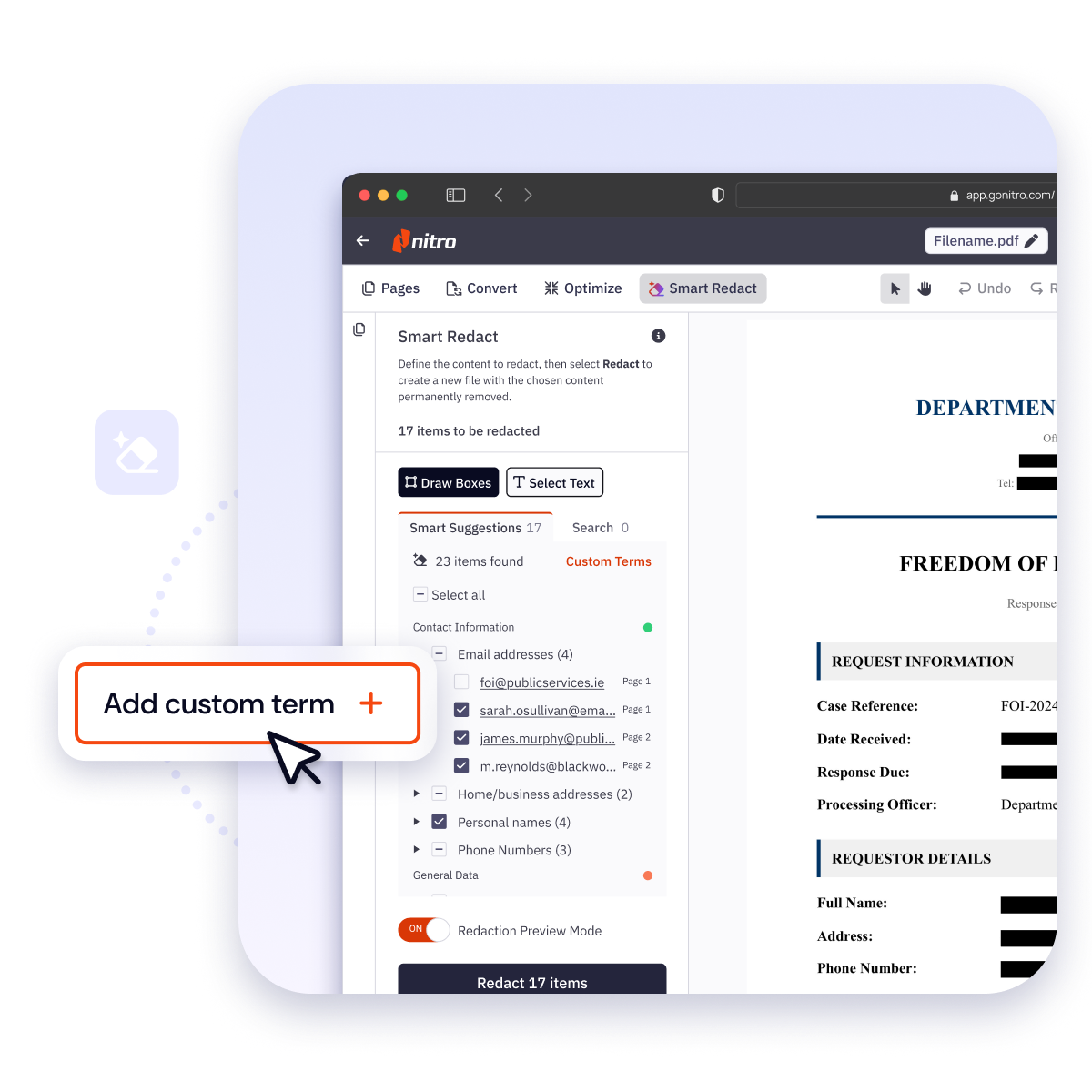
What can students and teachers do with Nitro AI?
-
Summarize PDF content: Get concise summaries of document content
-
Analyze documents: Work with and understand information contained in PDFs
-
Extract information: Extract data from forms and tables
-
Create fillable forms: Use AI-powered tools to create interactive forms from static documents
-
Identify sensitive information: Use Smart Redact to detect sensitive information for redaction
-
Interact with PDF content: Use AI tools to search, summarize, translate, and work with PDF documents
-
Work and learn in multiple languages: Nitro Knowledge Assistant offers support in more than 80 languages
Nitro does not use or share customer data with third parties to train generative AI models.

Why the University of Melbourne Switched from Adobe to Nitro
Watch the University of Melbourne share how easy it is to successfully migrate to Nitro’s more flexible, cost-effective PDF and eSign solutions. See how they achieved full migration to Nitro’s PDF and eSign solutions in just two weeks while cutting costs, successfully managing change for their users, and delivering clear ROI.

How to Drive Digital Transformation in Education

Digitization Tools to Support Online Learning in Higher Ed

How Australian Higher Ed Institutions Excel with Nitro
See what Nitro can do for you
Take the next step to digital success today.

Contact sales

Free trial
