/Card-Page%20Previews-AI.png?width=1200&height=800&name=Card-Page%20Previews-AI.png)


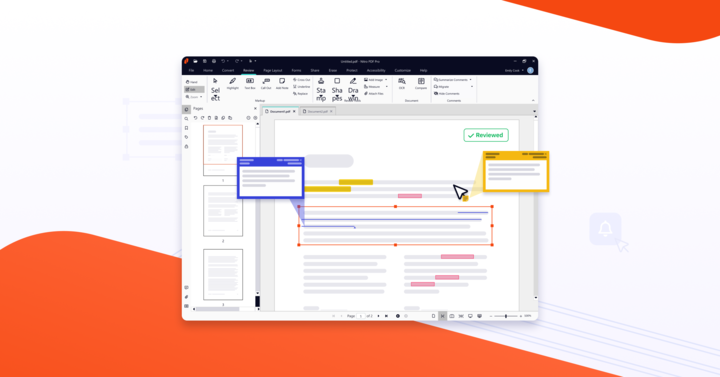
Nitro Document Assistant is an AI tool that summarizes documents, answers natural-language questions about their content, and translates text in over 80 languages — all without storing document data or using it to train AI models. It's available in Nitro Workspace for PDFs up to 250MB or 500 pages.
Automate the tasks that slow you down
Modern workflows demand speed, but traditional document tasks haven’t kept up. Whether you’re digging through a 50-page contract for a single clause or retyping data from form submissions, manual work adds up fast.
Nitro AI streamlines this effort with tools built directly into your document environment. You can extract table data from PDFs, auto-populate forms, summarize long documents, and even ask questions about your content, all without switching tools or losing focus.
The result? More time for strategic work and fewer hours lost to repetitive tasks.
Meet your new productivity assistant
Nitro AI's Document Assistant makes working with PDFs feel conversational. Simply open a document, ask a question, and get a clear, accurate answer. Need a quick summary of a report? Want to find a specific section in a 60-page policy? The Assistant can do it, and across over 80 languages.
This is more than just search. It’s AI contextual understanding applied to your own documents, with full respect for your data privacy. And because Document Assistant is available in Nitro Workspace as a full-featured beta, you can start using it instantly as part of your existing workflow.
Transform raw content into structured insights
Data trapped in PDFs is notoriously hard to work with, especially if it’s in forms or tables. Nitro AI solves this with Table Extract and Form Extract: tools that automatically extract structured information into editable Excel spreadsheets.
- Form Extract pulls information from both interactive and scanned PDFs—even from paper-like layouts—and consolidates the results into one editable file.
- Table Extract identifies rows and columns from complex tables, including merged cells or missing borders, and exports them for quick analysis.
No more copy-paste errors, no more reformatting. Just clean, usable data you can act on.
Build and edit forms in seconds
Creating interactive forms is often tedious, especially when dealing with long documents. Nitro AI automates this too.
With Automatic Form Creation, Nitro scans your document and inserts fillable fields—saving hours of manual effort. For signature workflows, Automatic Field Detection intelligently adds required fields like signatures, dates, and names, so you can send documents for signing without manually placing every box.
These tools are especially powerful for HR paperwork, registration forms, contracts, or any repeatable process where time and accuracy matter.
Work securely with privacy at the core
Unlike many generative AI tools, Nitro is designed with data protection in mind. Your document content is never used to train external AI models. Nitro AI tools, including Document Assistant, are hosted securely via Microsoft Azure OpenAI, giving you enterprise-grade control and confidentiality.
This means your summaries, extractions, and AI-assisted workflows stay private—just as they should.
Boost your ROI with built-in efficiency
Every AI-powered task you offload saves you time and reduces cost. For businesses handling large volumes of forms, contracts, or reports, Nitro AI represents a tangible productivity boost without adding complexity or requiring expensive third-party tools.
And because these features are included with a Nitro subscription while in beta, you can start exploring the benefits today at no extra cost.
Explore the full Nitro AI toolkit
Nitro AI includes seven powerful tools designed to simplify how you work with documents:
- Document Assistant: Ask questions, get summaries, and instantly find what you need in your PDFs—without leaving your workflow.
- Knowledge Assistant: Get 24/7 answers about Nitro products and features in 80+ languages, directly within your document environment.
- Table Extract: Convert complex tables from PDFs into clean Excel spreadsheets in seconds—no reformatting required.
- Form Extract: Automatically extract data from interactive or scanned forms and consolidate it into one editable file.
- Automatic Form Creation: Quickly convert static documents into fillable forms with intelligent field detection that saves hours of manual setup.
- Automatic Field Detection: Automatically identify and place key fields like signature, date, and name—streamlining your eSign workflows.
- Smart Redact: Effortlessly identify and remove sensitive information like PII from your documents with built-in redaction intelligence.
Why users are turning to Nitro AI
Here’s what sets Nitro AI apart from generic tools or standalone plugins:
- Context-aware summaries and search across 80+ languages
- Form and table extraction into clean, editable formats
- Secure hosting with no third-party data sharing
- Instant access inside Nitro PDF Pro and Nitro Workspace
- Automated field detection for eSigning and form workflows
- No separate AI subscriptions or integrations required
It’s smart, intuitive AI designed specifically for the way real people work with documents.
Try Nitro AI and reclaim your time
If you’re spending too much of your day on tasks like summarizing documents, creating forms, or searching for buried details, Nitro AI is built for you. It takes the friction out of document work so you can focus on the moments that matter.
Explore the full suite of Nitro AI tools available in beta now inside Nitro PDF Pro and Nitro Workspace. Start your free trial and see how much more you can get done when your documents work for you.