/Card-Page%20Previews-AI.png?width=1200&height=800&name=Card-Page%20Previews-AI.png)

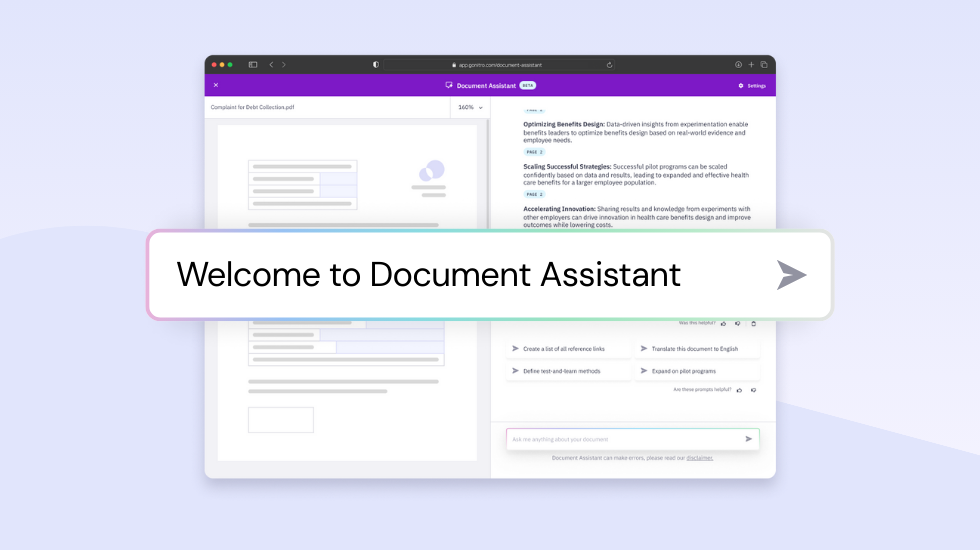
Nitro Document Assistant is your fast, secure AI companion for understanding, summarizing, and analyzing documents in seconds. Whether you’re working through lengthy reports, reviewing contracts, or translating content, this AI-powered tool helps you find answers instantly—without slowing down your workflow or compromising data privacy.
Below, you’ll learn what Nitro Document Assistant is, how it works, and how professionals across teams use it to unlock faster, smarter document productivity.
What is Nitro Document Assistant?
Nitro Document Assistant is an AI-driven tool that instantly summarizes, analyzes, and interprets the content of your PDFs—saving hours of manual review.
Instead of searching through long documents, extracting key information, or translating complex text, users can ask questions and receive clear, context-aware answers in real time. Think of it as your on-demand document analyst, always ready to help.
How Nitro Document Assistant boosts productivity
Turn complex documents into concise insights
Large reports, contracts, medical files, and research papers can take hours to digest.
Nitro Document Assistant generates clear, structured summaries in seconds, helping you quickly identify key points, trends, and takeaways.
Ask questions and get instant answers
Stop scrolling and searching.
Ask the assistant a direct question—like “What are the main risks in this contract?”—and receive a fast, context-aware explanation. This helps teams make informed decisions faster without manual review.
Break down language barriers
With support for 80+ languages, Nitro Document Assistant helps teams work across regions and content types.
Translate or interpret global documents such as:
-
Contracts
-
Compliance policies
-
Research papers
-
Technical manuals
No external translation tools required.
Stay in context with conversational AI
Nitro Document Assistant remembers your previous questions and follows the flow of conversation.
This allows for deeper analysis, multi-step reasoning, and natural back-and-forth interaction—similar to working with a knowledgeable colleague.
Security and privacy you can trust
Nitro is committed to protecting your data.
Nitro Document Assistant:
-
Processes content only to complete your request
-
Does not store information
-
Does not use your data to train AI models
-
Protects workflows end-to-end through Nitro’s secure platform
For more details, visit the Nitro Trust Center.
Real-world applications: Nitro Document Assistant in action
Speed up meeting preparation
Quickly extract agendas, action items, and discussion topics from reports, notes, or shared documents—saving teams up to 30 minutes per meeting.
Accelerate contract review
Legal and business teams can analyze contracts in minutes, not hours.
Nitro Document Assistant helps by:
-
Highlighting key clauses
-
Flagging risks
-
Identifying deviations from templates
-
Providing instant explanations of complex language
Boost research efficiency
Researchers can summarize long studies and reports to quickly understand findings, identify trends, and extract insights without manual reading.
How to access and use Nitro Document Assistant
Nitro Document Assistant is currently in beta, and user feedback helps refine its capabilities.
To get started:
-
Open Nitro Workspace and navigate to Tools.
-
Select Document Assistant.
-
Upload your PDF (up to 250MB / 500 pages).
-
View the instant summary and suggested questions.
-
Ask your own questions and receive AI-generated replies in real time.
Reimagine document productivity
With Nitro Document Assistant, you can summarize reports, review contracts, translate documents, and extract insights in just seconds. By automating the repetitive work, you can focus on higher-impact decisions and analysis.
Ready to see it in action? Try Nitro free for 14 days—no credit card required.
FAQs about Nitro's Document Assistant
What does Nitro Document Assistant do?
It summarizes, analyzes, and interprets PDF content using AI, helping you extract insights and answer questions instantly.
Is Nitro Document Assistant secure?
Yes. Nitro does not store your document content or use it to train AI models. Documents are processed only to complete your request.
Can Nitro Document Assistant translate documents?
Yes. It supports 80+ languages and can translate or interpret multilingual content.
What file types and sizes are supported?
The assistant supports PDFs up to 250MB or 500 pages.
Does Nitro Document Assistant retain conversation context?
Yes. The tool uses conversational AI to remember your previous questions and maintain context.
Who benefits most from Nitro Document Assistant?
Knowledge workers, legal teams, researchers, analysts, operations teams, and anyone who regularly reviews long or complex documents.