Skip to content

M-Files by SoftAdvice

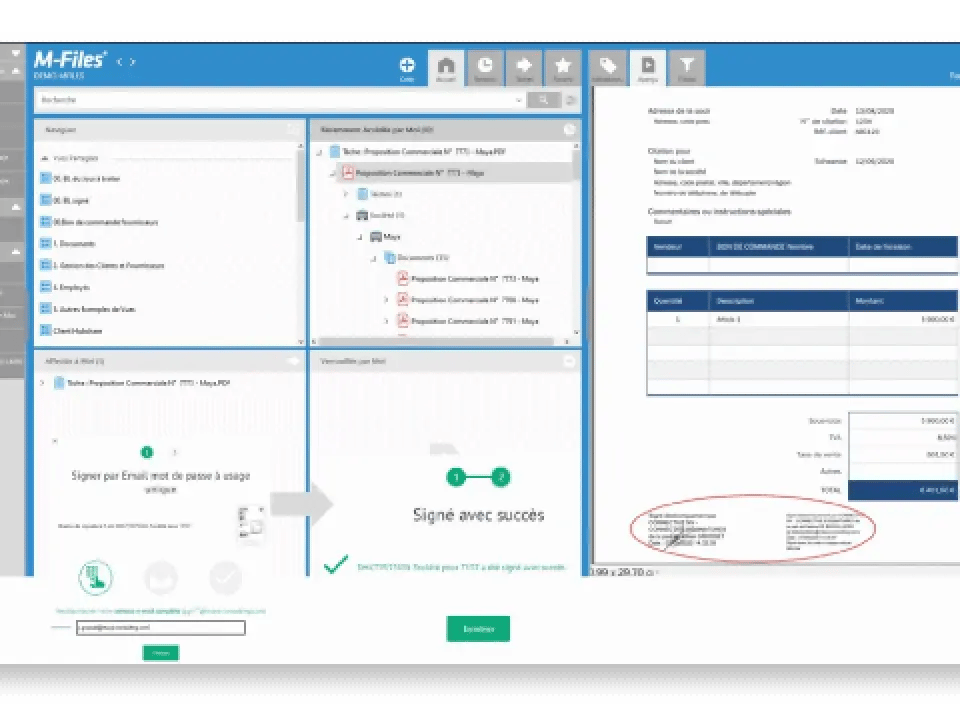
Send and sign documents without leaving M-Files, powered by Nitro Sign and SoftAdvice.


M-Files

Manage signatures directly from M-Files

SoftAdvice helps organisations across Belgium, the Netherlands and Luxembourg organise and manage their business information. With its Nitro Sign connector, teams can send documents for signature directly from M-Files. Once signed, documents are automatically returned to the correct records, with metadata and version history preserved.
From document to signature, without the extra steps

Select documents in M-Files, send them for signature through Nitro Sign, and track their progress. Completed documents and their audit trails are automatically filed back in M-Files, eliminating manual exports, email attachments and unnecessary rework.

Key features

  • Sign directly from M-Files: Start a Nitro Sign request from documents in your M-Files vault.
  • Automatic filing: Return signed documents to M-Files with metadata and version history preserved.
  • Tamper-evident audit trails: Capture a record of each signature for traceability and compliance.
  • Metadata-driven routing: Use M-Files metadata to pre-fill signer details, document types and approval paths.


  • Secure document workflows: Support GDPR and EU data residency requirements within a governed document environment.
  • Multi-party signing: Route documents to internal approvers and external signers in a defined order.
  • Multilingual deployment: Support teams working in Dutch, French and English.
  • Guided implementation: SoftAdvice configures the connector around your existing processes and information architecture.
Signing was the last manual step in an otherwise automated document process. Putting Nitro Sign inside M-Files closes that gap. Documents stay governed from creation to signature, and our clients stop chasing paper.
Patrick Vervloesem
CEO and Founder, SoftAdvice BV

Start using digital signatures for M-Files today

Learn More

Learn More

Connect with our team today
Contact Us coworkers look at computer together