Built for small businesses with big goals
To grow your business, you need efficient, reliable, and cost-effective tools that help you get more done in less time. Nitro's PDF and AI solutions help your teams and customers collaborate quickly, securely, and seamlessly. From proposals and contracts to financial and legal documents, you can count on Nitro to keep your people productive and your documents safe.
/Card-Page%20Previews-Nitro%20PDF.png?width=1200&height=800&name=Card-Page%20Previews-Nitro%20PDF.png)
Edit and convert PDFs with ease
Edit text, replace images, or change layouts in seconds with Nitro’s PDF editor. Need to convert files? Easily export to Word, Excel, JPG, and more without losing formatting. Turn scanned documents into fully editable PDFs in just a few clicks.
/Card-Page%20Previews-AI.png?width=1200&height=800&name=Card-Page%20Previews-AI.png)
AI-powered productivity
Unlock AI-powered features for faster work without compromising on privacy. Summarize content, extract tables, and ask questions in multiple languages, all within an easy-to-use PDF editor.

Merge, organize, and collaborate
Combine PDFs, spreadsheets, text files, and slides into one clean, searchable document. Our built-in tools make organizing simple and seamless.

Automatic form creation
Save hours by letting AI detect and create interactive form fields in client forms, applications, and more—no manual formatting required.
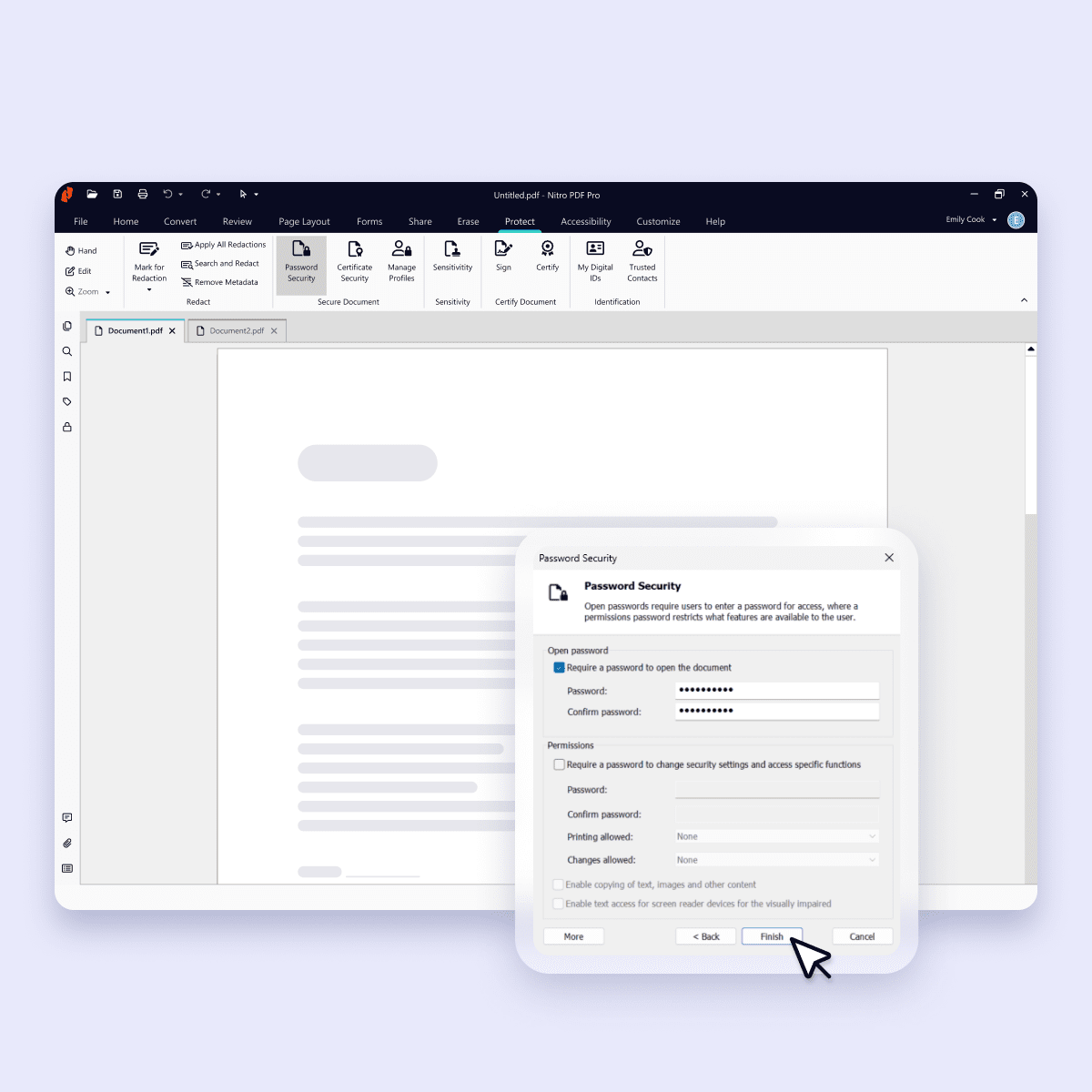
Protect and secure PDFs
Keep your PDFs secure with robust tools for redacting sensitive content, applying whiteouts, and removing confidential data permanently.

Advanced PDF editing made simple
Edit PDFs like a pro with powerful tools designed for precision. Whether you’re updating text, images, or layouts, our best-in-class editor makes it effortless.

Boost productivity with AI-powered tools
Boost productivity with Nitro's AI-powered PDF tools. Generate summaries, ask questions in multiple languages, and effortlessly extract table and form data.
Best-in-class AI tools for PDFs
Unlock AI-powered features for faster work. Summarize content, extract tables, and ask questions in multiple languages, all within an easy-to-use PDF editor.

Accelerate deals and projects anywhere

Securely edit, share, and convert any PDF

Organize and optimize all your documents
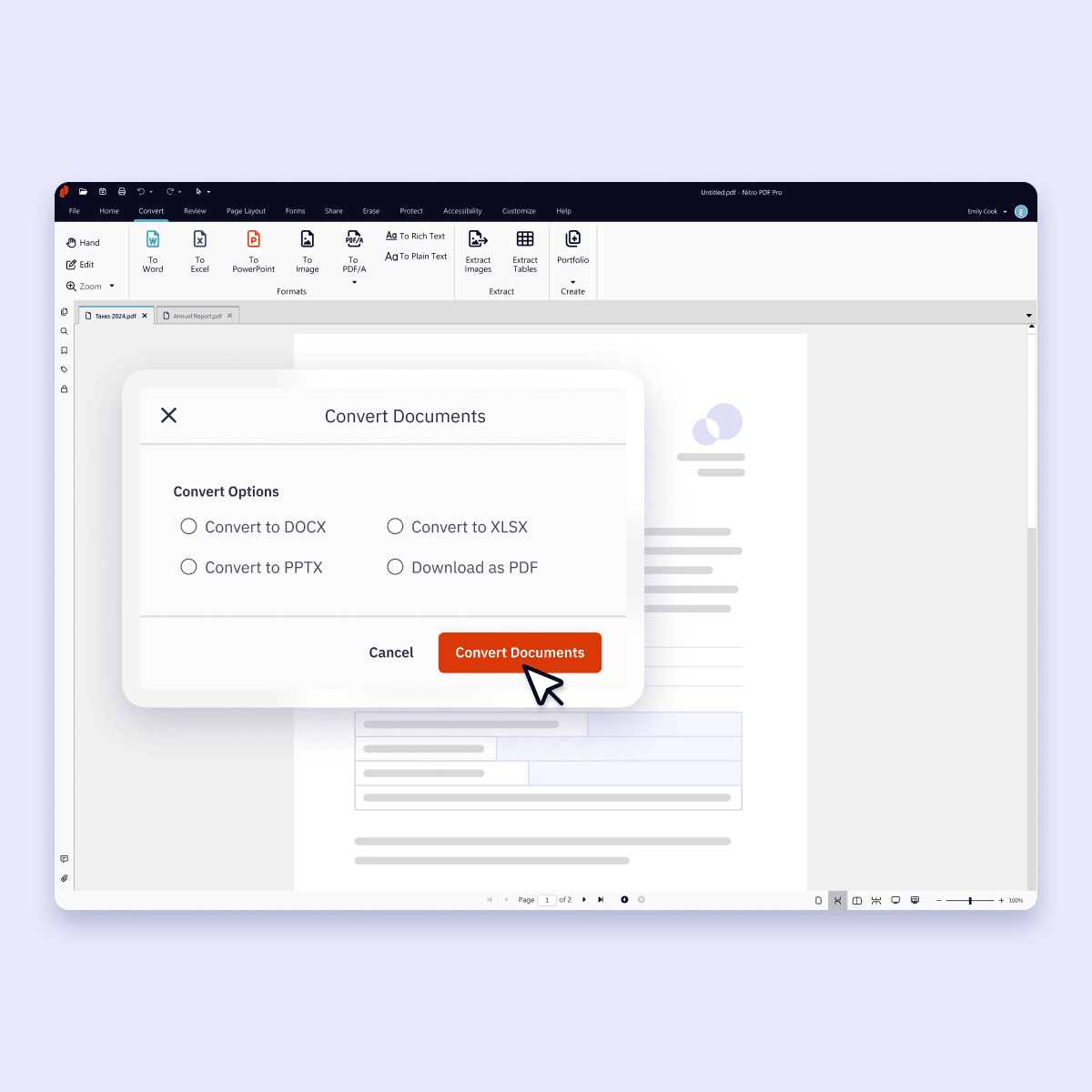

Convert documents into editable PDFs
With Nitro PDF, you can convert Excel spreadsheets, PowerPoint presentations, and Word documents into searchable, editable PDFs. Our intuitive platform recognizes text in multiple languages, ensuring seamless conversion. Need extra guidance? Just ask our Knowledge Assistant chat tool as you work.

Customize documents with PDF editing
Whether you need to add your logo, redact personal customer information, or add notes for your team, Nitro PDF makes it easy. You can also insert hyperlinks, add interactive form fields, edit images, create custom stamps and watermarks, and so much more. Creating personalized, professional documents is a breeze.

Combine your files into a single PDF
From client documents to construction projects to legal matters, use Nitro’s Portfolio feature to group multiple files of any type into a single, secure PDF. Reduce file sizes for smooth sharing and storage, made even easier by our integrations with Google Drive, DropBox, OneDrive, SharePoint, and more.

Access PDF tools on the go with Nitro Workspace
Imagine having all your product installers and web-based document tools accessible in just one click. Nitro Workspace makes it possible to get your work done in the office, on the jobsite, at the airport, or with your client. Don’t let documents slow you down. Get Nitro PDF and get on with your day!
Empowering industries with simple, smart, and secure PDF editing
Finance & Accounting

Insurance

Professional Services

Education