Why Nitro Sign is the Best Alternative to Acrobat Sign
Nitro Sign delivers automated eSign workflows, built-in integrations with the tools you already work with, and advanced security features—without the complexity and hidden costs of Adobe Acrobat Sign.
.png?width=1200&height=1200&name=Header-Nitro%20Sign%20(SEM%20Retargeting).png)
What are the benefits of switching to Nitro Sign from Acrobat Sign?
No surprise charges or penalties. Only pay for what you use.
Exceeds strict global compliance and security standards for eSignatures.
Pre-built integrations for your favourite business platforms.
Named a Worldwide Leader in electronic signature software by IDC.
Why customers choose Nitro Sign over Adobe Acrobat Sign
All the eSign features you need, at a fraction of the cost
Nitro Sign offers the same essential eSigning tools as Acrobat Sign, but at a much lower price. Nitro doesn’t surprise you with hidden fees or add-on costs. Only documents that are fully signed by all parties count toward your usage, so you pay for the number of envelopes completed, not the number of envelopes sent.
-
No penalties for overages
-
No charges for unused or partially signed documents
-
No cost creep

Fast, friendly support comes standard
Helpful, human support isn’t an add-on, it’s how we do business. With Nitro Sign, fast, dependable support from real experts is part of the package. Whether you’re building a startup or scaling an enterprise, you get the support you need, when you need it—no strings attached.
We’re here to help you navigate complex compliance requirements, streamline your signing workflows, and get your team up to speed in record time. With Nitro Sign, you aren’t just buying a tool; you’re gaining a dedicated support system designed to keep your documents moving and your business growing
Enterprise-grade capabilities without enterprise-grade complexity
Nitro Sign’s intuitive interface prioritizes ease of use without sacrificing features. It's designed to roll out fast with minimal training, so teams of every size can retire their legacy eSign solutions and start fresh with a simple, secure, and powerful eSign solution. Nitro’s experienced transition team is with you every step of the way to walk you through onboarding, change management and migration.
Built for Developers, Scaled for Business
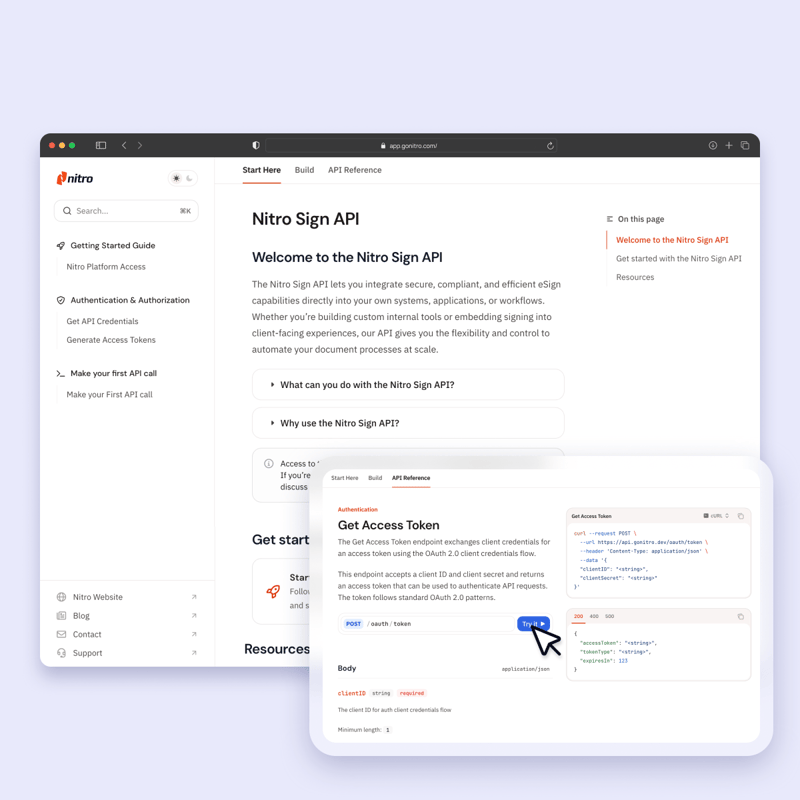
For organizations looking to go beyond the browser, the Nitro Sign API offers a robust foundation for automation. Whether you are embedding signing experiences directly into your client-facing portals or automating high-volume document workflows within your custom internal tools, our API provides the flexibility you need.
Designed with global security in mind
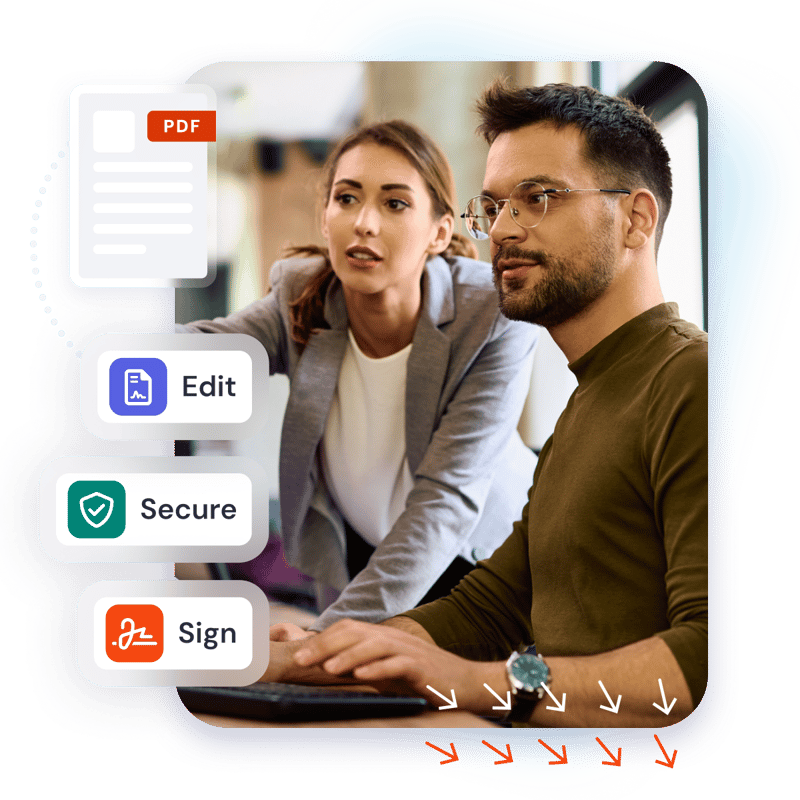
Nitro Sign’s advanced encryption, robust authentication protocols, and continuous third-party audits safeguard your documents and data in transit and at rest. We don’t compromise on security, adhering to top-tier standards—including SOC 2, HIPAA, and ISO 27001—that keep your sensitive information secure at every stage.
Nitro Sign exceeds the world’s most rigorous electronic signature regulations, including eIDAS (EU), UETA, and the ESIGN Act (U.S.), providing full legal validity and compliance wherever you do business.
Join the thousands of businesses worldwide that trust Nitro
How Nitro simplifies the switch from Acrobat Sign
Expert-led change management and deployment
Transparent licensing and pricing with no surprise fees
Smart analytics that drive actionable ROI and data-driven decisions
Save money on eSignatures by switching to Nitro
Why businesses are switching to Nitro Sign
FAQs about switching from Acrobat Sign to Nitro Sign
Why do organizations switch from Acrobat Sign to Nitro Sign?
How does Nitro Sign’s pricing compare to Acrobat Sign?
Nitro Sign is designed to offer a more predictable and cost-effective pricing model than Adobe Acrobat Sign. Our plans emphasize transparency and straightforward usage allowances, helping teams better forecast costs as their eSignature volume grows.
Many organizations choose Nitro Sign to avoid the pricing complexity and tier-based feature access often associated with enterprise-focused eSignature solutions.
Is Nitro Sign legally binding and compliant with global eSignature laws?
Does Nitro Sign offer the same security features as Acrobat Sign?
Nitro Sign delivers robust, enterprise-grade security designed to protect documents and data at every stage of the signing process. This includes advanced encryption, strong authentication controls, and regular third-party security audits.
Nitro Sign adheres to widely recognized security and compliance standards, including SOC 2, HIPAA, and ISO 27001.
Is it difficult to switch my team from Acrobat Sign to Nitro Sign?
Is it easy for my team to start using Nitro Sign?
Can I send multiple documents for eSignature at once (bulk sending) with Nitro Sign?
Does Nitro Sign integrate with the other software I use?
Can I customize the Nitro Sign experience with my company's branding?
Make the switch to Nitro Sign and save
Join thousands already saving big with Nitro
What are the benefits of switching to Nitro PDF from Adobe Acrobat?
Learn why businesses are replacing Adobe Acrobat with Nitro PDF in 2026.
30% savings on average vs. Adobe Acrobat
67% of the Fortune 500 trust Nitro Software
#1 PDF Editor for Businesses voted by TechRadar
95% customer satisfaction rate
While others increase costs, Nitro keeps it simple with transparent pricing and real support.
Frequently Asked Questions About Nitro vs. Adobe
How much does Nitro PDF cost compared to Adobe Acrobat?
Nitro PDF is generally more cost-effective than Adobe Acrobat. It offers a powerful, feature-rich solution with a significantly lower total cost of ownership (TCO) and flexible licensing options. Businesses can often achieve nearly 30% in annual savings by switching from Adobe's higher-priced subscription plans.
Does Nitro offer different PDF pricing plans for small teams vs. larger companies?
Yes, Nitro offers flexible and scalable pricing plans designed to fit businesses of all sizes. You can choose a plan that's right for your small team, with the option to easily add or remove users as your needs change.
Our licensing is built to grow with your business, providing a cost-effective solution for both small teams and large enterprises.
Does Nitro include eSigning and collaboration features?
Yes, Nitro is a comprehensive software solution that also includes robust eSigning and collaboration features.
You can securely create, send, and track legally binding electronic signatures and work on documents with colleagues simultaneously, all within the unified Nitro platform.
What security features does Nitro offer for my documents?
Can Nitro PDF help me remove sensitive information quickly and securely?
What kind of support does Nitro offer?
Nitro offers award-winning, 24/7 global support, recognized by G2 for "Best Enterprise Support" and "Best Mid-Market Support" in 2024. This includes:
-
24/7/365 assistance from a dedicated global support team.
-
A white-glove support approach for eligible customers, offering proactive care and a dedicated account manager.
-
A comprehensive resource library, including a knowledge base, community forums, and an AI-powered Knowledge Assistant.
-
Personalized onboarding and transition support to ensure a seamless experience.
Is Nitro compatible with my existing software?
How does the deployment process work for a small business?
The deployment process for a small business is straightforward. The Nitro Admin Portal
allows IT administrators to provision and manage user licenses centrally, making it easy to roll out the software to a small team.
Our customer success team also provides tailored support for a seamless setup and transition.
Can I edit scanned documents with Nitro PDF?
Does Nitro offer a mobile app for editing on the go?
Stop overpaying for your PDF software
Make the switch to Nitro today and see how much you can save with the PDF editor that does it all.