Please note that you can start this flow via Shared with me or via email sign invitation.
Message owner/sender:
This Option allows you to message the sender to request any changes, or if you have any comments/questions regarding the documents.
1. Click Options, then choose Message owner.
2. You will be prompted to enter a message to send to the sender of the document which they’ll receive via email.

Assign to someone else:
This Option allows you to forward the signing request to another person.
1. Click Options, then choose Assign to someone else.
2. You will be prompted to enter the email of the person you would like to forward the signing request to.
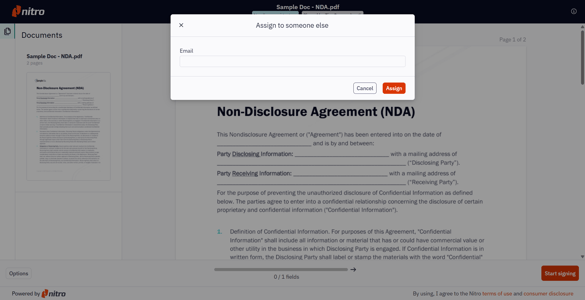
TIP: Once shared, you are still able to view the envelope, and receive notifications when the new signer views and signs the documents. When the envelope is complete you will also receive an email with a link to download the signed documents and the audit trail in a zip file.
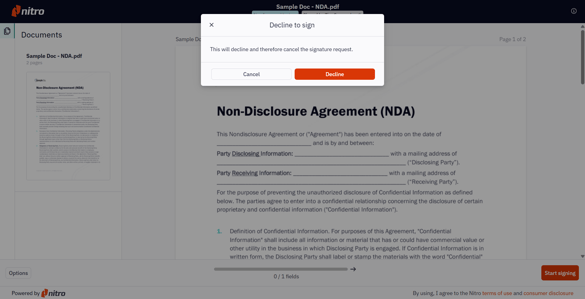
Decline to sign:
This Option allows you to decline the signature request.
1. Click Options, then choose Decline to sign.
2. A prompt will appear, giving you the option to decline the signature request. Choose Decline to proceed.