
All activity on a Nitro Sign document is tracked and stored, and can be viewed by the document owner and any users that the document has been shared with.
How to view a document's history in Nitro Sign
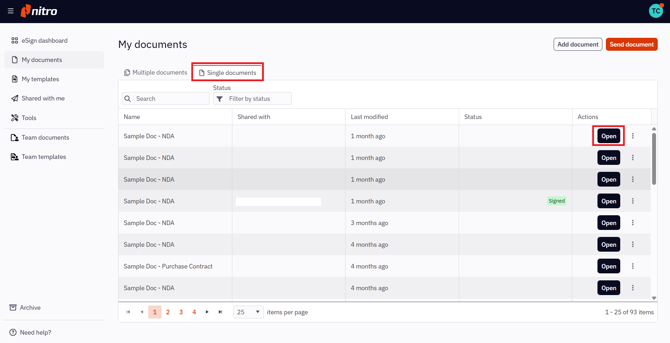
1. Select My documents or Shared with me in the left menu of the eSign dashboard
2. In the Single documents tab, select the document you want to view
3. Click the Open button next to the document name
3. Click the Information icon in the top-right of the screen
4. In the Document details panel, select the History tab
The current document's history will be listed, providing the user with information like who has edited the document, when, and at what time each edit occurred.
