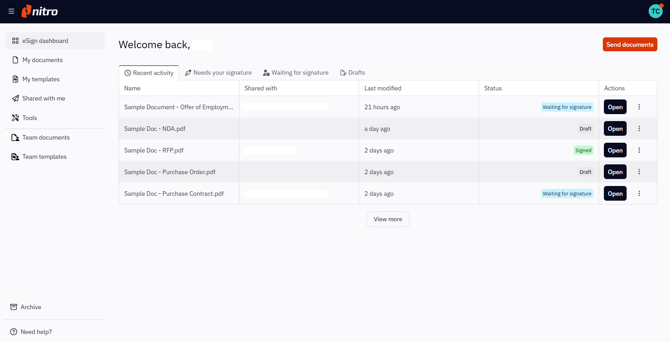
The status of signature requests can be viewed and tracked in Nitro Sign.
How to view a signature request's status in Nitro Sign
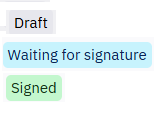
Any signature request you’ve created will be in one of the following statuses:
1. Draft: created, but not sent yet
2. Waiting for signature: created, sent and awaiting signatures from recipients
3. Signed: created, sent and fully signed
The status of signature requests is displayed on the eSign dashboard, My documents and Shared with me lists.
The eSign dashboard offers easy access to the signature requests that require your attention, divided in dedicated tabs per required action:
-
Recent activity: lists the five most recent signature requests you’ve worked on.
-
Needs your signature: lists the five most recent signature requests that you need to sign.
-
Waiting for signature: lists the five most recent signature requests that you’ve sent.
-
Drafts: lists the five most recent signature requests that you’ve created but not sent yet.