/Card-Page%20Previews-AI.png?width=1200&height=800&name=Card-Page%20Previews-AI.png)


Experience the complete PDF editor with powerful AI built in
Nitro PDF gives your team all the PDF capabilities they need across Windows, Mac, and iOS—without the complexity or cost of other alternatives.
With Nitro, you get AI-powered tools included in every plan. In just seconds, you can analyze documents, extract data from tables and forms, create interactive fillable forms, and surface sensitive information for redaction.
Add transparent pricing, centralized admin controls, and a team of experts backing you up 24/7, and you will see why millions of users and businesses trust Nitro to make document work simpler from day one.

Alle PDF-Tools in einem Editor

KI immer griffbereit

Integrieren & automatisieren

Vertrautes, intuitives Design

Transparente Preisgestaltung

Unübertroffene Unterstützung

Globale Sicherheitsstandards

Vollständige Administratorkontrolle

Erkenntnisse, die den ROI belegen






















Get more done with Nitro's powerful PDF features
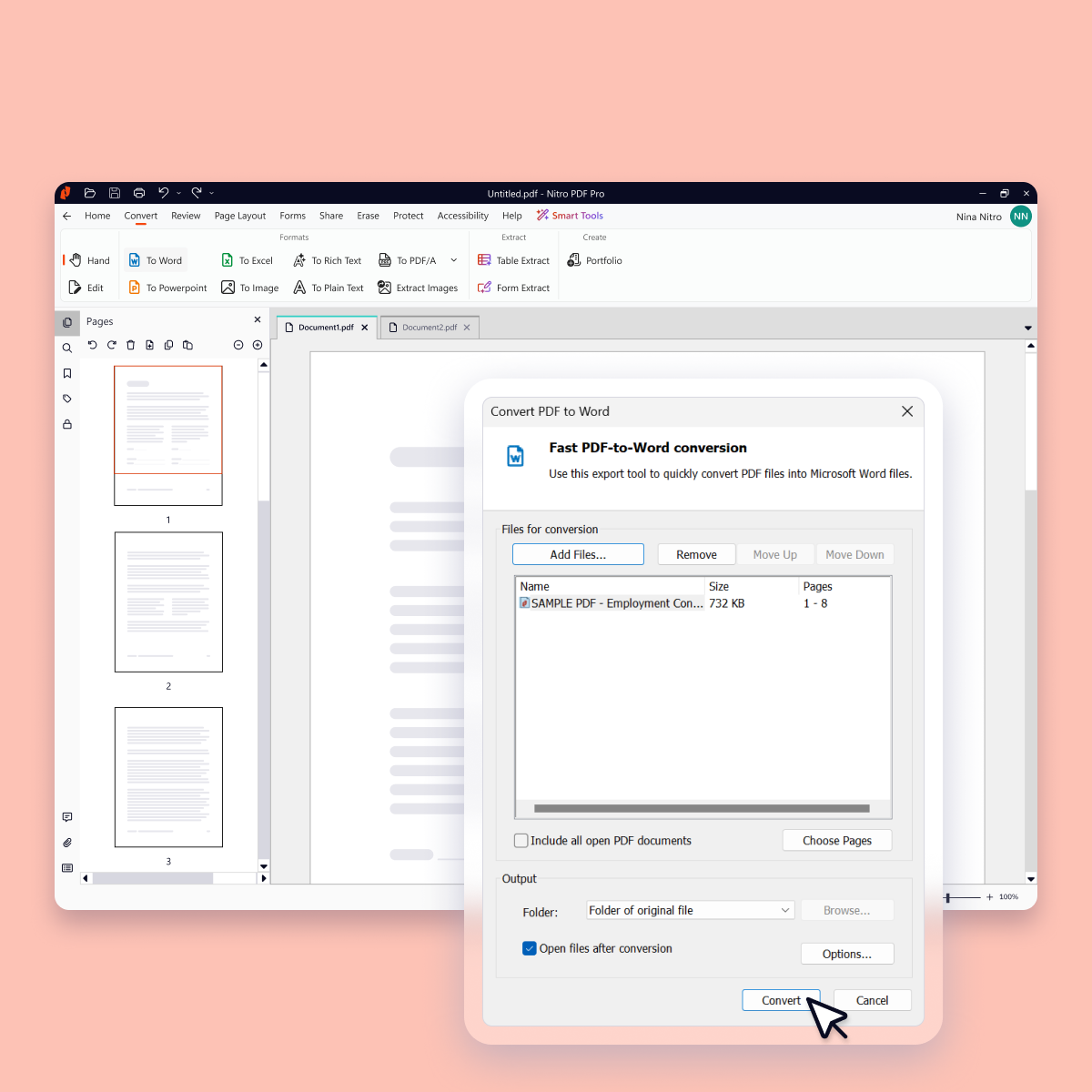

PDFs erstellen und konvertieren
Create and convert PDFs to and from popular formats like Word, Excel, PowerPoint, and image files while preserving layout and quality.

PDFs bearbeiten und organisieren
Update, restructure, and optimize any PDF into exactly the document you want, organized the way you need, without switching back to the original file.

PDFs prüfen und gemeinsam bearbeiten
Work together securely with Nitro's built-in collaboration tools. Gather and manage feedback across teams and devices with comments, highlights, and markup tools.

PDFs schützen und sichern
Keep every document, and everything inside it, safe with advanced security features such as password protection, encryption, permission controls, and audit trails.

Steigern Sie die Produktivität mit Nitro KI
Every Nitro PDF plan includes built-in AI tools designed for privacy and control, so you can boost productivity without compromising security.
Unterstützen von globalen Branchen mit einfacher, intelligenter und sicherer PDF-Bearbeitung
Finanz- und Rechnungswesen

Fertigungsgewerbe

Gesundheitswesen

Immobilien

Versicherungswesen

Behörden

Professionelle Dienstleistungen

Bildungswesen

Energieunternehmen