
What is Optimize?
Optimize is a Workspace tool that reduces the size of a PDF file. It helps you share and store files more efficiently while maintaining visual quality, readability, and print quality.
Optimize a PDF from the Workspace homepage
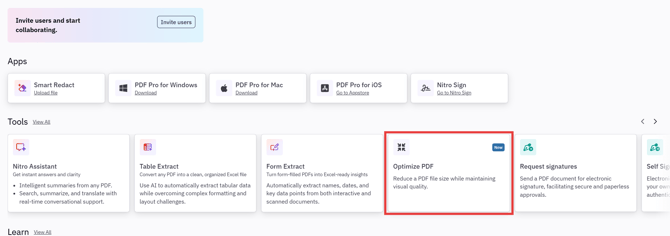
- On the Workspace homepage, click Optimize PDF
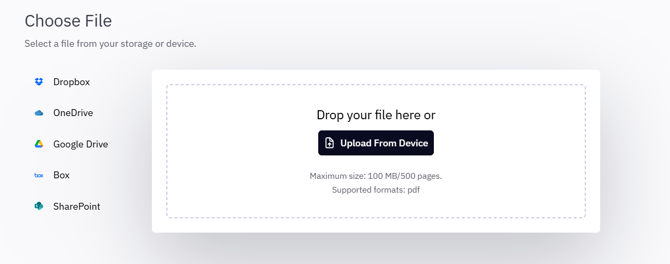
- Upload a file from your device or a cloud storage provider:
- Dropbox
- OneDrive
- Google Drive
- Box
- SharePoint
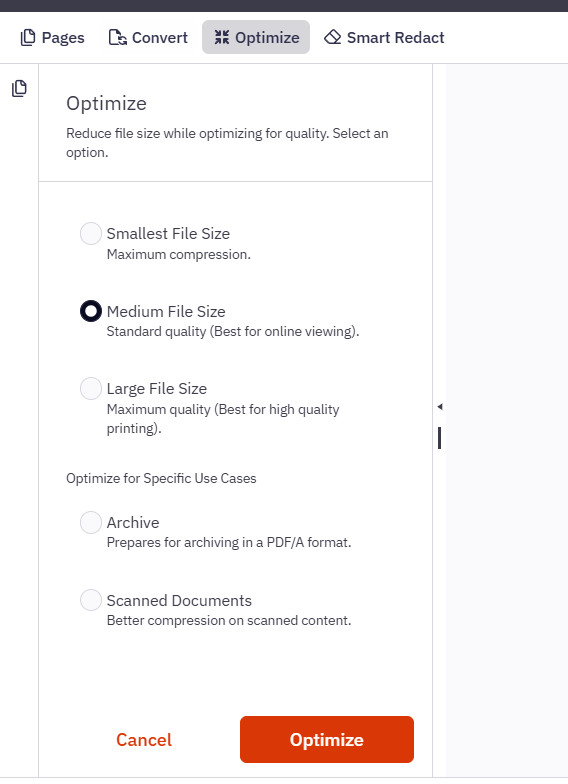
- In the Workspace Reader, select an optimization level in the left pane
- Click Optimize
- Wait for processing to complete
The optimized file opens automatically in the Workspace Reader. You can then download the file or save it to storage.
Optimize a PDF from the Workspace Reader (if the file is already open)
- Open a PDF file in the Workspace Reader
- Click the Optimize tab
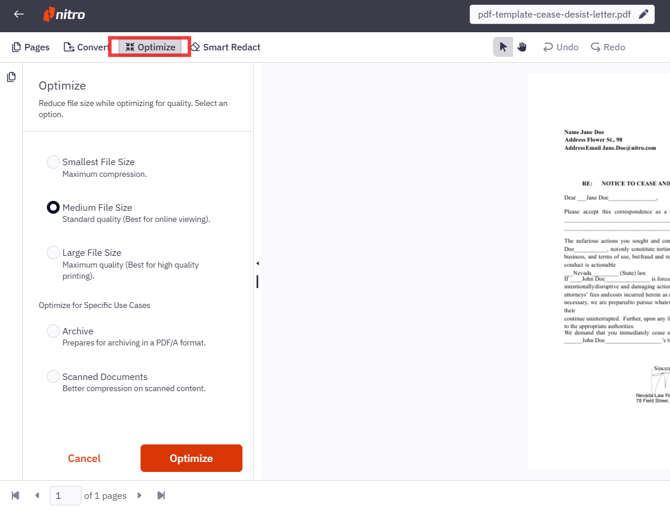
- Select an optimization level in the left pane
- Click Optimize
- Wait for processing to complete
The optimized file opens automatically in the Workspace Reader. You can then download the file or save it to storage.
Optimization levels
All levels reduce the file size of the original document. The difference between them is how much image compression is applied. Text remains sharp and readable at every level.
|
Level |
Description |
|---|---|
|
Smallest File Size |
Uses maximum compression to create the smallest file size. Images are downsampled to a lower resolution, so photos and graphics may lose some sharpness. Best for email attachments and quick sharing. |
|
Medium File Size |
Uses standard quality, balancing file size and image quality. Best for online viewing. This is the default option. |
|
Large File Size |
Uses maximum quality. Image resolution is not reduced, so the file size reduction is smaller than the other levels. Best for high-quality printing. |
|
Archive |
Compresses the file while preserving PDF/A formatting. Use this level for documents that must remain in PDF/A format for long-term archive. |
|
Scanned Documents |
Uses settings that provide better compression for scanned documents. Text readability is preserved even with strong compression. |
Note: Only the Archive level preserves PDF/A formatting. The other levels remove PDF/A conformance from the output file.