
To Extract Table Data
- Navigate to the Smart Tools or the Convert tab
- Click the Table Extract button

- The Table Extract window opens:
- If a file is already open, it is automatically added to the extract dialog box
- If no document is open, click the Add File button to add your file
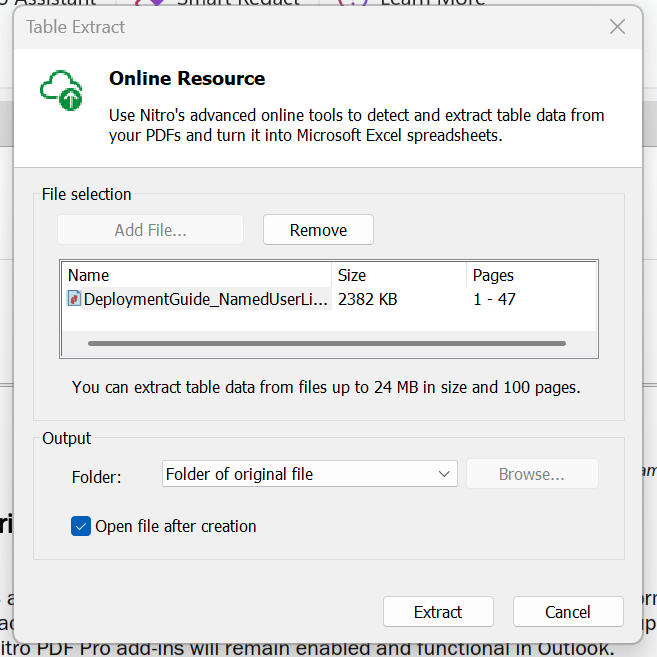
Note: Currently, only a single file can be added - Click Remove to remove the file
- To open the file after creation, select the checkbox
- On the Output part, you can select which folder you want to save your file:
- Folder of original file
- Specific folder
- Click Extract to start the process or Cancel to end
Note: You can extract table data from files up to 24MB in size and 100 pages.