
The logical reading order of a PDF defines the sequence in which assistive technologies read and process document content. It is determined by the order of tags in the document structure tree.
To define the logical reading order
- Open the PDF in Nitro PDF Pro
- Review the current reading order:
- In the left sidebar, select the Tags icon to open the document structure.
- In the Tags panel, compare the order of tags with the intended reading order of the document content
- Select tags in sequence using the mouse or arrow keys
- Selected content is highlighted in the document with a red outline
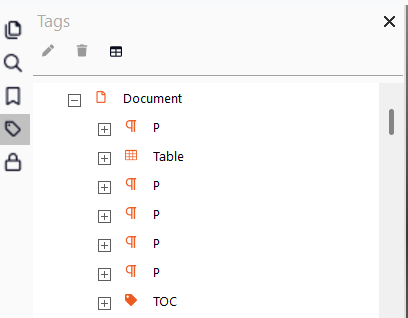
Note: Selecting a parent tag highlights all child tags. Expand parent tags using the expand (+) control and review child tags individually.
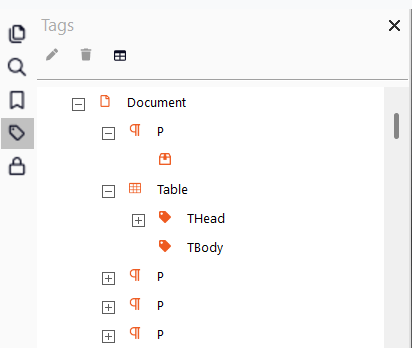
To adjust the reading order
- In the Tags panel, select a tag
- Drag the tag to the required position in the structure tree
- Release the mouse button to place the tag
A dotted line indicates the target position during dragging
Hierarchy behavior:
- Moving a tag left increases its hierarchy level
- Moving a tag right decreases its hierarchy level
To save changes:
- Select Save in the top bar, or
- Press Ctrl+S