
The Create Forms feature uses Advanced Online Tools to detect form elements and automatically generate form fields in a PDF.
After processing, Nitro PDF Pro adds interactive fields such as text fields and check boxes.
You can move, resize, or edit the generated fields manually.
Create form fields automatically
- Open the PDF in Nitro PDF Pro
- Go to the Forms tab

- Click Forms Create
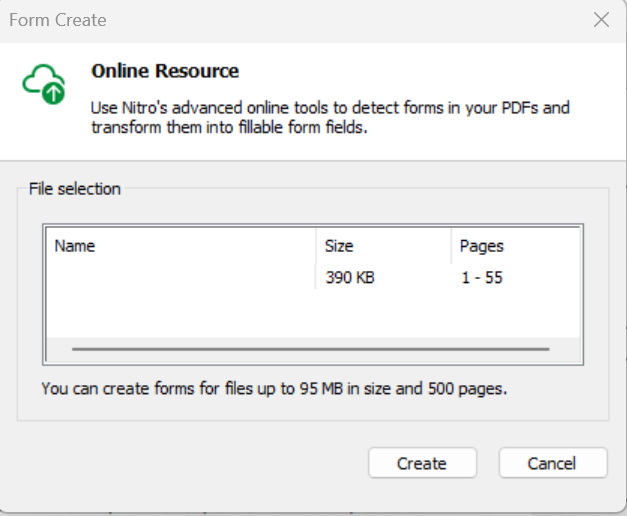
- A dialog box appears
- Click Create
- The system analyzes the document and generates form fields automatically
Edit generated form fields
- Select a form field
- Move the field by dragging it
- Resize the field using the corner handles
- Double-click the field to edit its properties