
The document structure of a PDF defines how content is organized using tags and attributes to support accessibility.
To check the document structure
- Open the PDF in Nitro PDF Pro
- In the left sidebar, select the Tags icon to open the document structure view
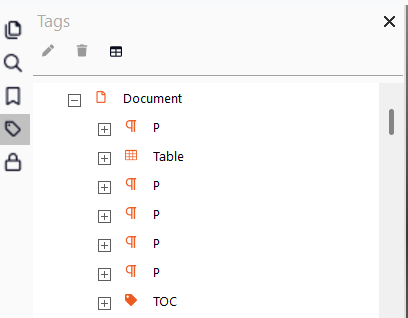
- Review the Tags panel to determine whether the document is tagged and whether the structure is correctly organized
Next steps
If the document does not contain a structure, create it using: - Creating the document structure with auto tags
- Creating the document structure manually
- If the structure exists, review and adjust tags as needed to ensure accuracy and completeness
For more information, visit Creating the Document Structure Manually User Guide.