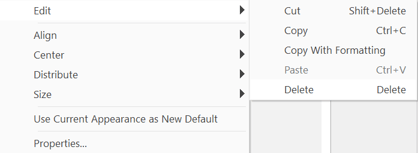
If you have created a set of links in a PDF and they need to be precisely laid out-for example, when you’ve added navigation links in the header or footer of a page-use the link aligning tools in the Link Tools context ribbon.
How to edit the appearance of links in PDF documents:
- On the Page Layout tab, in the Navigation group, click the down arrow below Link and then click Edit Links
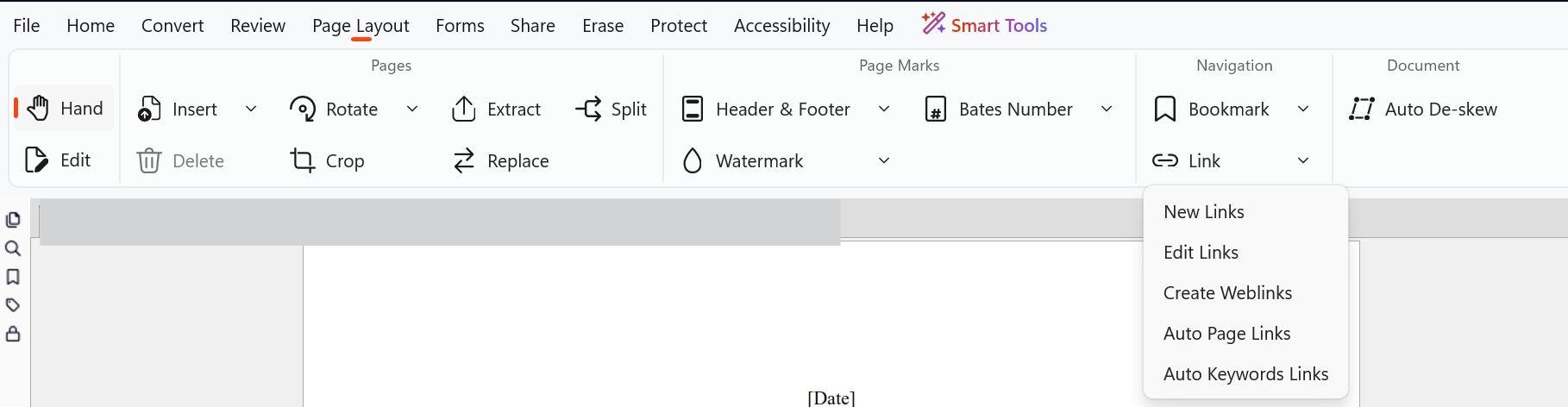
- Right-click on the link you want to edit and select Properties or double-click
- The Link Properties dialog opens
- On the Appearance tab, click the options you would like to change
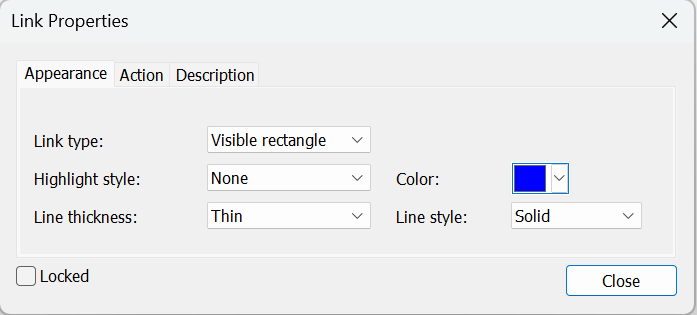
Tip: To edit the appearance of more than one link, hold down Ctrl and left-click each link to select them.
How to set the default link style:
- On the Page Layout tab, in the Navigation group, click the down arrow below Link and then click Edit Links
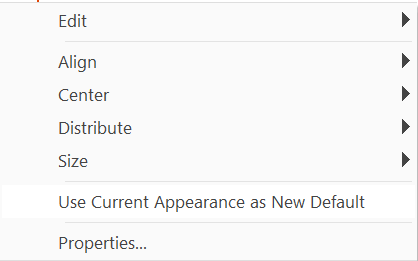
- Right-click on a link that uses the style you would like to make the default, and then click Use Current Appearance as Default
How to align, resize, and reposition links:
If you have created a set of links in a PDF and they need to be precisely laid out-for example, when you’ve added navigation links in the header or footer of a page-use the link aligning tools- On the Page Layout tab, in the Navigation group, click the down arrow below Link and then click Edit Links
- Hold down Ctrl and click on each link you would like to reposition
- Right-click and choose from the Align, Center, Distribute, and Size options
Note : To use the Align, Center, Distribute, and Size options, you must select at least two links.
How to lock and unlock the position and properties of links:
- On the Page Layout tab, in the Navigation group, click the down arrow below Link and then click Edit Links
- Right-click on the link you want to edit and select Properties or double-click
- Click the Locked option
- Click Close
How to delete links:
- On the Page Layout tab, in the Navigation group, click the down arrow below Link and then click Edit Links
- Left-click on the link to select it
- Do either of the following:
- Press the Delete key on your keyboard
- Right-click on the link, click Edit and then Delete