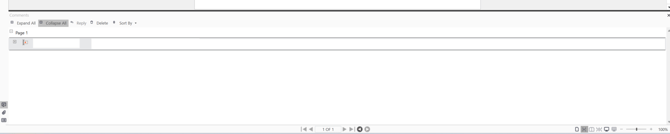
The Comments Pane gives you a centralized place to see and organize all of your annotations. It lists each comment, its type, reviewer name, date added, and the text included in any pop-up notes and text boxes.
This pane is a content-aware element, and its tab is visible in the side-bar only if the PDF document contains comments, or you add Notes, text or other markup.
To show or hide the Comments pane:
In the sidebar, click the Comments tab to toggle visibility of the Comments pane
Thanks for your feedback. We're glad we could help.
Thank you. Your feedback will be used to make future improvements.
Thanks for your interest in Nitro!
For those requiring fewer than 20 licenses, our online store is the fastest way to access the same trusted Nitro PDF tools—optimized for simplicity, security, and speed.
Recommended plans for you:
Nitro PDF Standard
For Windows, Mac, and iOS
For individuals, small teams, and businesses seeking a full suite of PDF editing tools to boost productivity and streamline workflows.
For those requiring fewer than 20 licenses, our online store is the fastest way to access the same trusted Nitro Sign tools—optimized for simplicity, security, and speed.
Recommended plans for you:
Nitro Sign Standard
For Windows, Mac, and iOS
For individuals or small teams with basic signing needs.